Brand: SILVER CREST
Category: Electronics
Document Type: Manual
Language: EN
Brand: SILVER CREST
Category: Electronics
Document Type: Manual
Language: EN
Uploaded: Nov. 21, 2025, 6:27 p.m.
Offers a 3-year warranty from the date of purchase for material or production faults.
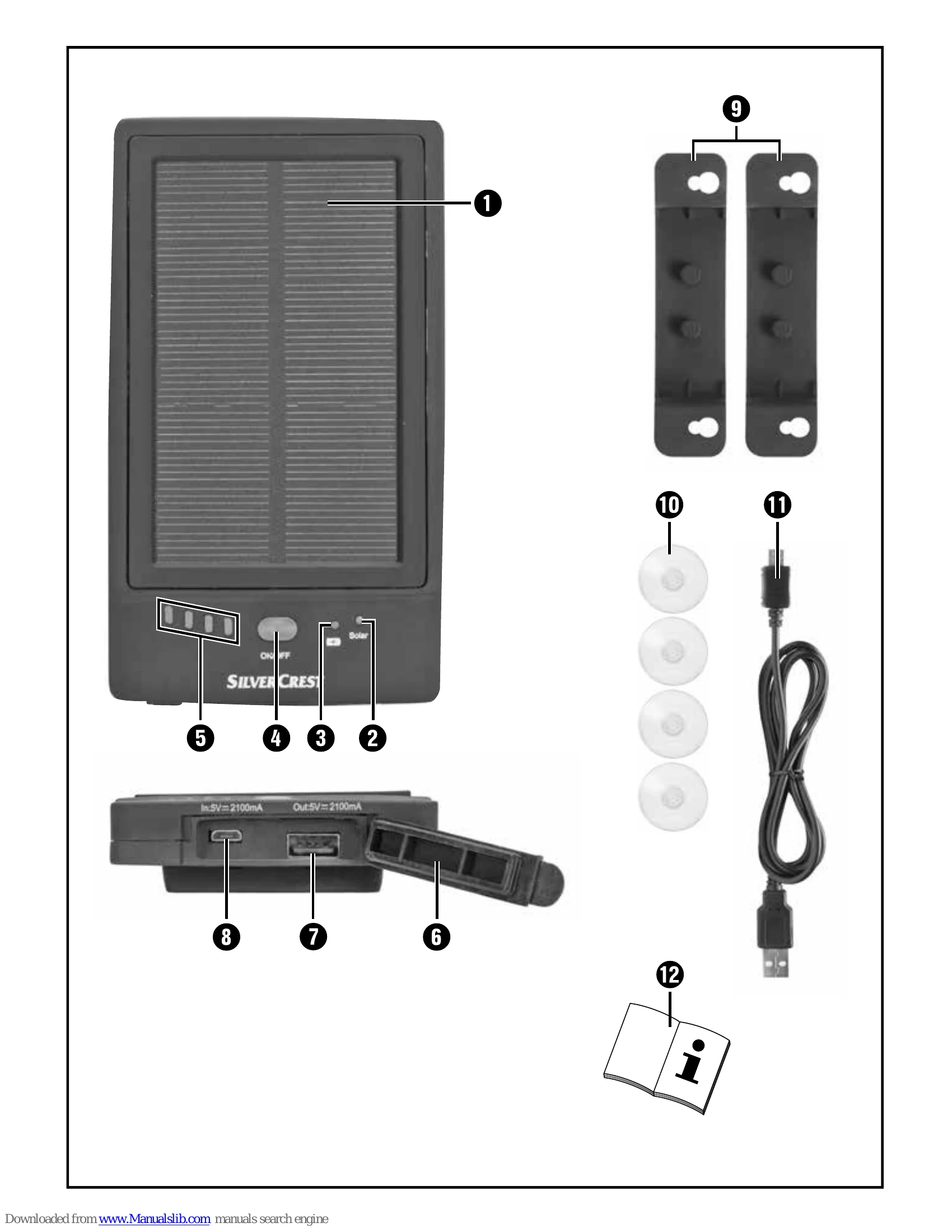
Switching on: Briefly press the ON/OFF button (4). Charge level LEDs (5) light up for approx. 10 seconds. The blue LED (3) indicates charging.
Automatic switch-off: The power bank turns off if no device is connected for charging within 10 seconds to save battery.
Switching off: Press and hold the ON/OFF button (4) for at least 2 seconds.
Display charge level: Briefly press the ON/OFF button (4) to show the battery charge level for a few seconds using LEDs (5).
Charging external devices: Connect your device's charging cable to the power bank's USB port (7). If charging doesn't start automatically, press the ON/OFF button (4).
| Problem | Solution |
|---|---|
| A connected device is not charging. | Press the ON/OFF button (4) briefly to start charging. The power bank's battery might be empty; charge it. Check the connection. Ensure the device requires a charging current between 70 mA and 2.1 A. |
| The power bank will not switch on. | The power bank may have switched off due to overloading. Charge it briefly with a USB mains adapter before attempting to switch it on again. |
| The power bank's battery is not charging via the solar panel. | Ensure the solar panel (1) is receiving sufficient sunlight. |