Brand: SILVER CREST
Category: Electronics
Document Type: Manual
Language: EN
Brand: SILVER CREST
Category: Electronics
Document Type: Manual
Language: EN
Uploaded: Nov. 21, 2025, 6:55 p.m.
This device comes with a 3-year warranty from the date of purchase for material or manufacturing defects.
Press the MODE button for 3 seconds to switch on the camera. You will hear a short melody and the operating/charging LED lights up blue. Press the MODE button for 3 seconds to switch off the camera. You will hear a short melody and the operating/charging LED goes off.
The manual displays views for Video mode, Photo mode, and Slow-motion mode, showing resolution, frame rate, and storage information. A System configuration icon is also shown.
| Fault | Solution |
|---|---|
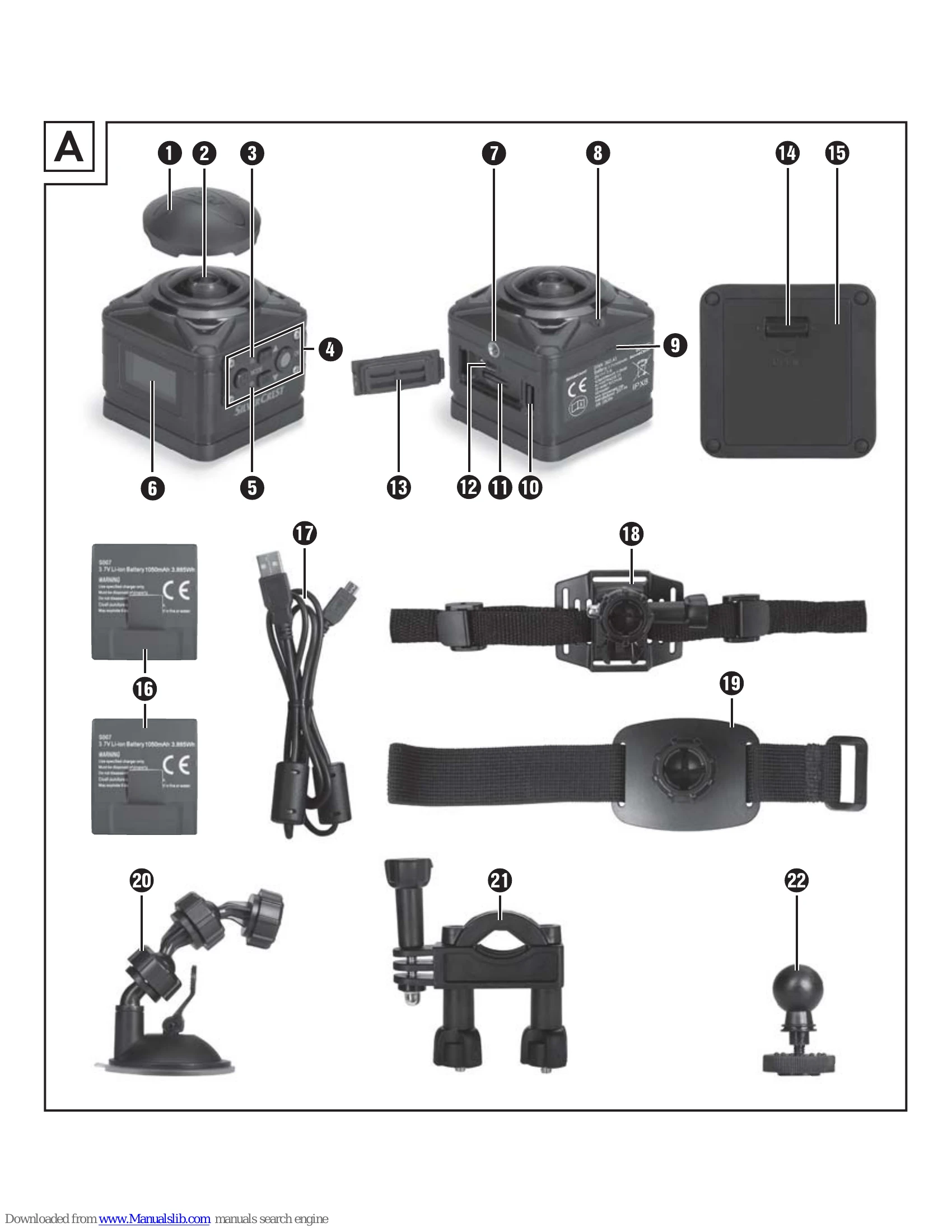
| The camera does not switch on. | Charge the battery 16 or use the spare battery 16. |
| The video has no sound. | Select the "Recording sound" menu in the video mode settings and activate it. |
| The image is too bright/too dark. | Select the "Exposure" menu in the function settings. Negative values counteract overexposure, and positive values counteract underexposure. |
| The image has spots and stripes. | Clean the lens, as described in the "Cleaning" chapter. |
| No connection can be established between the camera and the smartphone. | Proceed as described in the "Connect camera with smartphone via WLAN" chapter. |
| The camera does not react when one of the remote control buttons is pressed. The operating LED 33 flashes when pressed. | You are not within the camera's reception range. Move the remote control 32 closer to the camera until the camera reacts. |
| The camera does not react when one of the remote control buttons is pressed. The operating LED 33 does not flash when pressed. | The battery of the remote control is empty. Replace the battery as described in the "Using the remote control" chapter. |
| There are distortions during recording. | Use a microSDHC memory card with speed class 10. For microSDHC memory cards with a lower speed class than 10, distortions may occur during recording. |
| The inserted microSDHC memory card is not compatible. | Format the inserted microSDHC memory card as described in the "System configuration" chapter. |