Quick Start Guide for SBKP 1 A2

Quick Start Guide for SBKP 1 A2

Brand: SilverCrest

Category: Audio

Document Type: Quick Start Guide

Language: EN
Uploaded: Nov. 21, 2025, 8:10 p.m.

Manual Publish Date: 2019-06-01

Warranty Information

Refer to the full operating instructions for warranty details.

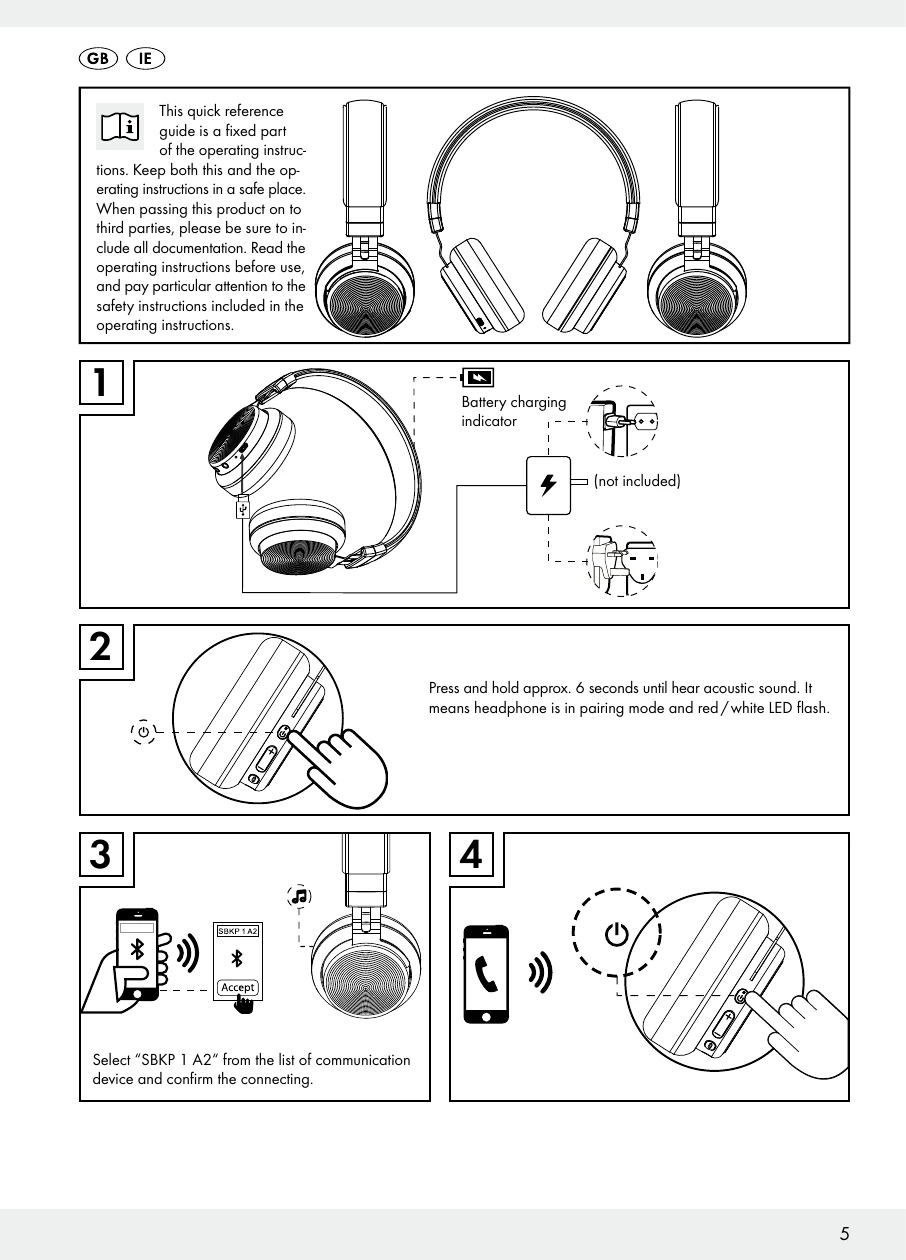
1. Connect the headphones to a power source using the charging cable (not included). The charging indicator light will show the charging status. 2. Press and hold the power button for approximately 6 seconds until an acoustic signal is heard. The headphones will enter pairing mode, indicated by a flashing red/white LED. 3. On your communication device (e.g., smartphone), select "SBKP 1 A2" from the list of available Bluetooth devices. 4. Confirm the connection on your communication device. The LED will change to indicate a successful connection.

Troubleshooting and error codes

LED Status LED Behavior
Pairing mode Red, White (LED flashes once per second)
Paired mode White (LED flashes twice per 3 seconds)
Low battery Red (LED flashes once per 3 seconds)
Privacy Policy