Brand: SilverCrest
Category: Audio
Document Type: Quick Start Guide
Language: EN
Brand: SilverCrest
Category: Audio
Document Type: Quick Start Guide
Language: EN
Uploaded: Nov. 21, 2025, 8:05 p.m.
Manual Publish Date: 2018-09-01
This product comes with a 24-month warranty.
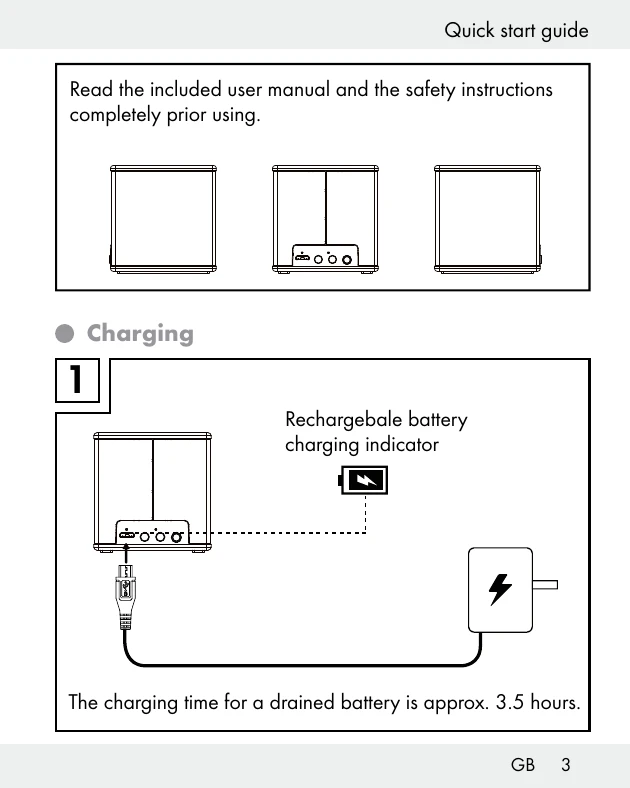
1. Charging: Connect the device to a power source using the provided cable. The charging time for a drained battery is approximately 3.5 hours. The rechargeable battery charging indicator will show the charging status.
2. Switching on: Press and hold the power button for approximately 2 seconds to switch ON the device. It will automatically enter pairing mode via Bluetooth®.
3. Pairing: On your mobile device, search for "SBLL 3 A1" in Bluetooth® settings and select it. Accept the connection request on your mobile device.
| LED | Off | On | Blinking |
|---|---|---|---|
| Orange LED | Battery completely charged / no charger connected | Battery is charged | - |
| Blue LED | Device is off | Device switched on, Bluetooth® connection is established | Device is in pairing mode |