Brand: SilverCrest
Category: Electronics
Document Type: Manual
Language: EN
Brand: SilverCrest
Category: Electronics
Document Type: Manual
Language: EN
Uploaded: Nov. 21, 2025, 7:35 p.m.
Manual Publish Date: 2017-12
The product comes with a 3-year warranty covering material or manufacturing defects from the date of purchase.
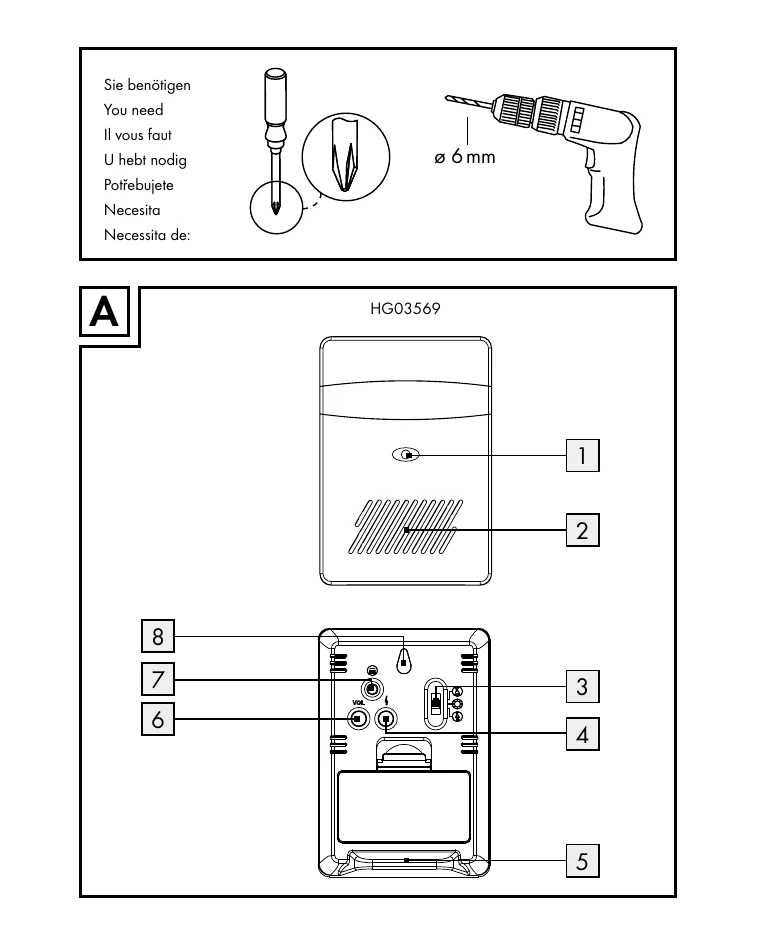
Synchronising Transmitter/Receiver: Install batteries, the receiver enters synchronisation mode automatically. Manual sync is possible by holding the sync button for 3 seconds. Press the chime button on the transmitter; the receiver's signal indicator will blink to confirm successful synchronization.
Setting Signal Type: Use the signal type selector button to choose between optical, acoustic, or both optical and acoustic signals for receiving door signals.
Setting Volume: Press the volume button to cycle through four volume settings: very loud, loud, medium, soft.
Selecting Chime: Use the melody selection button to cycle through 36 different chimes. The selection is automatically stored.
Troubleshooting: In case of malfunction due to environmental conditions or electrostatic discharge, remove batteries from both units for 2 minutes and then re-synchronize.
| Symptom/Problem | Possible Cause | Solution |
|---|---|---|
| Product malfunction after extreme environmental conditions (e.g., strong electromagnetic field) | Interference from environmental factors. | Remove batteries from both units for approx. 2 minutes. Then proceed with synchronisation as described. |
| Malfunctions due to electrostatic discharge. | Electrostatic discharge. | Temporarily remove and reinsert the battery. Then proceed with synchronisation as described. |