Brand: SilverCrest
Category: Kitchen Appliances
Document Type: Manual
Language: EN
Brand: SilverCrest
Category: Kitchen Appliances
Document Type: Manual
Language: EN
Uploaded: April 20, 2026, 7:58 p.m.
Manual Publish Date: null
3-year warranty from date of purchase for material or manufacturing faults.
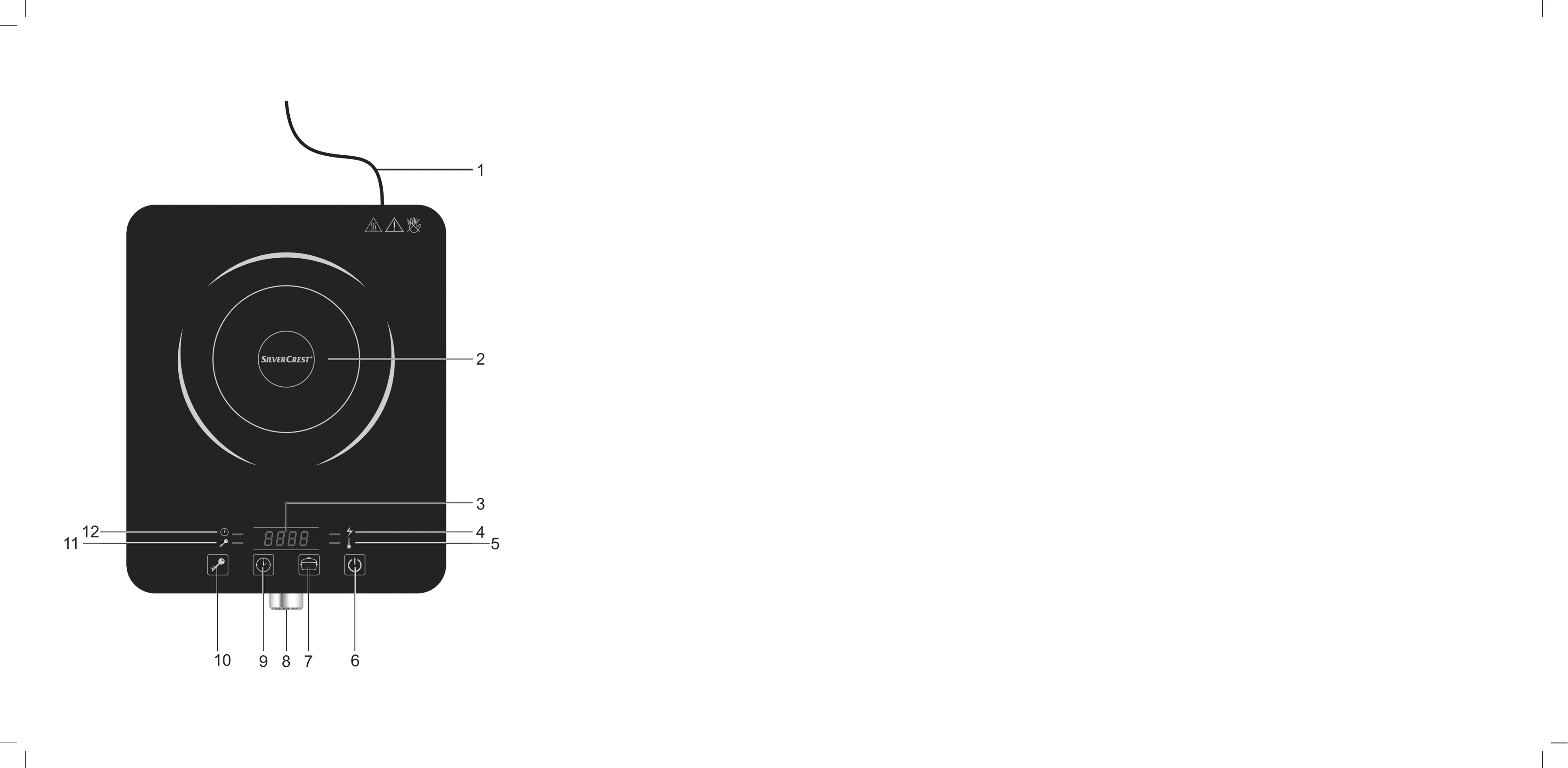
| Problem | Possible causes | Remedy |
|---|---|---|
| Induction hotplate not working | Mains cable not connected | Connect the mains cable to a live wall socket. |
| Induction hotplate not working | Child lock activated. | Press and hold the button (10) for 3 seconds to deactivate the child lock. |
| Heating zone not getting hot | No pan on the heating zone (2) | Place a pan on the heating zone (2). |
| Heating zone not getting hot | Cookware not suitable for induction | Only use cookware which is suitable for induction hotplates. |
| Error E0 is shown on the display (3) | No pan on the heating zone (2) | Place a pan on the heating zone (2). |
| Error E0 is shown on the display (3) | Cookware not suitable for induction | Only use cookware which is suitable for induction hotplates. |
| Error E0 is shown on the display (3) | Cookware is too small in diameter or not standing centrally on the heating zone (2). | Only use cookware with a diameter of between 16 and 26 cm and place it on the centre of the heating zone. |
| Error E5 is shown on the display (3) | Hotplate temperature too high | Wait a few minutes until the heating zone has cooled down. |
| Error E5 is shown on the display (3) | Empty pan | Fill the pan with food. |
| Error E6 is shown on the display (3) | Cooling fan faulty | Contact our hotline. See the "Guarantee information" on page 78. |
| Error E1, E2, E3 or E4 is shown on the display (3) | Technical fault | Contact our hotline. See the "Guarantee information" on page 78. |