Brand: SONY
Category: Audio
Document Type: Parts/Service
Language: EN
Brand: SONY
Category: Audio
Document Type: Parts/Service
Language: EN
Uploaded: Nov. 21, 2025, 8:31 p.m.
Manual Publish Date: 2007-07-01
Press MODE repeatedly until the desired mode appears in the display. Modes include Repeat single track, Repeat all tracks, Shuffle play, Program play.
| Symptom | Possible Cause | Remedy |
|---|---|---|
| No power | ||
| AC power | AC power cord not plugged in securely. | Plug in the AC power cord securely. |
| Battery power | Batteries exhausted or inserted incorrectly. | Replace batteries with new ones, or check polarity. |
| CD does not play | ||
| No disc inserted. | Insert a disc. | Insert a disc with the label side up. |
| Disc is dirty or damaged. | Clean or replace the disc. | Clean the disc with a soft cloth, or try another disc. |
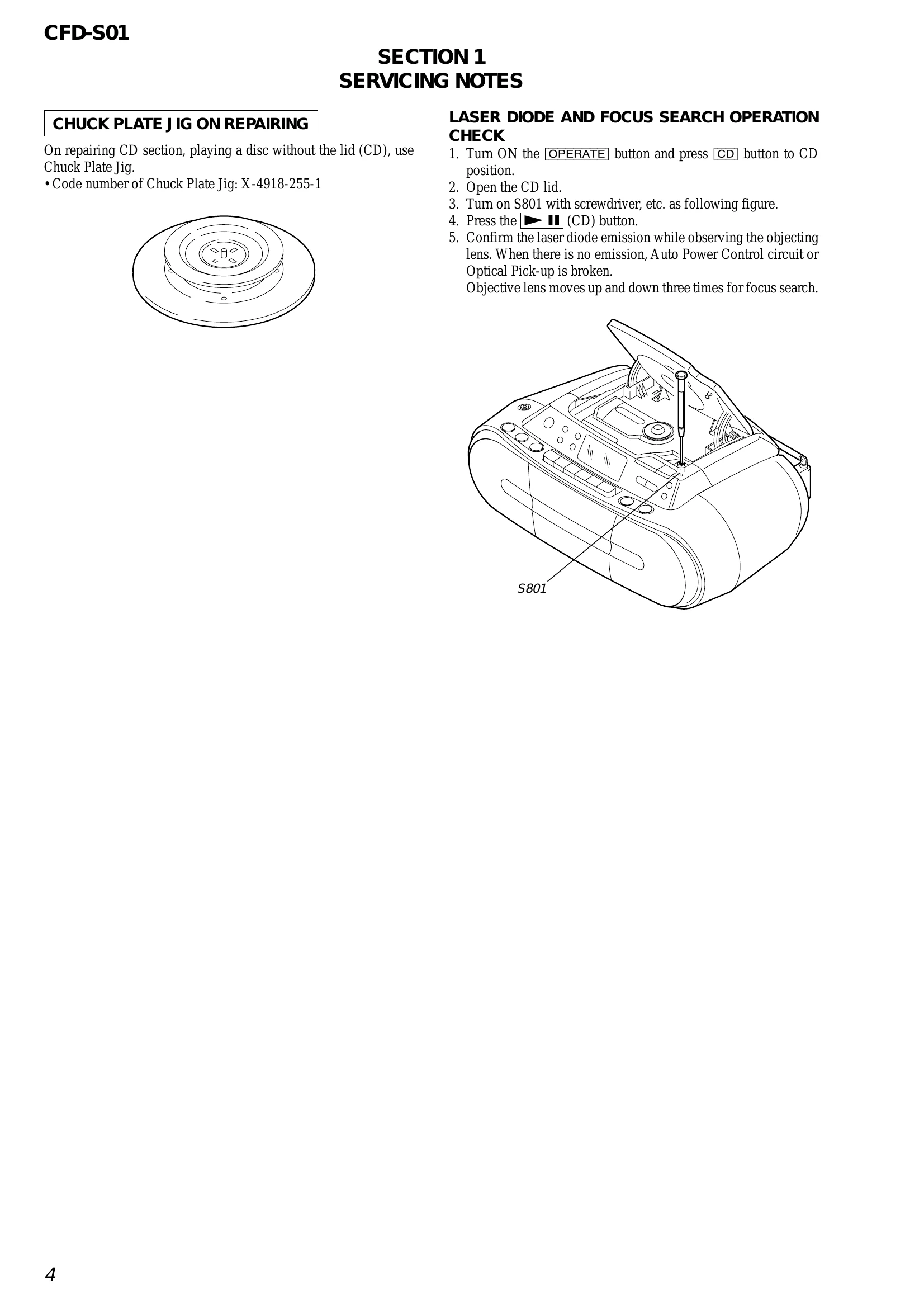
| CD section not functioning properly. | Refer to "SERVICING NOTES" and "ELECTRICAL ADJUSTMENTS". | Check laser diode emission, focus search operation. |
| Radio does not play or reception is poor | ||
| Antenna not properly positioned. | Extend and adjust the telescopic antenna. | Extend the FM telescopic antenna. Use the built-in AM ferrite bar antenna. |
| Tuning is not precise. | Fine-tune the station. | Press TUNE + or - repeatedly. |
| Tape does not play or sound is distorted | ||
| Tape is not inserted correctly. | Insert tape properly. | Ensure the tape is inserted with the correct side facing you. |
| Tape is worn or damaged. | Use a new tape. | Replace with a new, good quality tape. |
| No sound or distorted sound from speakers | ||
| Volume is set too low. | Increase volume. | Turn the volume knob up. |
| Speakers are not connected properly (if applicable). | Check speaker connections. | Ensure speakers are connected correctly. |