Manual for Network Audio Remote Ver1.1

Manual for Network Audio Remote Ver1.1

Brand: SONY

Category: Audio

Document Type: Manual

Language: EN
Uploaded: Nov. 21, 2025, 6:28 p.m.

Warranty Information

None

Network Audio Remote Operation

The Network Audio Remote allows you to control Sony Home Network devices connected to your wireless LAN. You can manage these devices, enjoy audio content from source units on your network, and utilize the PARTY STREAMING function to listen to audio on multiple devices simultaneously.

Key Features:

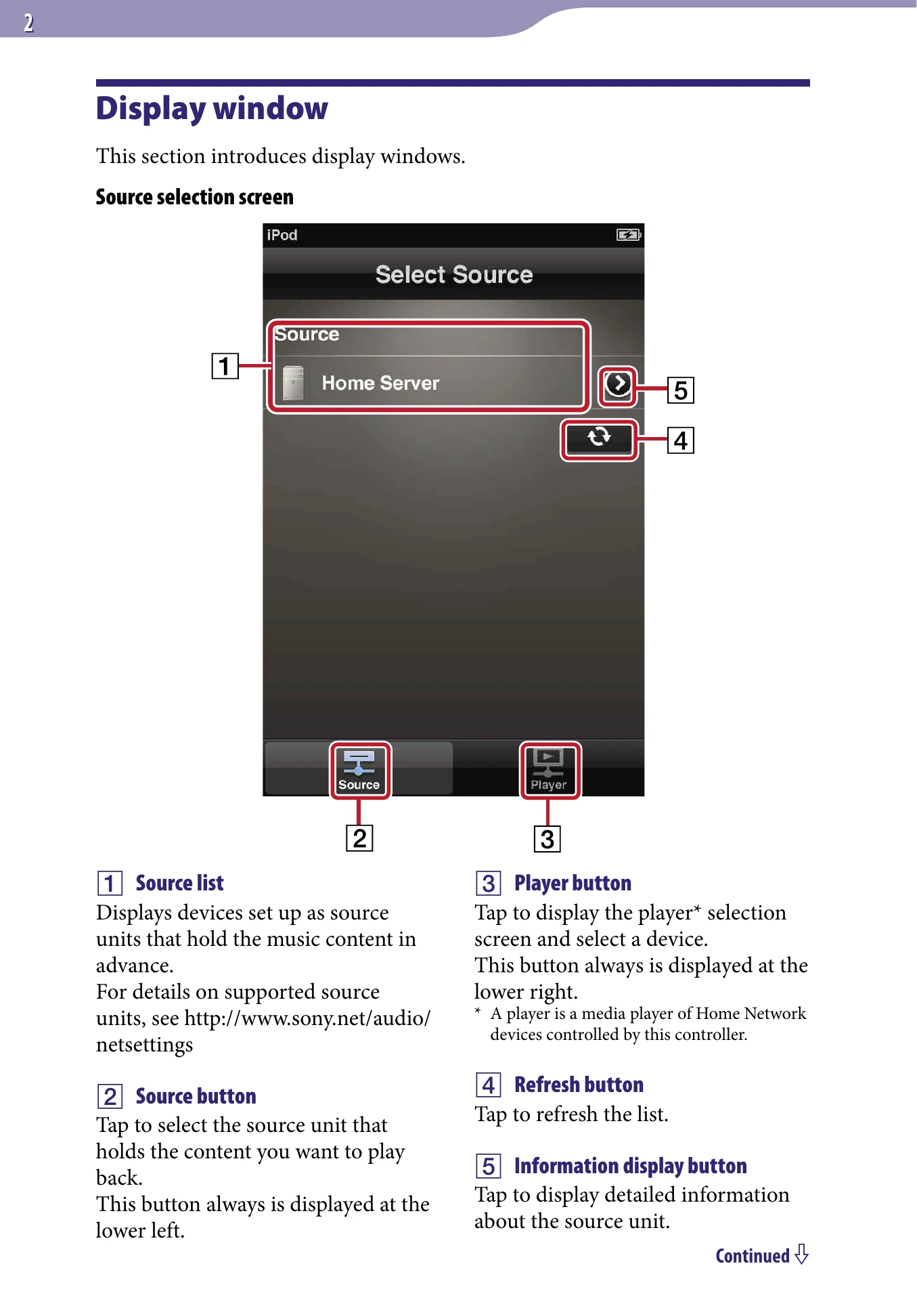
  • Source Selection: Choose the device holding your music content.
  • Player Selection: Select the device that will play the music.
  • Playback Control: Manage playback with buttons, adjust volume, and view content information.
  • Music Services: Access music streaming services through compatible devices.
  • PARTY STREAMING: Group multiple devices for synchronized audio playback.
  • Troubleshooting: Guidance for common issues like connection problems or no sound.

Troubleshooting and error codes

Problem Solution
Application quits after an error message
  • Confirm the Wi-Fi icon is displayed and the Wi-Fi setting is on.
  • Check wireless network settings.
Cannot connect to home network
  • Refer to "Application quits after an error message".
  • Check wireless network settings.
Devices not displayed on source/player selection screens
  • Check power, network, and player connections.
  • Check access permission settings.
Content list not displayed
  • Refer to "Devices not displayed...".
  • Turn on Remote UI mode for iPod/iPhone mounted devices.
No sound after playback
  • Check if content is supported.
  • Ensure speaker button is activated.
  • Check volume settings.
Privacy Policy