Brand: SONY
Category: Audio
Document Type: Manual
Language: EN
Brand: SONY
Category: Audio
Document Type: Manual
Language: EN
Uploaded: Nov. 21, 2025, 6:25 p.m.
Manual Publish Date: 2010
No warranty information is explicitly stated in the provided pages.
Before first use: Thank you for purchasing this "WALKMAN.". This User Guide explains how to transfer music, videos, photos and podcasts to the player and how to use its functions. Read "Important Information" for details on player use. Also, refer to the "Quick Start Guide" for important information.
About model names: Some models may not be available depending on your country/region.
About Windows OS and Media Player: Ensure your computer has Windows XP (SP3+), Vista (SP1+), or Windows 7, with Windows Media Player 11 (XP/Vista) or 12 (Win 7). Refer to Microsoft support for details.
About battery charging: The battery may not be charged at purchase. See [Details] for charging instructions.
This guide explains player functions, settings, and troubleshooting.
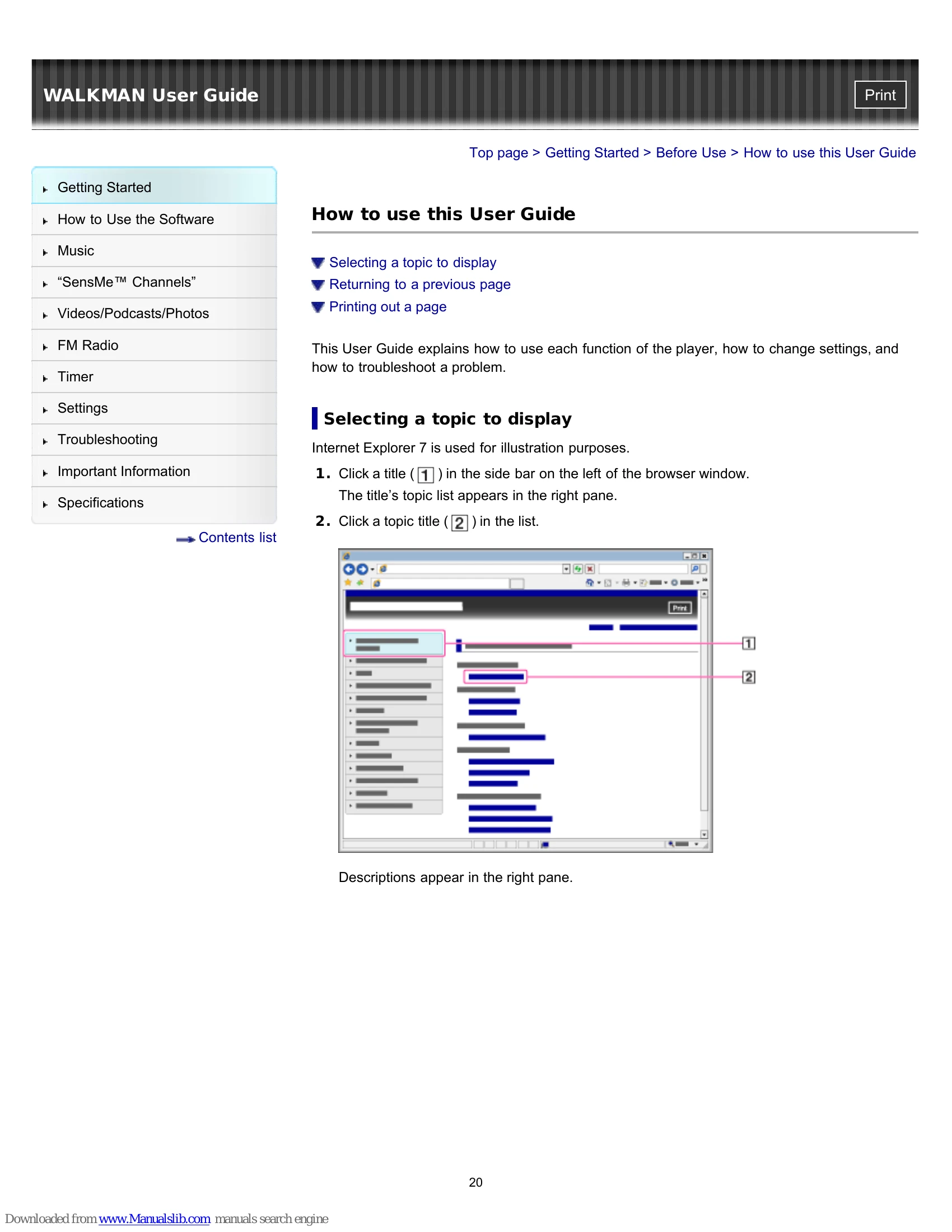
Selecting a topic: Click a title in the side bar to view its topic list, then click a topic title to display descriptions.
Returning to a previous page: Use the browser's back button or breadcrumb trail navigation.
Printing a page: Click the print button.
Enjoy music, videos, photos, and podcasts transferred from a computer or by using "SensMe™ Channels".
Transferring content: Use bundled software (Content Transfer) or Windows Media Player. Install bundled software using the "Quick Start Guide".
| To Deal with a Trouble | Possible Causes of Symptoms |
|---|---|
| What can I do to solve a problem? |
|
| Customer support Web site | Table of contents for symptoms and possible causes |