Manual for CCD-FX410

Manual for CCD-FX410

Brand: SONY

Category: Camcorder

Document Type: Manual

Language: EN
Uploaded: Aug. 10, 2025, 12:21 a.m.

Manual Publish Date: 1992-01-01

Warranty Information

None

Getting Started:

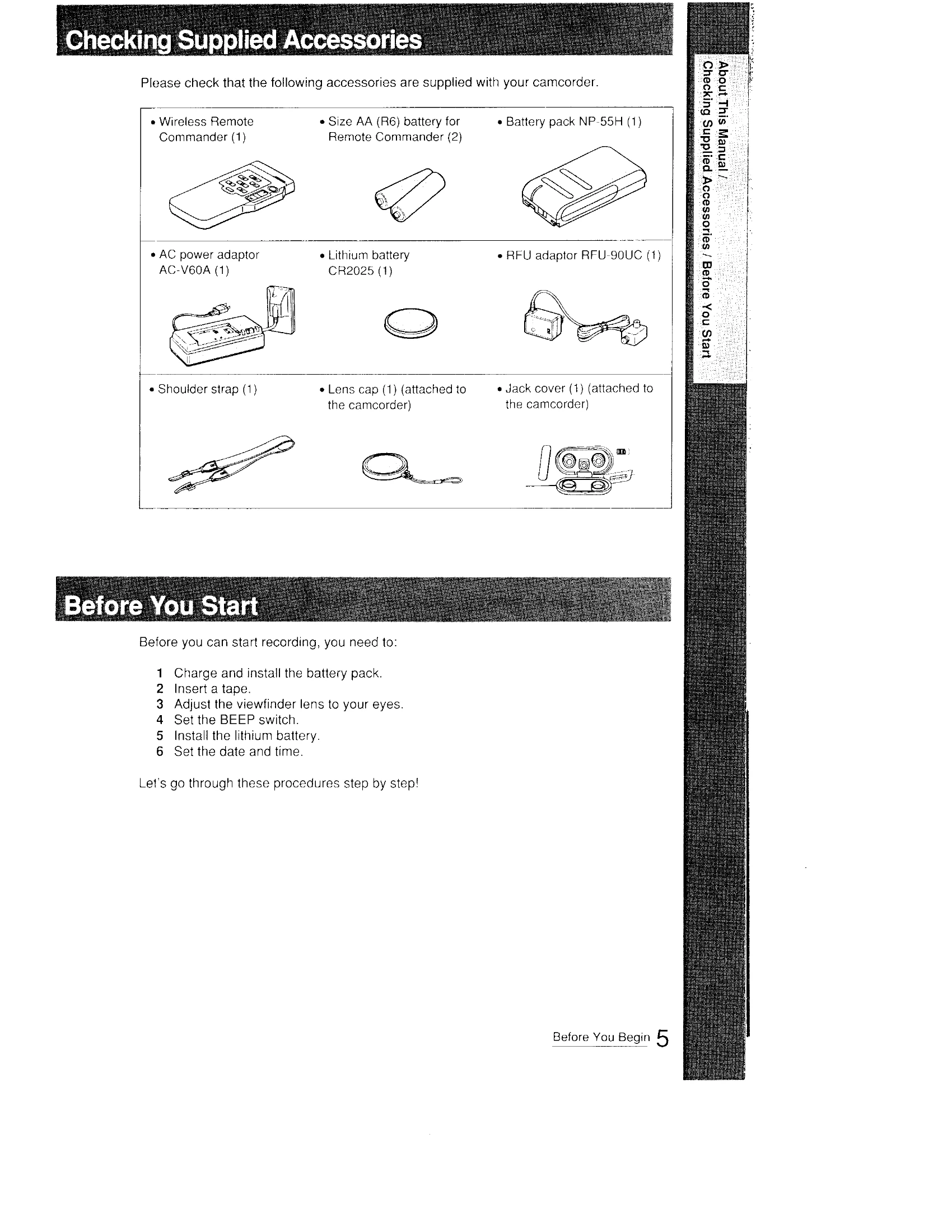
  1. Charge and install the battery pack.
  2. Insert a tape.
  3. Adjust the viewfinder lens.
  4. Set the BEEP switch.
  5. Install the lithium battery.
  6. Set the date and time.

Basic Camera Operation:

  1. Hold the camcorder, press POWER to CAMERA, and turn STANDBY up.
  2. Press START/STOP to begin recording.
  3. Press START/STOP again to momentarily stop recording.
  4. Turn STANDBY down and POWER to OFF to finish recording.
  5. Eject the tape.

Playback:

  1. Connect the camcorder to a TV using the RFU adaptor or video/audio inputs.
  2. Press POWER to VTR and insert a tape.
  3. Turn on the TV and select the appropriate channel or input.
  4. Press PLAY to start playback.
Privacy Policy