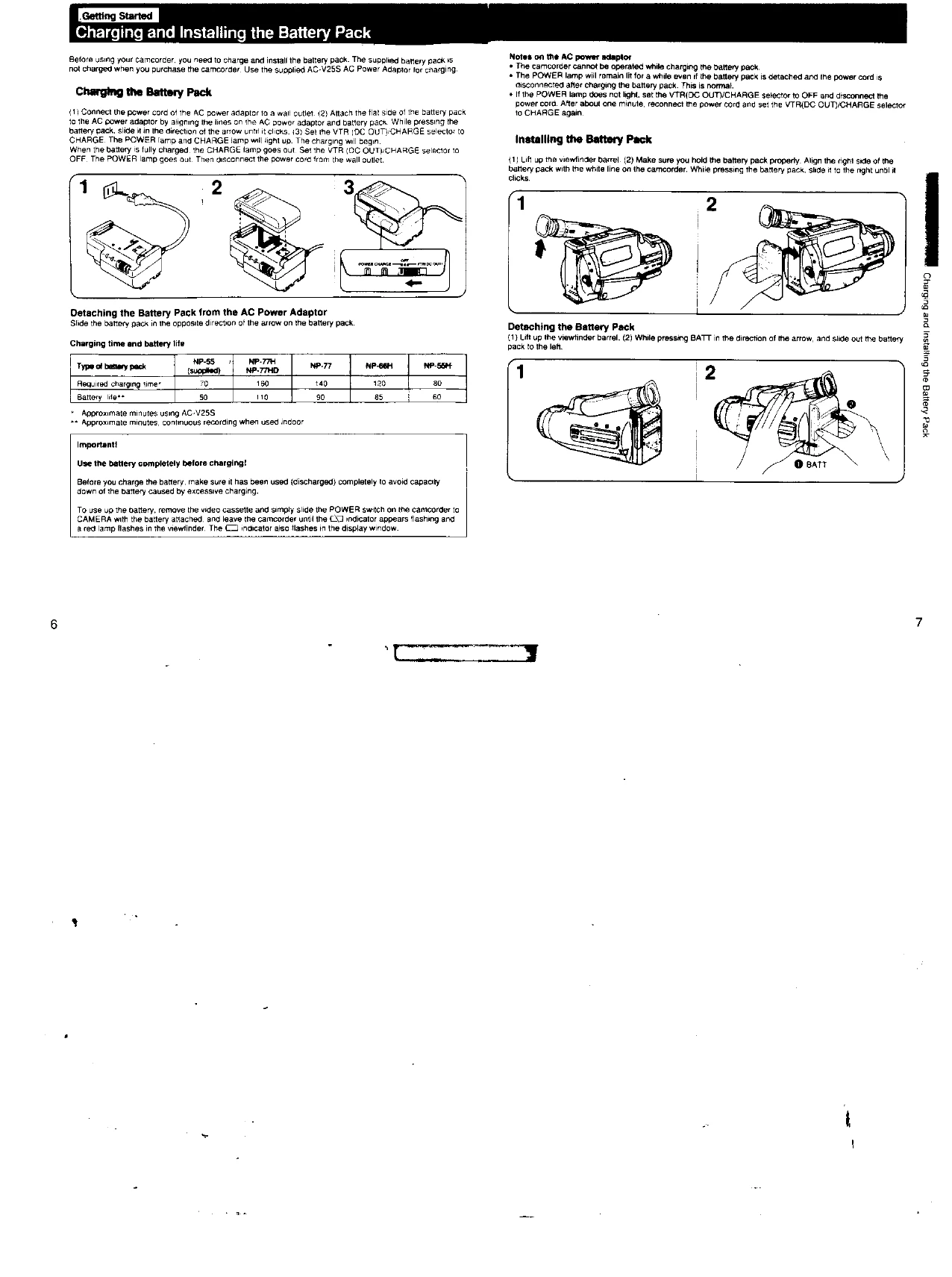
Charging and Installing the Battery Pack: Ensure the battery pack is fully charged before use. Connect the AC power adapter to charge the battery, then attach the battery pack to the camcorder.
Setting the Date and Time: Install the lithium battery and set the clock.
Storing a Birth Date: Preset birth dates to record your child's age on tape.
Inserting a Cassette: Properly insert a Video 8 cassette.
Adjusting the Viewfinder Lens: Focus the viewfinder for clear viewing.
Camera Recording: Set the power switch to CAMERA, attach a power source, and press START/STOP to begin recording.
Basic Operations
Using the Zoom Feature: Adjust the size of the subject using the power zoom button.
Recording the Date or Time: Optionally record date or time information on the tape.
Checking Recorded Picture: Use EDITSEARCH to review recorded scenes.
Connections for Playback: Connect the camcorder to a TV or VCR for playback using various cables or adaptors.
Playing Back a Tape: Insert a recorded tape and press PLAY to view.
Advanced Operations
Using Alternative Power Sources: Utilize battery pack, house current, or car battery.
Compensating for Backlighting: Adjust brightness when the subject is dark due to a bright background.
Focusing Manually: Manually adjust focus under specific conditions.
PROGRAM AE Function: Select suitable modes (Portrait, Sports, High-Speed Shutter) for different shooting situations.
Fade-in and Fade-out: Create professional transitions.
Using the Tape Counter: Locate scenes using the tape counter.
Inserting a Scene/Editing: Insert or edit scenes into recorded tapes.
Recording from TV or VCR: Record content from external sources.