Charging and installing the battery pack: Charge the battery pack using the supplied AC power adaptor. Ensure the CHARGE lamp indicates charging is in progress. After charging, install the battery pack into the camcorder.
Inserting a cassette: Open the cassette compartment, insert a Hi8 video cassette with the window facing out, and close the compartment.
Basic Operations
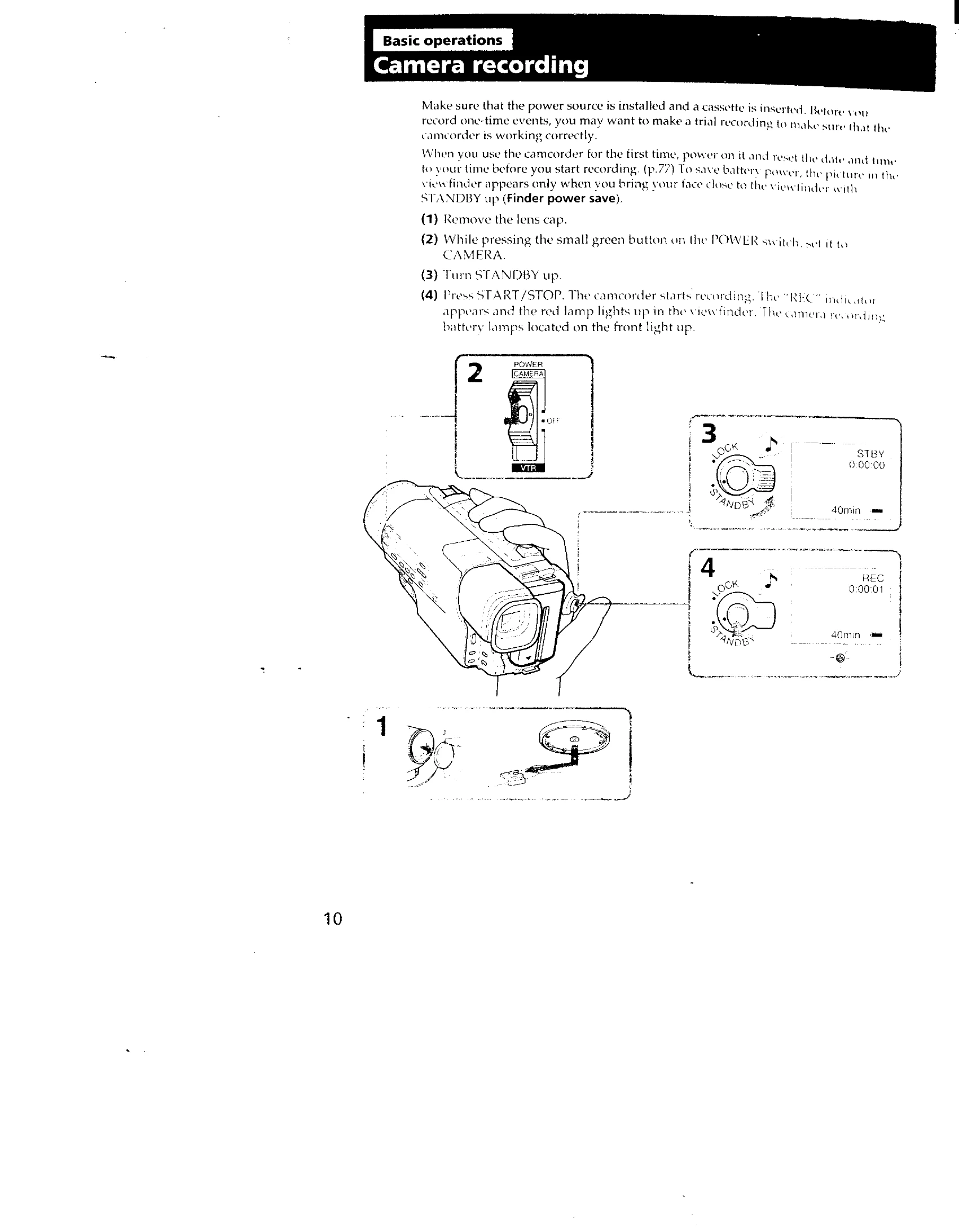
Camera recording: Remove the lens cap, set the POWER switch to CAMERA, turn STANDBY up, and press START/STOP to begin recording. Press START/STOP again to momentarily stop, or turn STANDBY down and set POWER to OFF to finish.
Focusing: Adjust the viewfinder lens adjustment lever for a clear image.
Using the zoom feature: Use the power zoom lever to zoom in (T) or out (W). Digital zoom (beyond 21x) may affect picture quality.
Playback: Set the POWER switch to VTR, insert the recorded tape, and press PLAY to begin playback. Use the tape transport buttons for stop, rewind, fast-forward, and pause.