Manual for CCD-TR36/TR73/TR76/TR83/TR93

Manual for CCD-TR36/TR73/TR76/TR83/TR93

Brand: SONY

Category: Camcorder

Document Type: Manual

Language: EN
Uploaded: Aug. 10, 2025, 12:18 a.m.

Warranty Information

Refer to the warranty card for details on the warranty period and conditions.

Getting Started

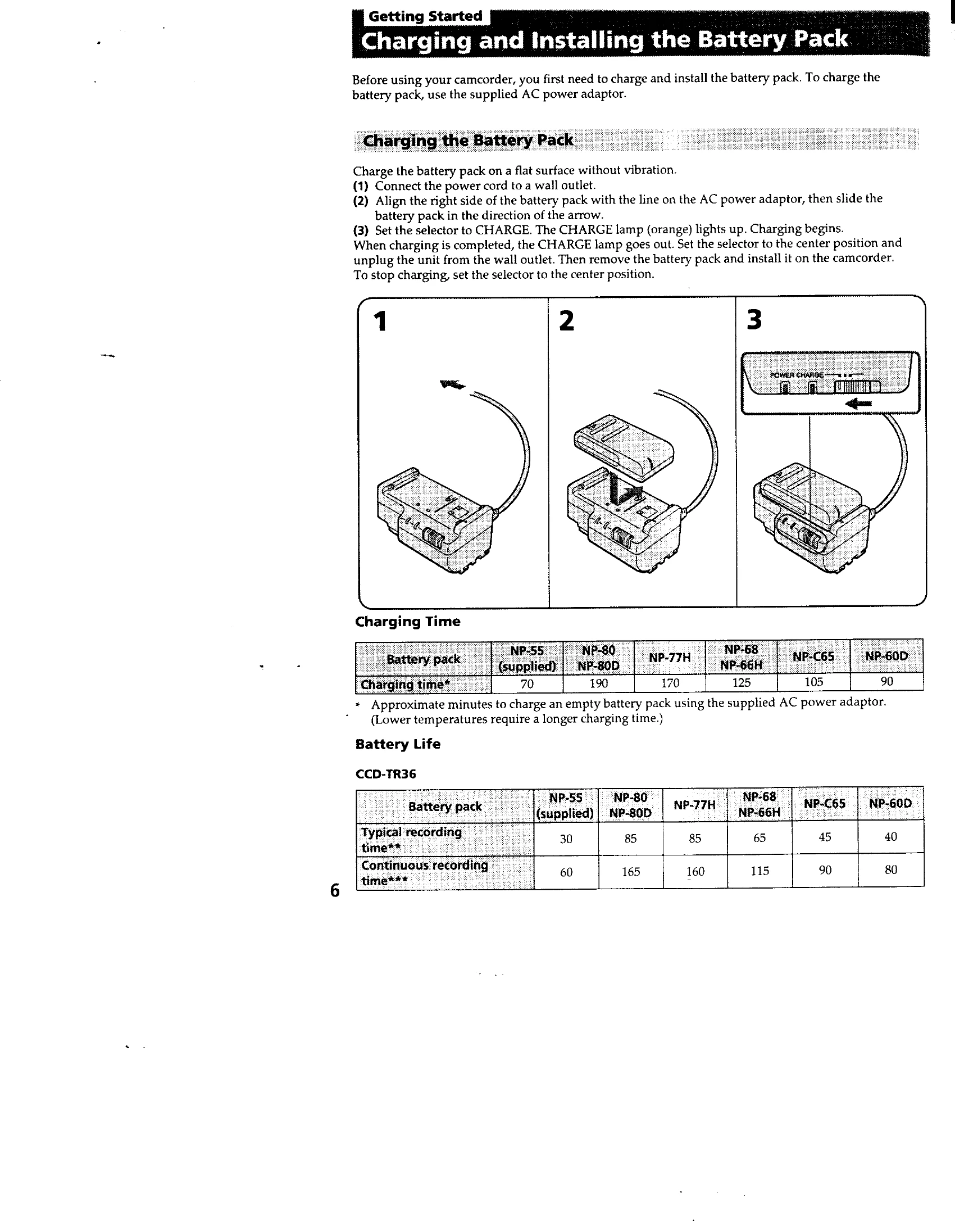
  • Charging and Installing the Battery Pack: Use the supplied AC power adaptor to charge the battery pack. Then, slide the battery pack onto the camcorder.
  • Inserting a Cassette: Slide the release knob, lift the lid, press EJECT, insert the cassette with the window facing out, and close the compartment.

Basic Operations

  • Camera Recording: Set the POWER switch to CAMERA, turn STANDBY up, and press START/STOP to begin recording. Press START/STOP again to stop.
  • Using the Zoom Feature: Use the "T" side for telephoto (closer) and "W" side for wide-angle (farther). Press firmly for high speed, softly for slow zoom.
  • Checking the Recorded Picture: Use EDITSEARCH to review the last recorded scene.
  • Connections for Playback: Connect to a TV or VCR using the A/V connecting cable.
  • Playing Back a Tape: Set the POWER switch to PLAYER, insert the tape, and press PLAY.

Advanced Operations

  • Using Alternative Power Sources: Use house current, a battery pack, or a car battery.
  • Recording with the Date or Time: Press DATE or TIME to record the date or time with the picture.
  • Shooting with Backlighting: Press BACK LIGHT to compensate for subjects with light behind them.
  • Using the PROGRAM AE Function: Select modes like Portrait, Sports, High-speed shutter, or Twilight for optimal exposure.
  • Fade-in and Fade-out: Use the FADER button for professional transitions.
Privacy Policy