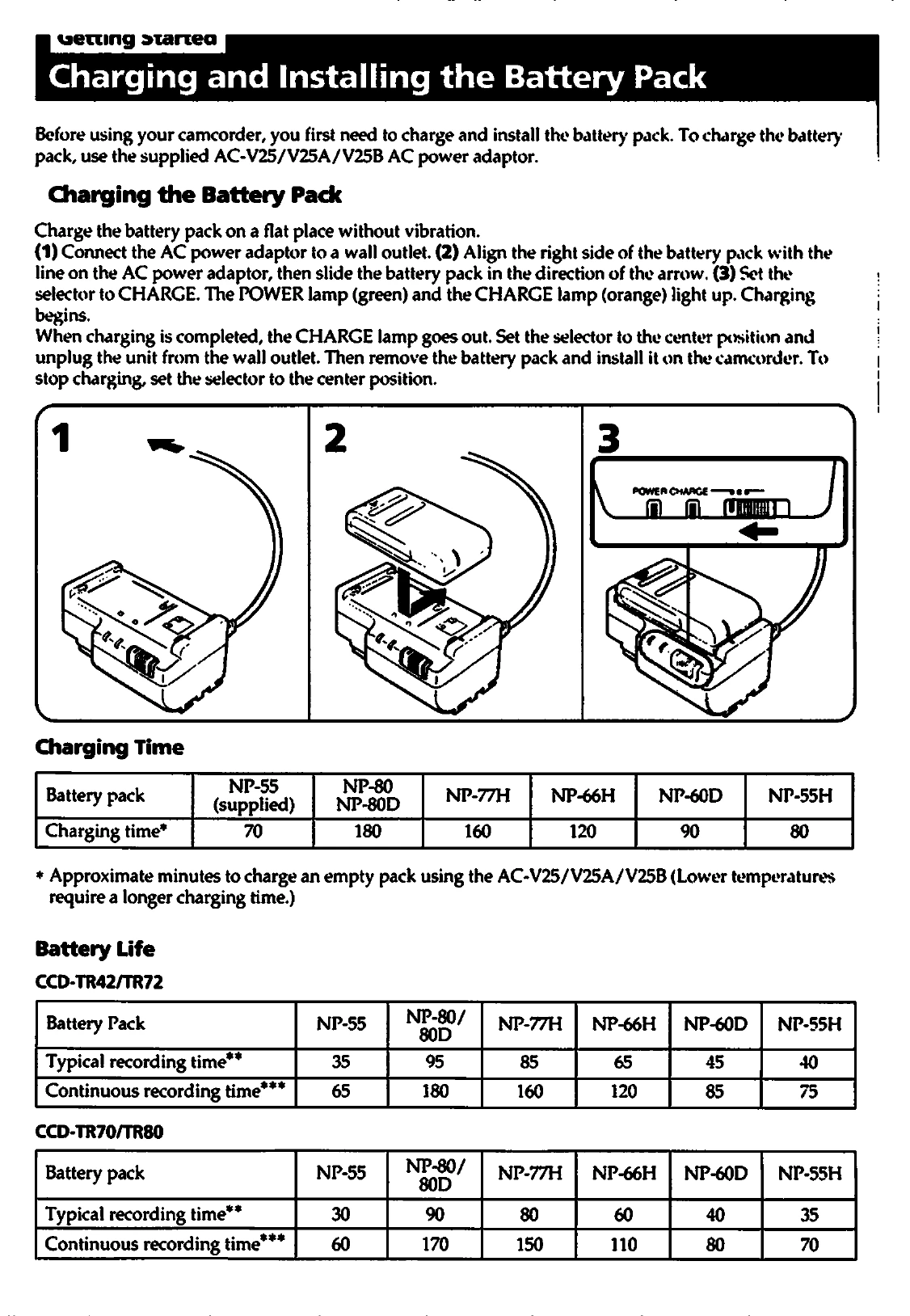
To charge the battery pack: Connect the AC power adaptor to a wall outlet and then to the battery pack. Set the selector to CHARGE. The CHARGE lamp will light up. When charging is complete, the CHARGE lamp goes out. Install the charged battery pack onto the camcorder.
To insert a cassette: Slide the lid lock, lift the lid, and open it. Press EJECT. Insert the cassette with the window facing out. Press the PUSH mark to close the compartment and then close the lid until it locks.
To adjust the viewfinder lens: Set the POWER switch to CAMERA and turn STANDBY up. Turn the viewfinder lens adjustment ring until the indicators in the viewfinder are in sharp focus.
To record: Set the POWER switch to CAMERA, turn STANDBY up, and press START/STOP. The REC indicator will appear in the viewfinder.