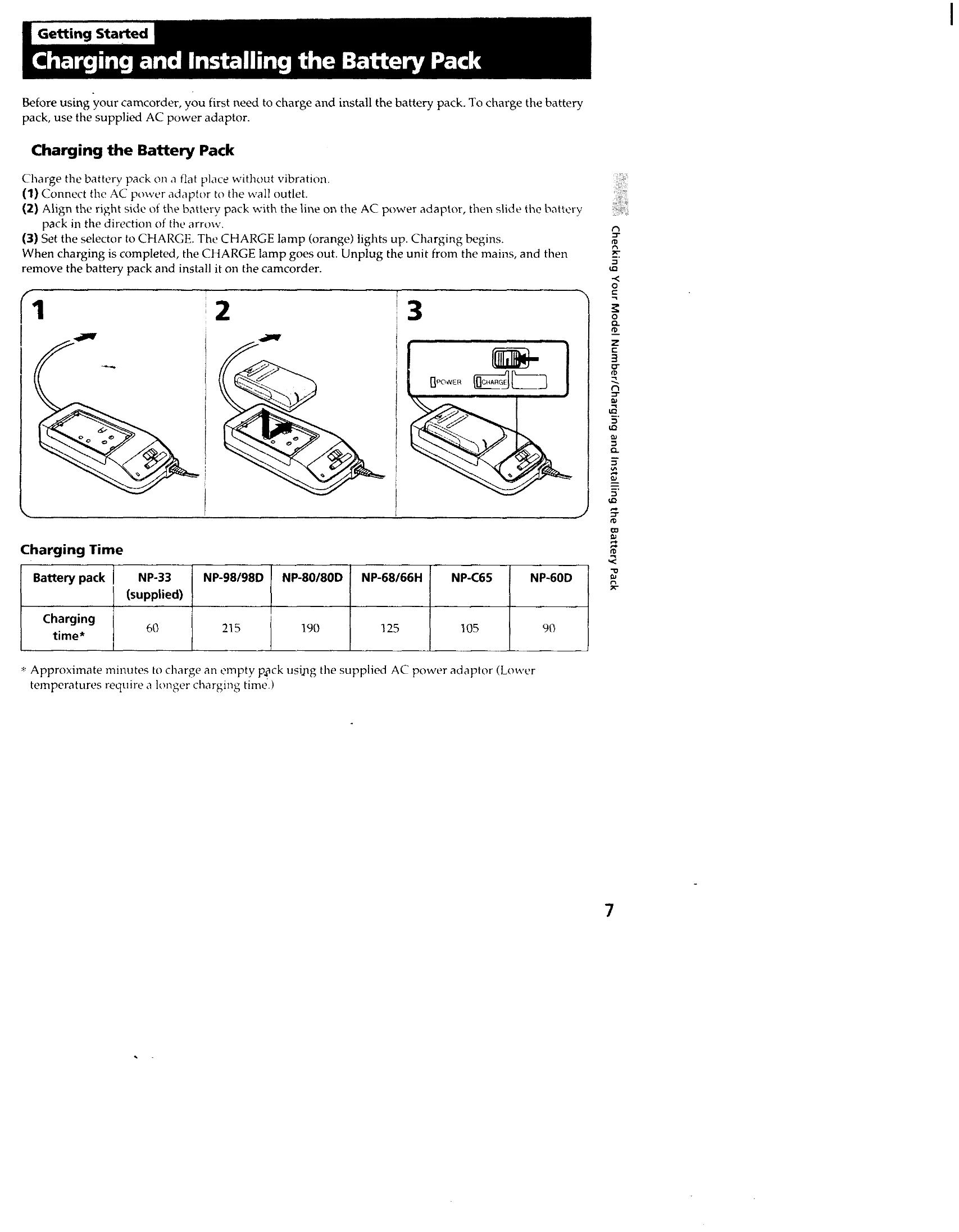
Charging and Installing the Battery Pack: Charge the battery pack using the supplied AC power adaptor. Connect the adaptor, slide the battery pack in, and set the selector to CHARGE. Once charged, remove the pack and install it on the camcorder.
Inserting a Cassette: Press EJECT, insert the cassette with the window facing out, and then press PUSH to close the compartment.
Camera Recording: Ensure power and cassette are inserted. Set the POWER switch to CAMERA, turn STANDBY up, and press START/STOP to begin recording. Press START/STOP again to pause or stop momentarily. Turn STANDBY down and set POWER to OFF to finish recording.
Checking the Recorded Picture: Use EDITSEARCH to review the last recorded scene by pressing the button and then the '-' side. Hold to go back, or the '+' side to advance.
Using the Zoom Feature: Use the power zoom lever to zoom in (T side for telephoto) or out (W side for wide-angle).