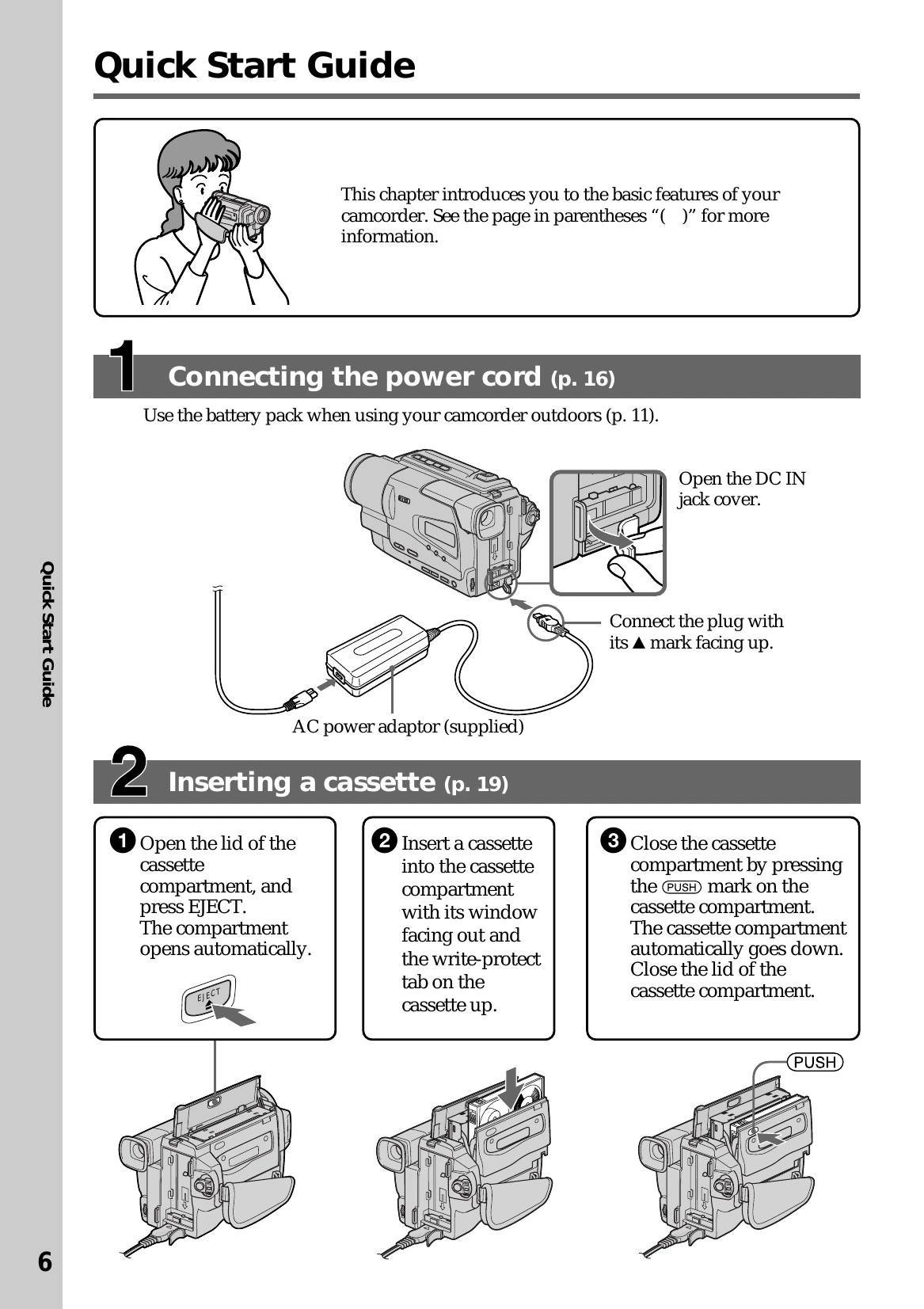
Connect Power: Use the battery pack for outdoor use or connect the AC power adaptor to a wall outlet.
Insert Cassette: Open the cassette compartment, insert a Hi8 video cassette with the window facing out and the write-protect tab up. Close the compartment and lid.
Record Picture: Remove the lens cap, set the POWER switch to CAMERA, and press START/STOP to begin recording. Press START/STOP again to stop.
Monitor Playback: Set the POWER switch to PLAYER, rewind the tape using REW, and press PLAY to start playback.
Basic Operations
Recording: Automatically focuses, use POWER switch to CAMERA, press START/STOP.
After Recording: Set POWER to OFF (CHARGE), eject cassette, attach lens cap.
Viewfinder Adjustment: Lift viewfinder and adjust lens for sharp focus.
Zoom: Use the power zoom lever (W for wide, T for telephoto). Digital zoom activates beyond 20x.