Manual for CCD-TR940/TR917

Manual for CCD-TR940/TR917

Brand: SONY

Category: Camcorder

Document Type: Manual

Language: EN
Uploaded: Aug. 10, 2025, 12:22 a.m.

Getting Started

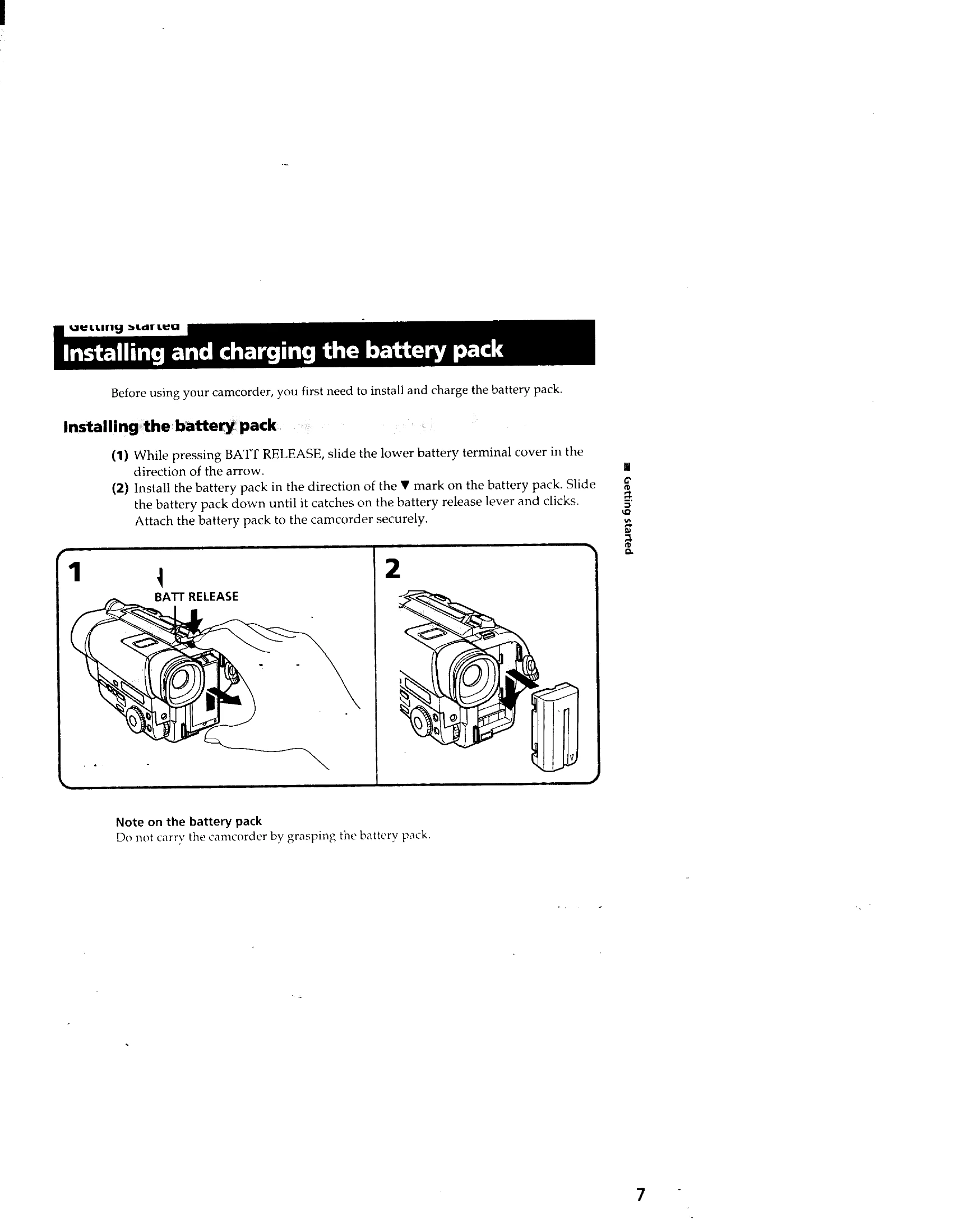
Install and charge the battery pack before use.

Basic Operations

  • Camera Recording: Set POWER to CAMERA, turn STANDBY up, then press START/STOP. Press START/STOP again to pause or stop.
  • Zooming: Use the power zoom lever to get closer (T) or farther (W).
  • Start/Stop Modes: Choose between normal recording, ANTI GROUND SHOOTING (records while button is pressed), or 5SEC (records for 5 seconds automatically).

Playback

  • Set POWER to VTR/PLAYER, insert tape, press REW or FF, then PLAY.
  • Use various playback modes like pause, picture search, and skip scan.

Connections

Connect to TV/VCR using A/V connecting cable or S video cable for playback.

Privacy Policy