Brand: SONY
Category: Camcorder
Document Type: Manual
Language: EN
Brand: SONY
Category: Camcorder
Document Type: Manual
Language: EN
Uploaded: Aug. 10, 2025, 12:16 a.m.
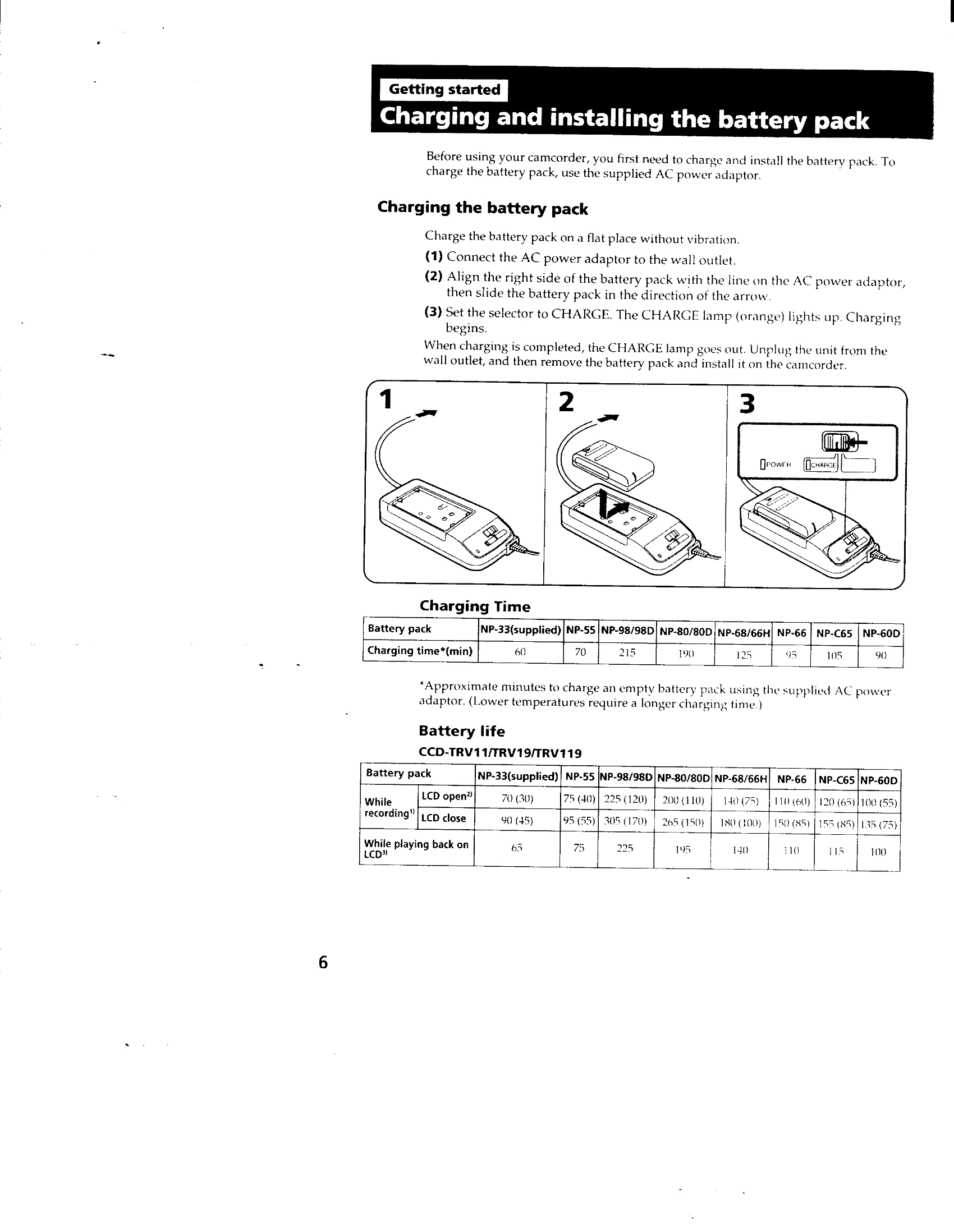
Charging and installing the battery pack: Connect the AC power adaptor to charge the battery pack. Slide the battery pack onto the camcorder. Set the selector to CHARGE. The CHARGE lamp indicates charging status.
Inserting a cassette: Eject the cassette compartment, insert the cassette with the window facing out, and close the compartment.
Camera Recording: Set the POWER switch to CAMERA, turn STANDBY up, and press START/STOP to begin recording. Press START/STOP again to stop momentarily or finish recording.
Using the zoom feature: Use the power zoom lever to adjust the zoom. T is for telephoto, W is for wide-angle.
Shooting with the LCD screen: Open the LCD panel to record using the screen. Adjust the angle and brightness as needed. Closing the LCD panel saves battery life.
Checking the recorded picture: Use EDITSEARCH to review recorded scenes in the viewfinder or on the LCD screen.
Playing back a tape: Set the POWER switch to PLAYER, insert the tape, open the LCD panel, and press to play. Adjust volume with VOL.
Searching for the end of the picture: Use END SEARCH to quickly locate the end of recorded footage.
Using alternative power sources: Choose from house current, battery pack, alkaline batteries, or car battery.
Letting the subject monitor the shot: Turn the LCD panel to face outwards to allow the subject to see themselves.
Recording with the date or time: Press DATE(+) or TIME(NEXT) to record this information with the video.