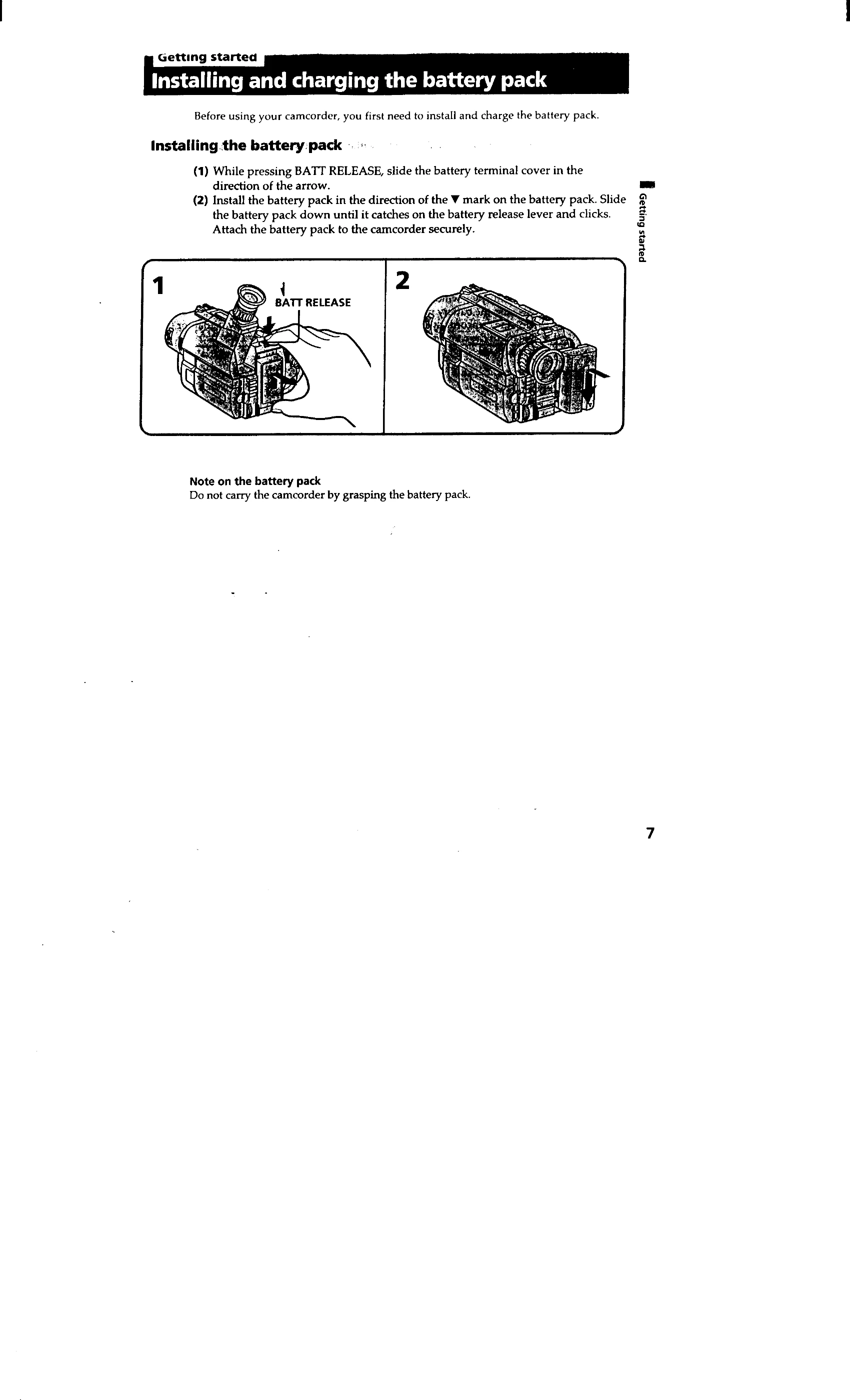
Install and Charge Battery Pack: Before use, install and charge the battery pack. Follow the diagrams for correct insertion and charging procedures.
Insert Cassette: Open the cassette compartment and insert a cassette with the window facing out. Close the compartment securely. Ensure the protective tab is in place to prevent accidental erasure.
Camera Recording: Set the power switch to CAMERA, turn STANDBY up, and press START/STOP to begin recording. Press START/STOP again to stop momentarily or finish recording.
Using the LCD Screen: Open the LCD panel to view and record the picture. Adjust the angle and brightness as needed. Note that using the LCD screen consumes more battery power than the viewfinder.
Zooming: Use the power zoom lever to adjust the magnification. Move it slowly for a smoother zoom and faster for quick changes. Be aware of digital zoom limitations.
START/STOP Modes: Choose between normal mode, ANTI GROUND SHOOTING, or 5SEC mode for different recording styles.
Playback: Set the power switch to VTR or PLAYER, insert the tape, and use playback controls to view recordings.