Brand: SONY
Category: Camcorder
Document Type: Manual
Language: EN
Brand: SONY
Category: Camcorder
Document Type: Manual
Language: EN
Uploaded: Aug. 10, 2025, 12:22 a.m.
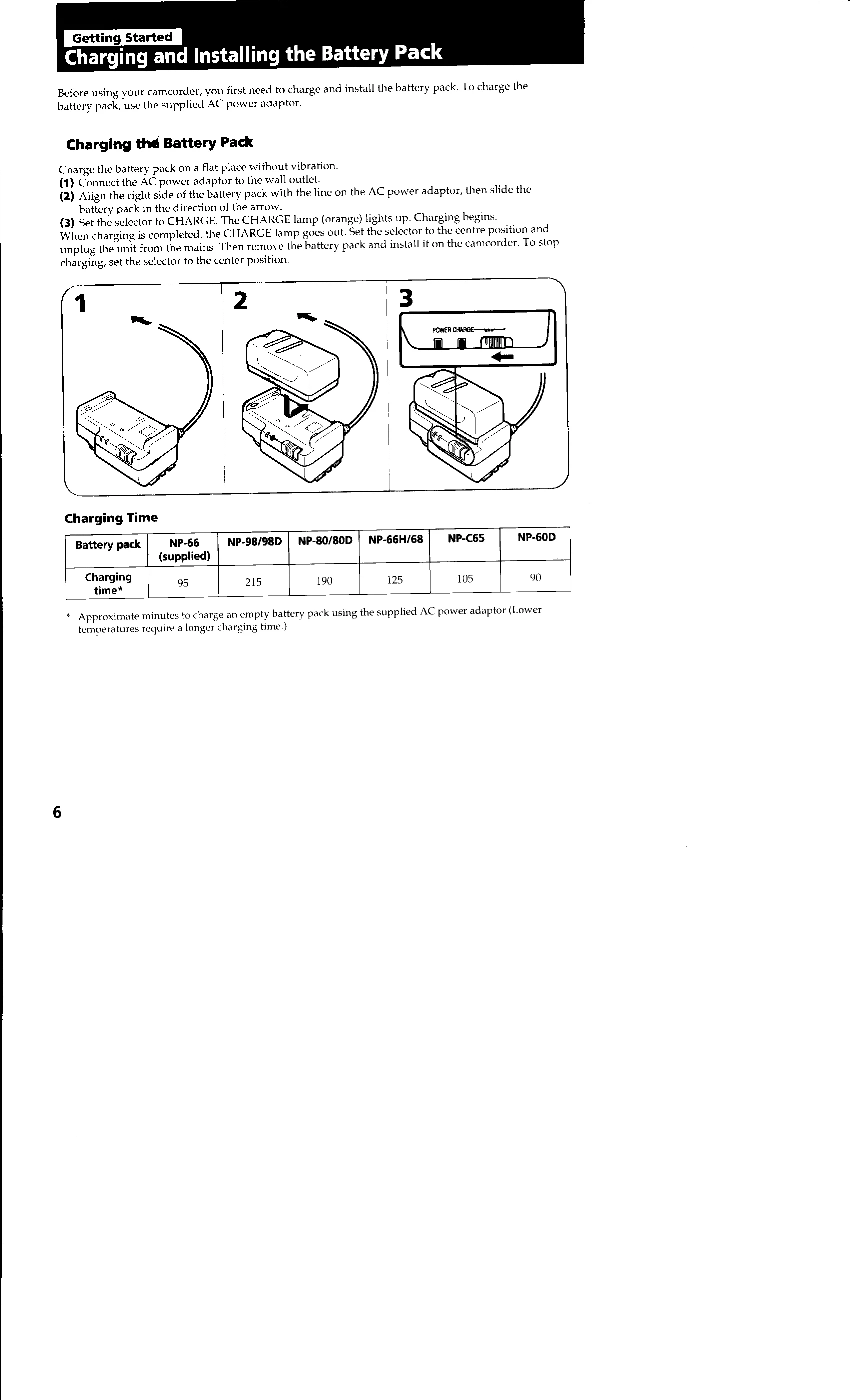
Charge the battery pack using the supplied AC power adapter. Align and slide the battery pack into the adapter. Set the selector to CHARGE; the charging lamp will light up. Once charged, the lamp goes out. Remove the battery pack and install it on the camcorder.
Slide the lid release knob, lift and open the lid. Press EJECT to open the cassette compartment. Insert a cassette with the window facing out. Press the PUSH mark to close the compartment. Close the lid until it locks.
Turn the POWER switch to CAMERA and STANDBY up. Press START/STOP to begin recording. The "REC" indicator and a red lamp will light up. Press START/STOP again to stop recording momentarily. To finish recording, turn STANDBY down and set the POWER switch to OFF.