Brand: SONY
Category: Camcorder
Document Type: Manual
Language: EN
Brand: SONY
Category: Camcorder
Document Type: Manual
Language: EN
Uploaded: Aug. 10, 2025, 12:24 a.m.
Manual Publish Date: 1998-01-01
None
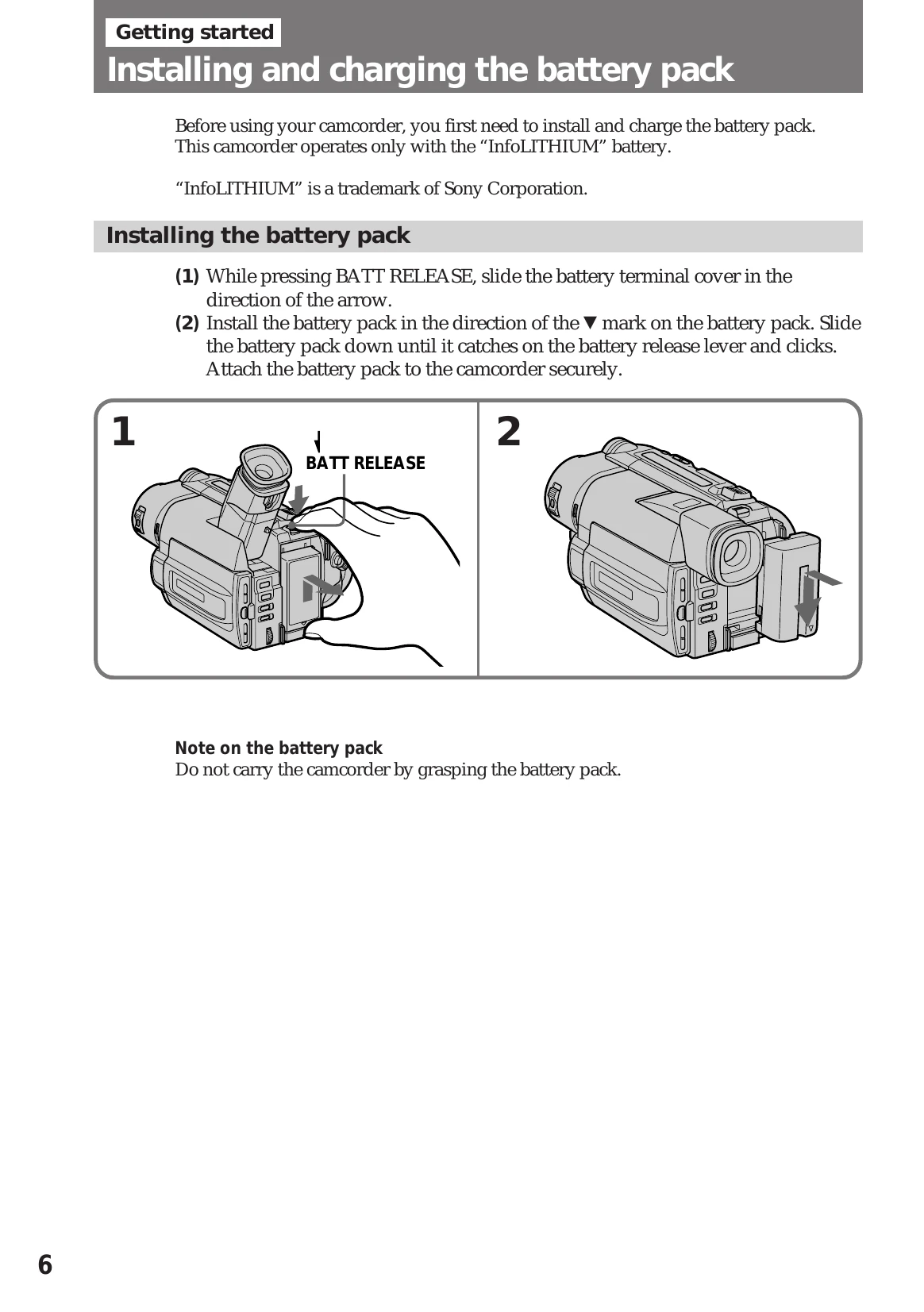
1. Install & Charge Battery: Ensure the InfoLITHIUM battery pack is installed and charged before use. Follow image guides for installation and charging via AC adapter.
2. Insert Cassette: Open the cassette compartment, insert an 8mm or Hi8 cassette with the window facing out, and close the compartment.
Camera Recording:
Playing Back a Tape: