Getting Started
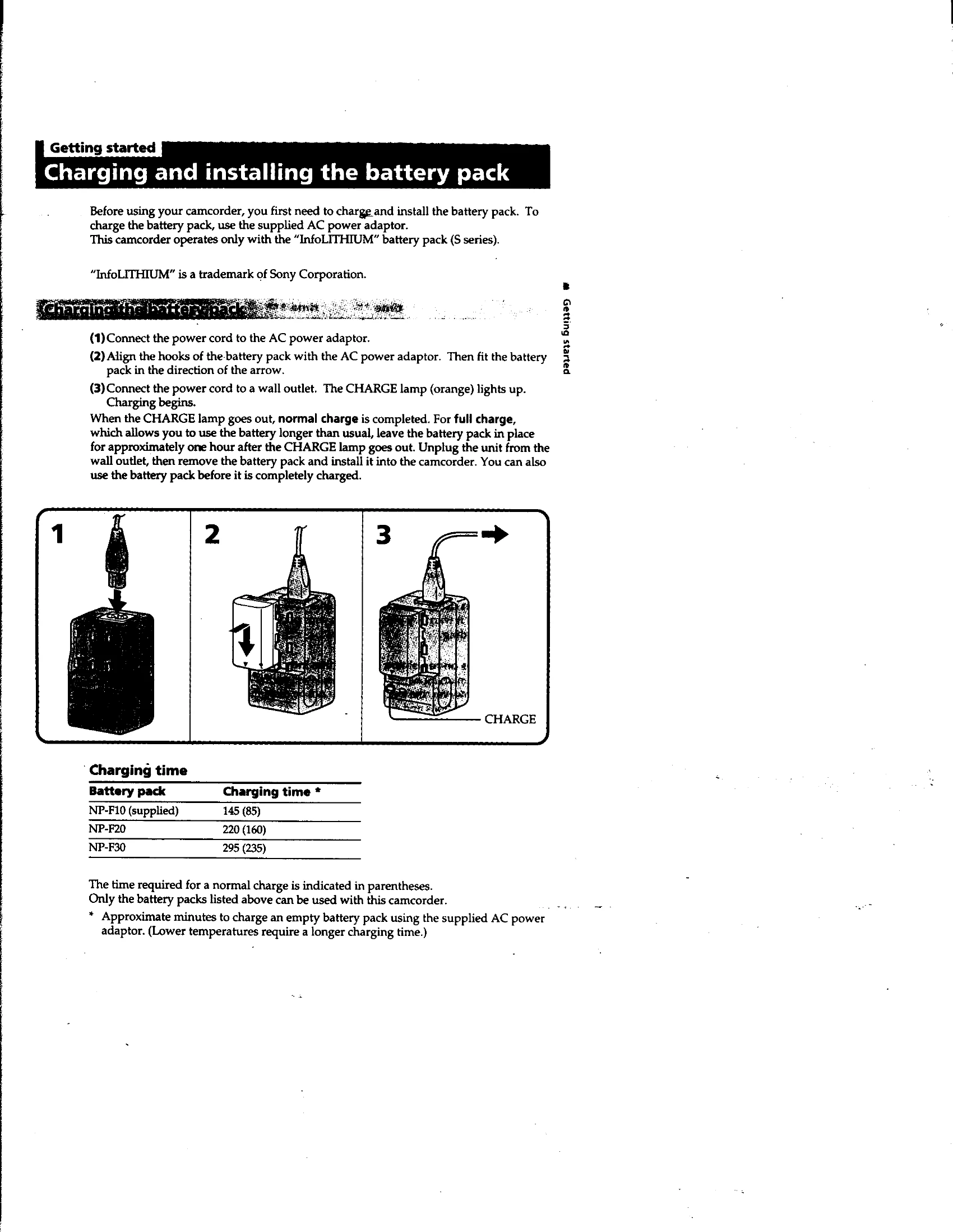
Charge and install the battery pack (Page 7). Insert a mini DV cassette (Page 10).
Basic Operations
- Camera Recording: Set power to CAMERA, press START/STOP to record (Page 11). Stop momentarily by pressing START/STOP again, or finish by setting power to OFF (Page 12).
- Zooming: Use the power zoom lever to adjust the subject size (Page 14).
- Start/Stop Modes: Use NORMAL, ANTI GROUND SHOOTING, or 5SEC modes for different shooting styles (Page 15).
- LCD Screen: Open and adjust the LCD panel for shooting (Page 16).
- Mirror Mode: Flip the LCD panel to monitor the subject (Page 17).
- Playback: Insert tape, set power to VTR, use playback controls (Page 21).
Advanced Operations
Includes using alternative power sources, changing mode settings, photo recording, fader functions, picture effects, and more.