Quick Start Guide for DCR-PC330

Quick Start Guide for DCR-PC330

Brand: SONY

Category: Camcorder

Document Type: Quick Start Guide

Language: EN

Uploaded: Aug. 10, 2025, 12:23 a.m.
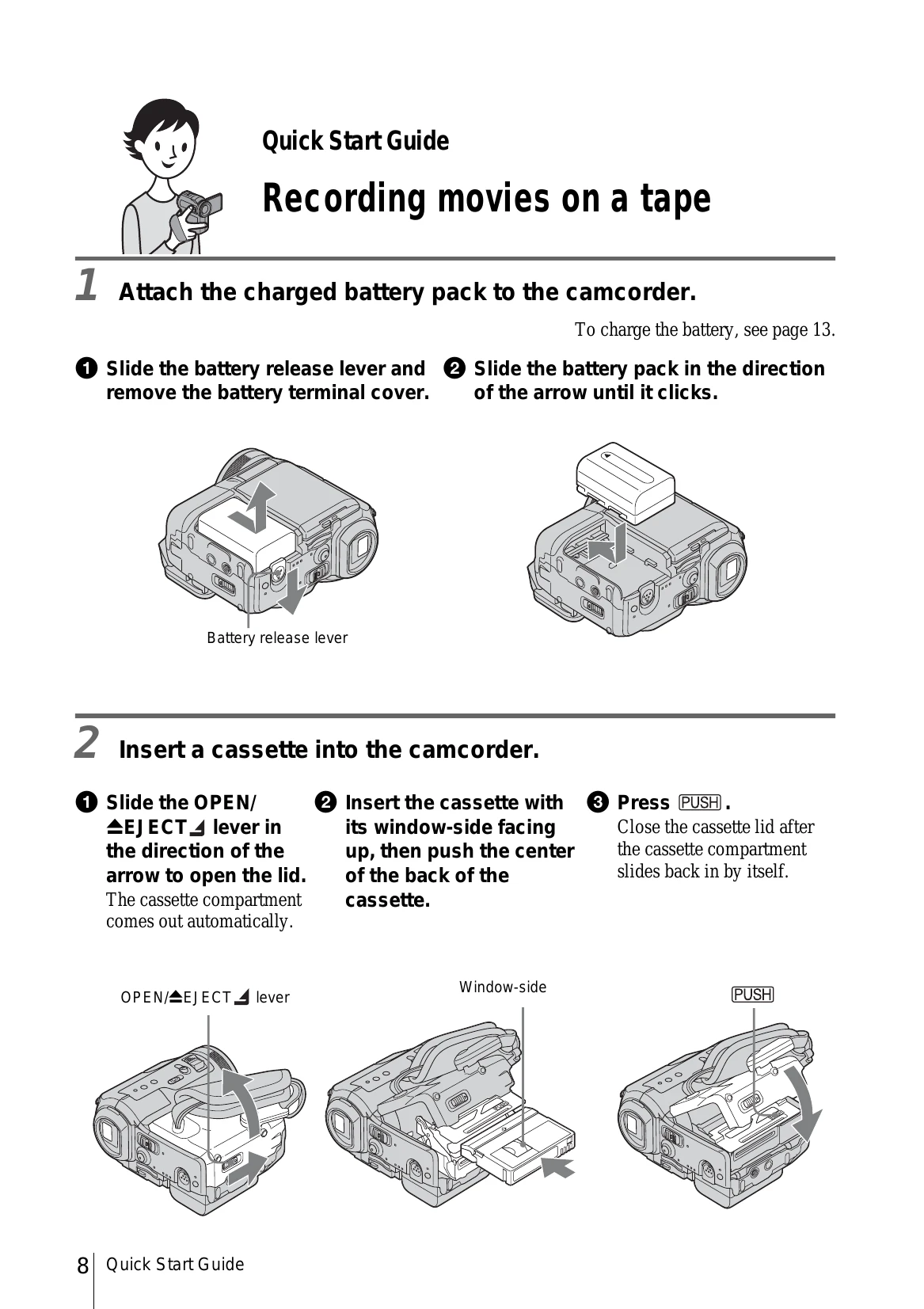
Recording movies on a tape:
  1. Attach the charged battery pack.
  2. Insert a cassette into the camcorder.
  3. Start recording while checking the subject on the LCD screen.
  4. View the recorded picture on the LCD screen.
Recording still images on a "Memory Stick":
  1. Attach the charged battery pack.
  2. Insert a "Memory Stick" into the camcorder.
  3. Start recording while checking the subject on the LCD screen.
  4. View the recorded picture on the LCD screen.
Privacy Policy