Manual for DCR-PC5

Manual for DCR-PC5

Brand: SONY

Category: Camcorder

Document Type: Manual

Language: EN
Uploaded: Aug. 10, 2025, 12:19 a.m.

Getting Started

Quick Start Guide

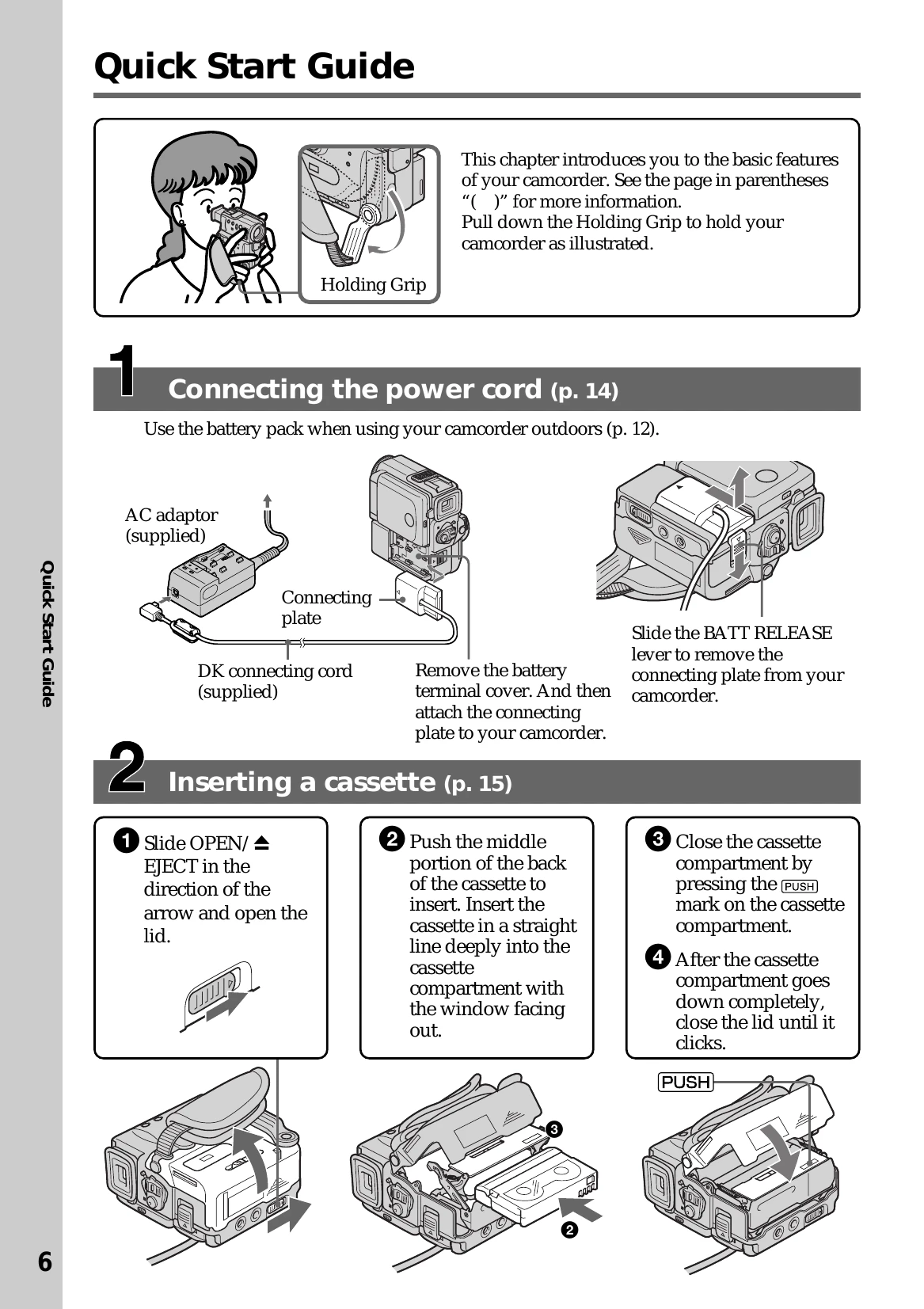
  • Checking Supplied Accessories: Lists and illustrates all accessories included with the camcorder.
  • Connecting the power cord (p. 14): Step-by-step instructions on connecting the AC adapter and battery pack.
  • Inserting a cassette (p. 15): Visual guide on how to open the cassette compartment and insert a cassette.
  • Recording a picture (p. 18): Instructions on removing the lens cap, installing the battery/AC adapter, closing the viewfinder, and starting recording.
  • Monitoring the playback picture on the LCD screen (p. 27): Steps to switch to VCR mode and play back recorded content.

Using a touch panel

Your camcorder has operation buttons on the LCD screen. Touch the LCD panel directly to operate each function.

  • In CAMERA/VCR mode: Instructions for setting the POWER switch, opening the LCD panel, and navigating through different pages of operation buttons using FN, PAGE2, and PAGE3.
  • Notes when using the touch panel: Advices on how to press operation buttons, clean the screen, and use the FN button.
  • When executing each item: Explains that the green bar appears above the item and grayed-out items are unavailable.
  • Touch panel: You can operate the touch panel using the viewfinder (p. 124).
  • Press FN to display the following buttons: Lists available buttons in CAMERA and VCR modes.
Privacy Policy