Main Features:
- Recording and playback of moving and still images on tape and Memory Stick.
- Capturing images on your computer via analog video or USB.
- Adjusting exposure (Back light, NightShot/Super NightShot, PROGRAM AE, White balance, Manual exposure, Flexible Spot Meter).
- Enhancing images (Digital zoom, Fader, Picture effect, Digital effect, Title, MEMORY MIX).
- Achieving natural appearances (Manual focus, Sports lesson mode, Landscape mode).
- Post-recording functions (SEARCH, DATA CODE, Photo search/scan, Tape/Memory PB ZOOM, Zero set memory, Title search).
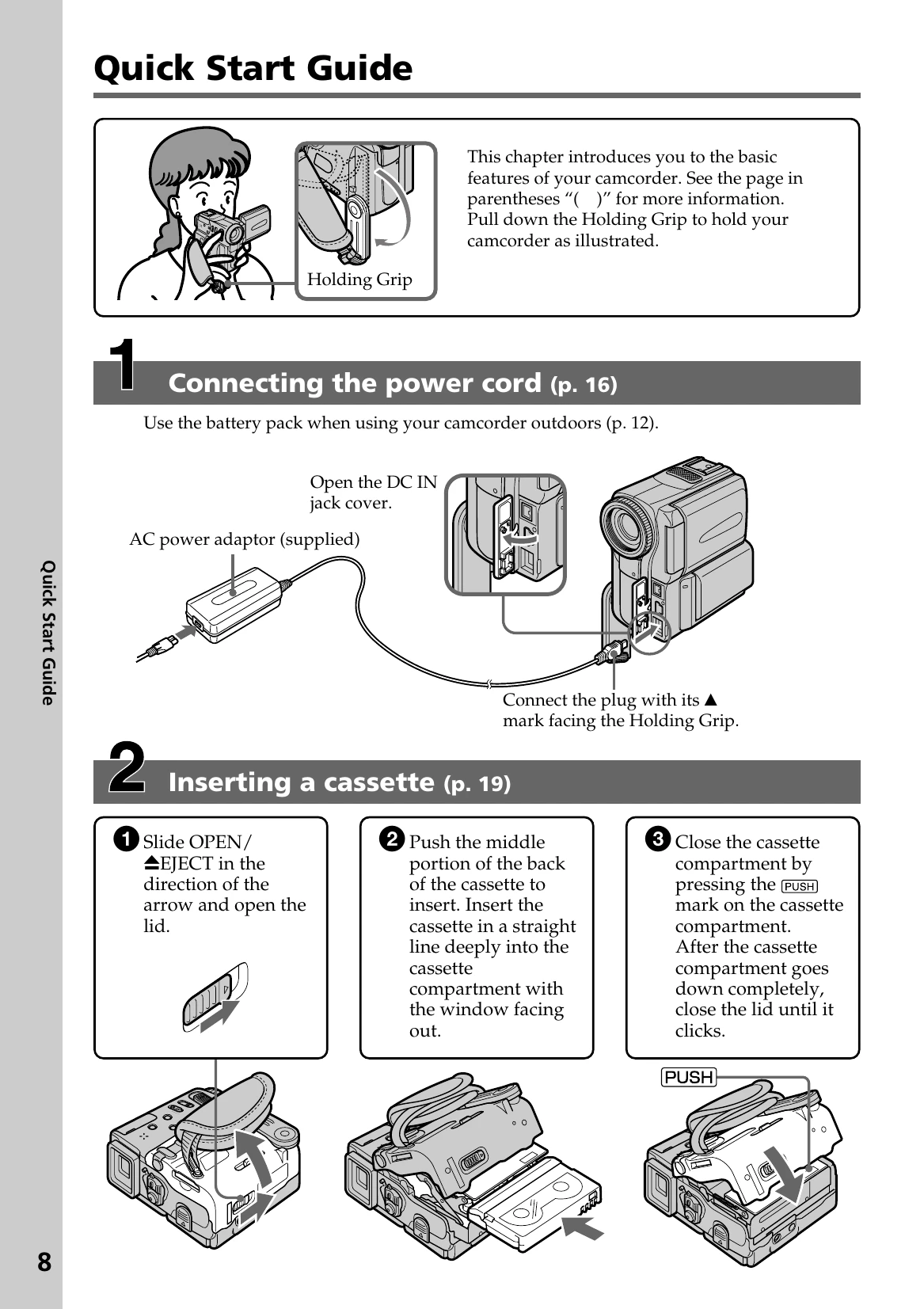
Quick Start Guide:
- Connect the power cord and prepare the power supply (battery pack or AC adaptor).
- Insert a cassette into the camcorder.
- Record a picture by removing the lens cap, opening the LCD panel, setting the power switch to CAMERA, and pressing START/STOP.
- Monitor playback on the LCD screen by setting the power switch to VCR, rewinding, and pressing playback.
Using the manual: Buttons and settings are shown in capital letters. Beep sounds indicate operations. Notes on cassette memory, TV color systems, and copyright precautions are provided.
Precautions: Handle the camcorder with care, avoid moisture and extreme temperatures, and do not shoot the sun directly. Clean lenses with a soft cloth. Ensure proper battery installation and charging.