Quick Start Guide
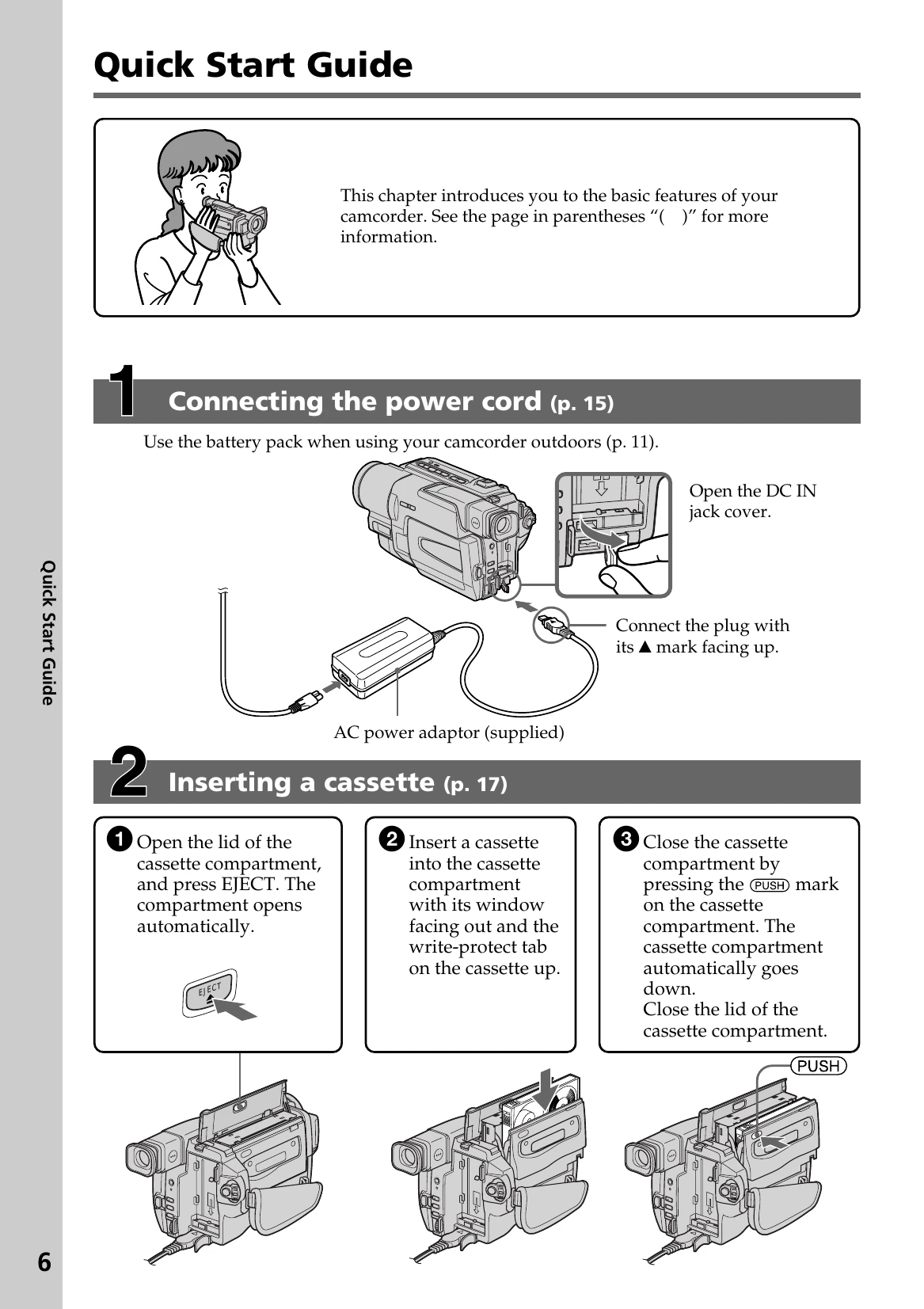
1. Connecting the power cord: Use the battery pack for outdoor use (p. 11). Connect the AC power adaptor to the DC IN jack with the marked side up, then connect the power cord to the adaptor and a wall outlet.
2. Inserting a cassette: Open the cassette compartment, press EJECT. Insert the cassette with the window facing out and write-protect tab up. Close the compartment by pressing the PUSH mark, then close the lid.
3. Recording a picture: Remove the lens cap. Set the POWER switch to CAMERA while pressing the green button. Open the LCD panel. Press START/STOP to begin recording; press again to stop.
4. Monitoring playback: Set the POWER switch to VCR. Press REW to rewind, then PLAY to start playback.