Manual for DCR-TRV15/TRV17

Manual for DCR-TRV15/TRV17

Brand: SONY

Category: Camcorder

Document Type: Manual

Language: EN

Uploaded: Aug. 10, 2025, 12:16 a.m.

Warranty Information

None

  • Recording a picture: Remove lens cap, attach power source, insert cassette, set POWER to CAMERA, press OPEN to use LCD, press START/STOP to record.
  • Monitoring playback: Set POWER to VCR, press REW to rewind, press PLAY to playback.
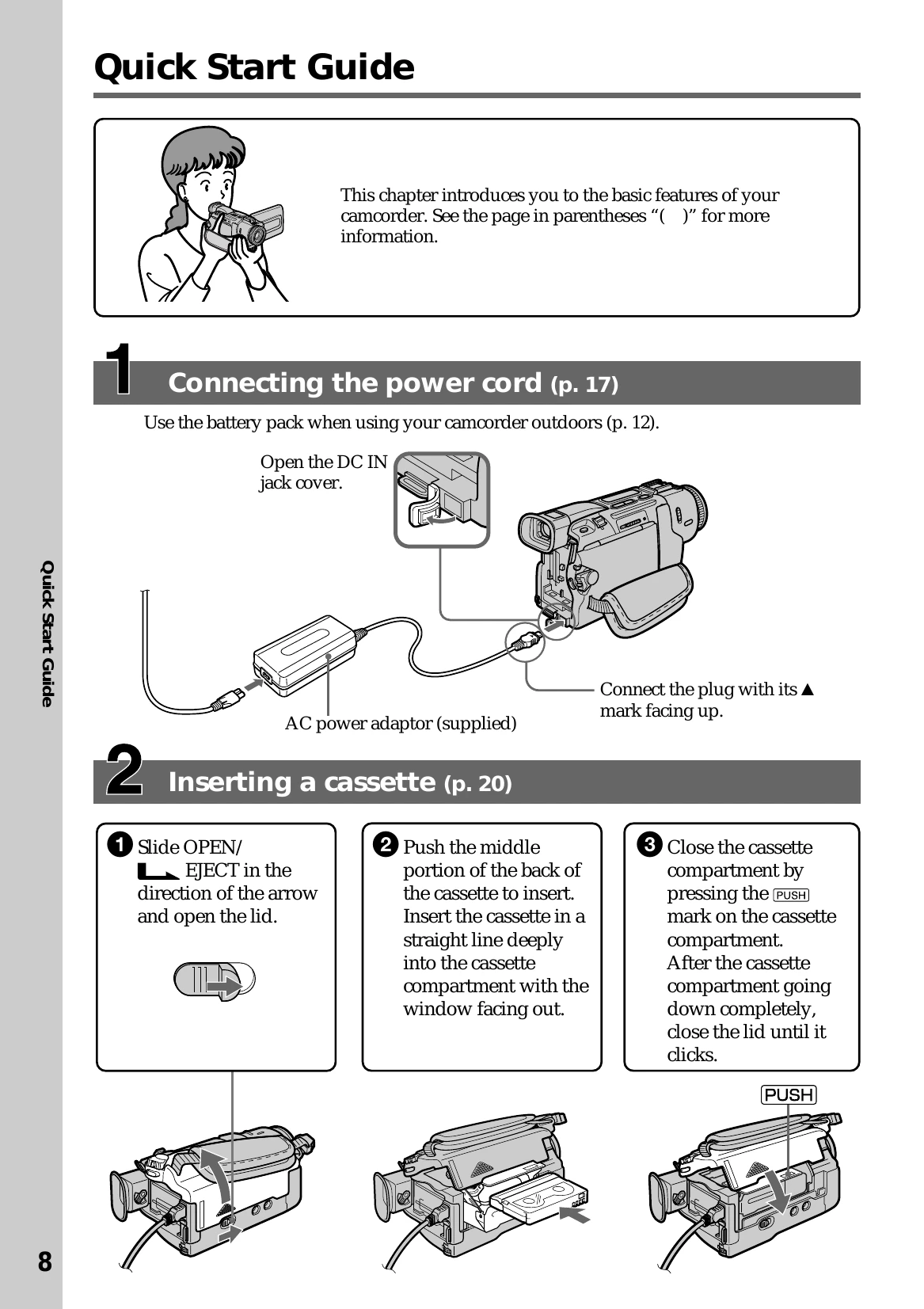
  • Inserting a cassette: Slide OPEN/EJECT, push cassette into compartment, close compartment until it clicks.
  • Setting date and time: Set POWER to CAMERA/MEMORY, press MENU, select CLOCK SET, adjust year, month, day, hour, minute using SEL/PUSH EXEC dial.
Privacy Policy