Manual for DCR-TRV16/TRV18/TRV25/TRV27

Manual for DCR-TRV16/TRV18/TRV25/TRV27

Brand: SONY

Category: Camcorder

Document Type: Manual

Language: EN

Uploaded: Aug. 10, 2025, 12:16 a.m.
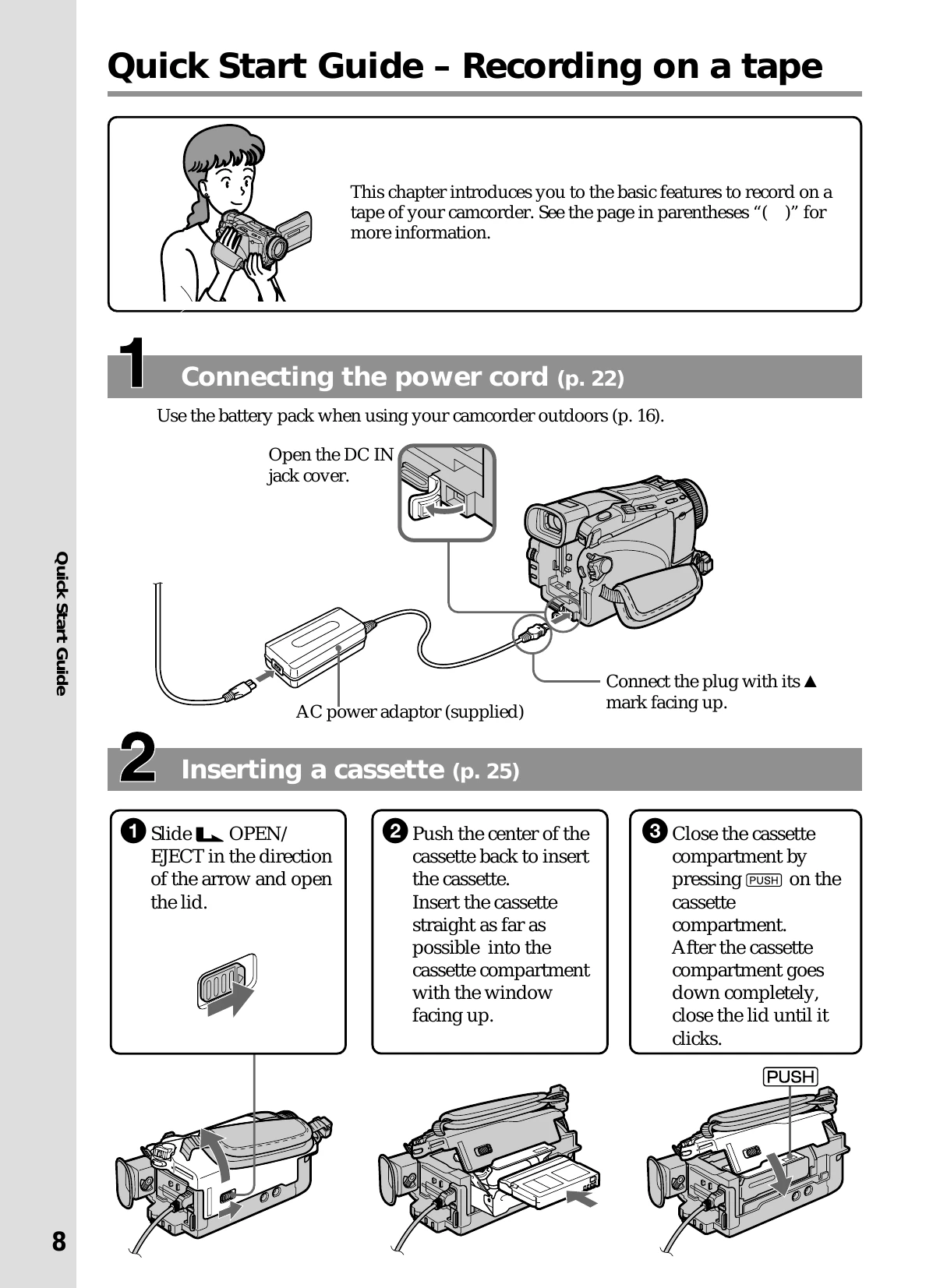
Recording

  • Connect the power cord using the AC power adaptor or battery pack (p. 22, 16).
  • Insert a mini DV cassette (p. 25).
  • Set the POWER switch to CAMERA.
  • Open the LCD panel or use the viewfinder.
  • Press START/STOP to begin recording. Press again to stop (p. 26).

Playback

  • Set the POWER switch to VCR.
  • Rewind the tape using the REW button (p. 9).
  • Press PLAY to start playback (p. 9).

Recording on Memory Stick

  • Connect the power cord (p. 22).
  • Insert a "Memory Stick" (p. 10).
  • Set the POWER switch to MEMORY. Ensure the LOCK switch is unlocked (p. 11).
  • Press PHOTO lightly, then press deeper to record a still image (p. 11).

Playback on Memory Stick

  • Set the POWER switch to MEMORY or VCR.
  • Press MEMORY PLAY to view the last recorded image. Use MEMORY -/+ to select other images (p. 11).
Privacy Policy