Brand: SONY
Category: Camcorder
Document Type: Manual
Language: EN
Brand: SONY
Category: Camcorder
Document Type: Manual
Language: EN
Uploaded: Aug. 10, 2025, 12:22 a.m.
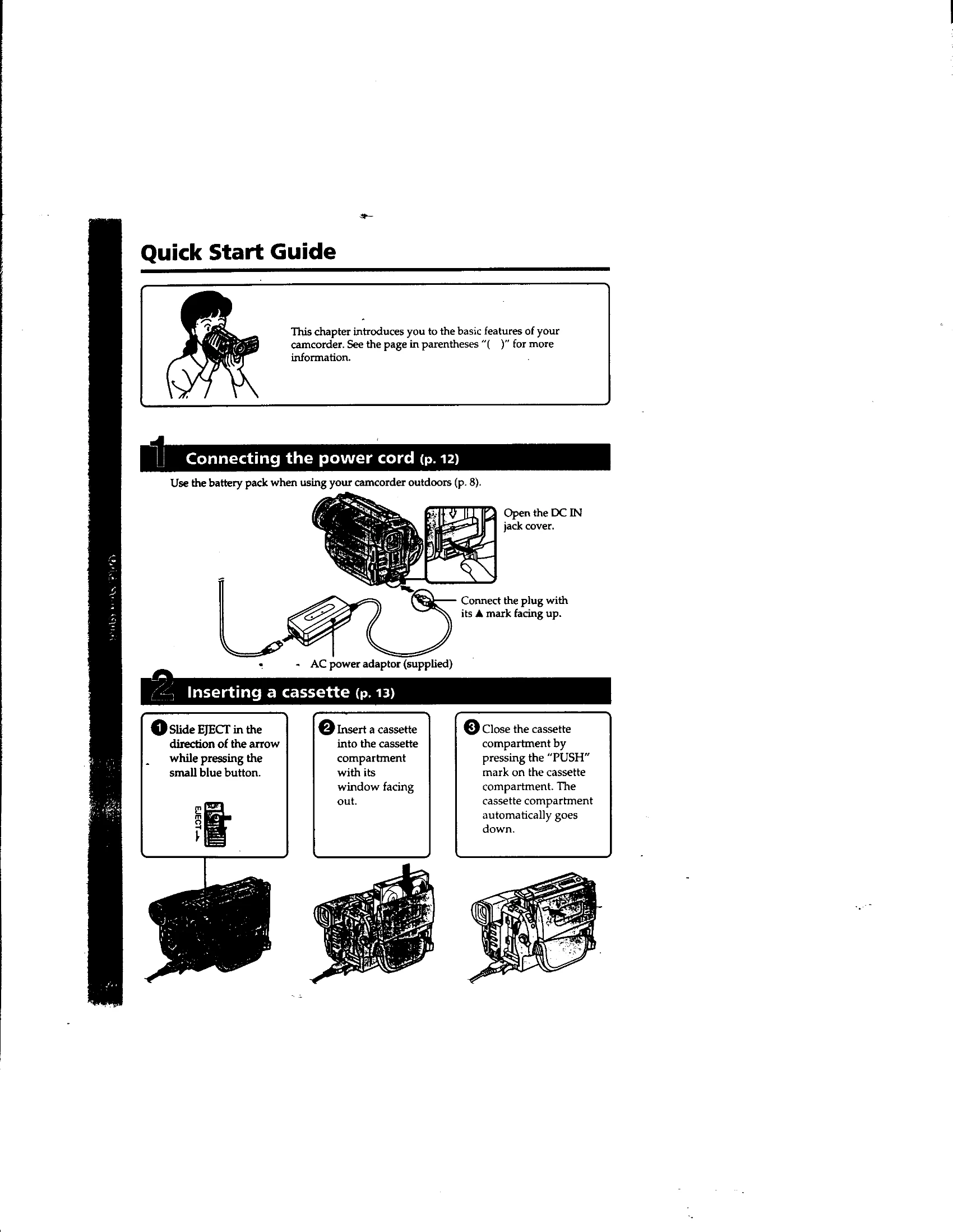
This guide covers basic operations such as connecting the power cord, inserting a cassette, and recording a picture.
Use the battery pack for outdoor use. Connect the AC power adaptor to the DC IN jack and then to a wall outlet. Charge the battery pack by setting the POWER switch to OFF.
Slide EJECT to open the compartment, insert the cassette with the window facing out, and close the compartment.
Remove the lens cap, attach the lens cap to the grip strap, install power source, insert cassette. Set POWER to CAMERA, open LCD, turn STANDBY to STANDBY, then press START/STOP to record.
Set POWER to VTR, rewind the tape, and press PLAY to start playback. Adjust volume using VOLUME buttons.