Manual for DCR-TRV240/TRV340/TRV740/TRV840

Manual for DCR-TRV240/TRV340/TRV740/TRV840

Brand: SONY

Category: Camcorder

Document Type: Manual

Language: EN
Uploaded: Aug. 10, 2025, 12:15 a.m.

Getting Started

Step 1: Preparing the power supply

  • Installing the battery pack: Lift up the viewfinder, then slide the battery pack down until it clicks. To remove, lift the viewfinder, press the battery release lever, and slide the pack out.
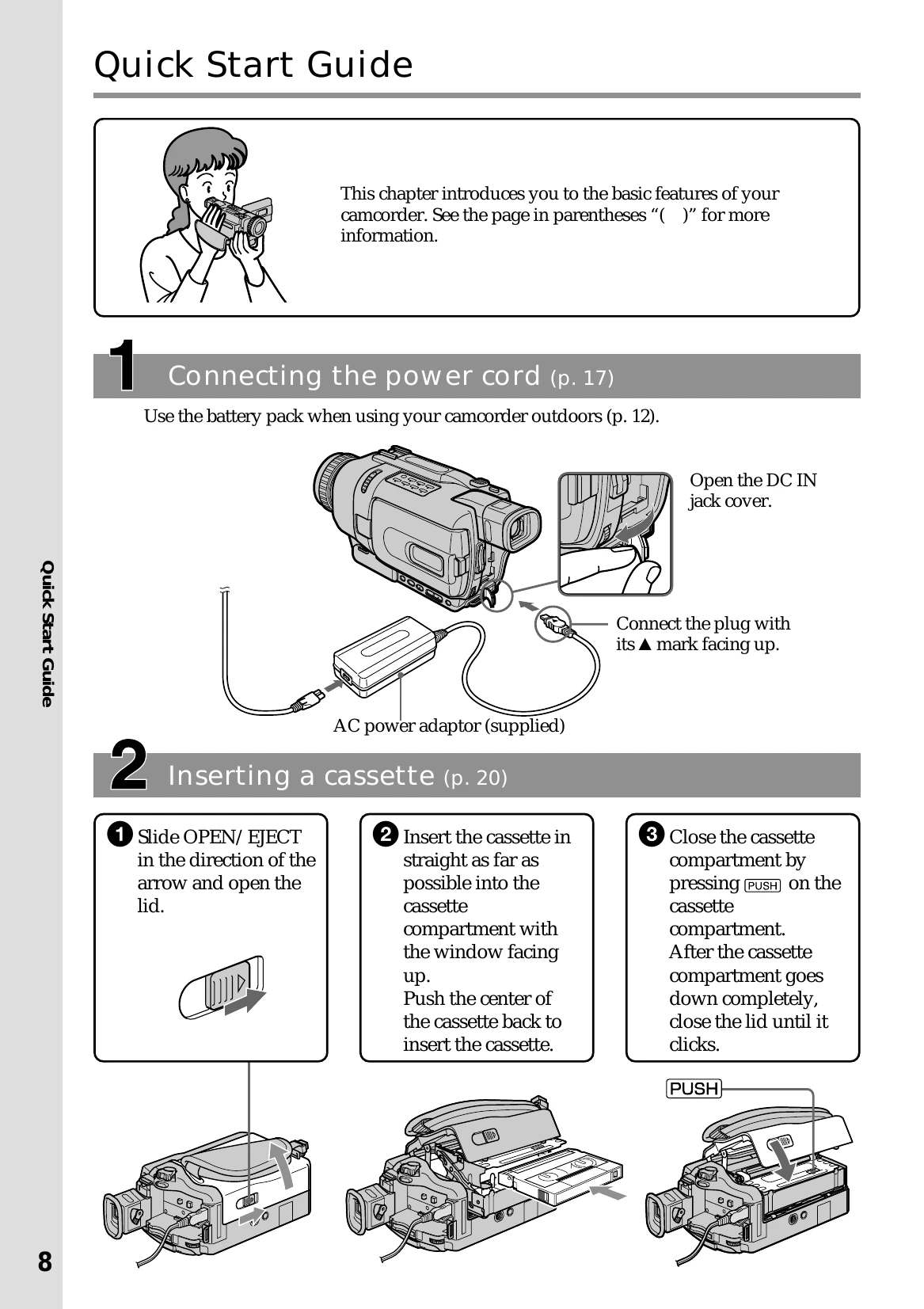
  • Charging the battery pack: Connect the AC power adapter to the camcorder's DC IN jack and a wall outlet. Set the POWER switch to OFF (CHG) to begin charging. The display shows remaining battery time.
  • Connecting to a wall outlet: Use the AC power adapter for extended use. Connect the adapter to the camcorder and a wall outlet.

Step 2: Setting the date and time

  • Turn on the camcorder, press MENU, select CLOCK SET, and adjust the year, month, day, hour, and minute using the SEL/PUSH EXEC dial.

Step 3: Inserting a cassette

  • Slide OPEN/EJECT to open the lid. Insert the cassette straight into the compartment with the window facing up, then push the center to secure it. Close the compartment by pressing PUSH, and then close the lid.
Privacy Policy