Manual for DCR-TRV38/TRV39

Manual for DCR-TRV38/TRV39

Brand: SONY

Category: Camcorder

Document Type: Manual

Language: EN

Uploaded: Aug. 10, 2025, 12:16 a.m.

Manual Publish Date: 2003-01-01

Warranty Information

None

Recording

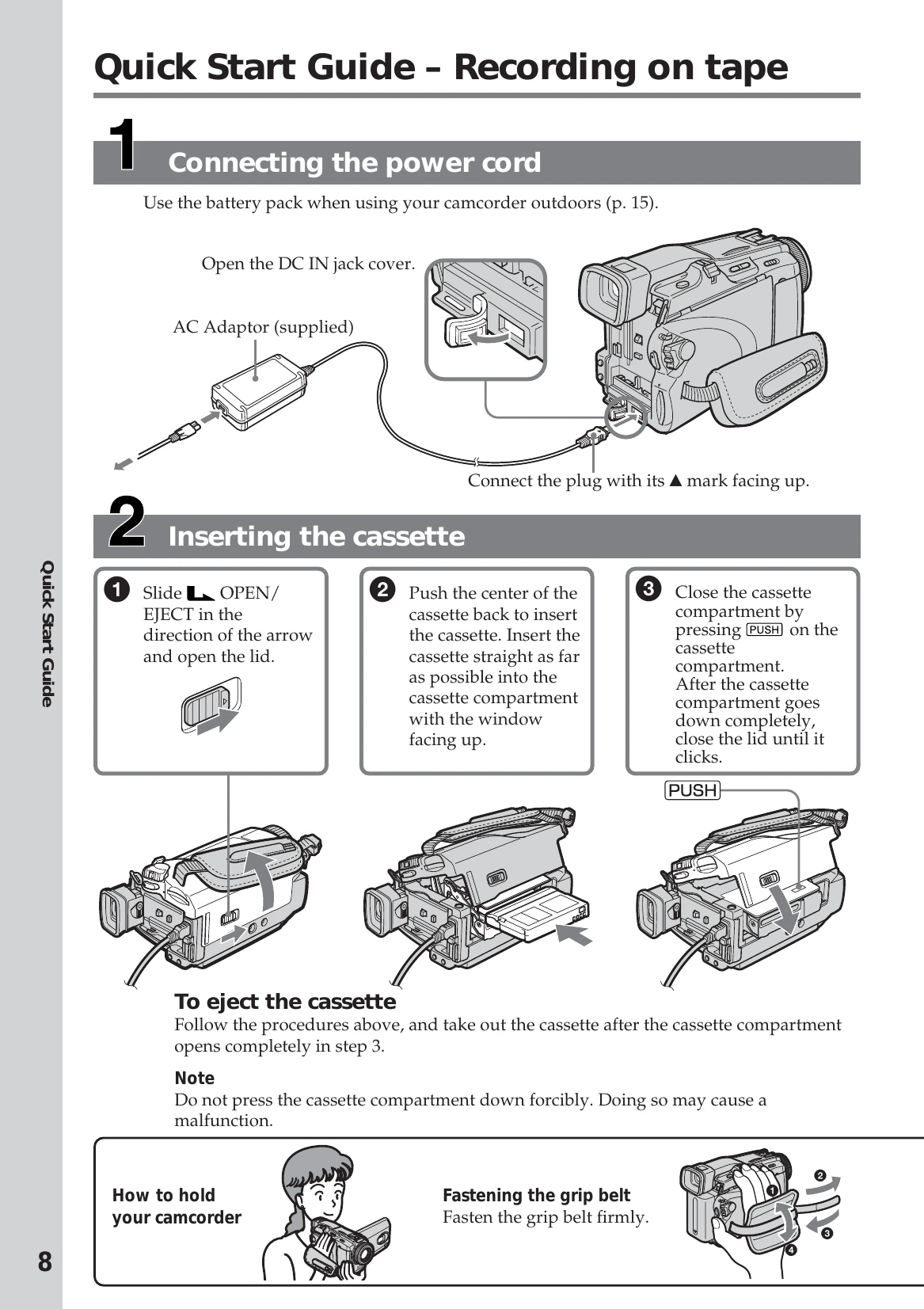
  • Connect the power cord and install the battery pack.
  • Insert a Mini DV cassette into the cassette compartment.
  • Set the POWER switch to CAMERA.
  • Open the LCD panel and press START/STOP to begin recording. Press START/STOP again to stop.

Playing Back Tape

  • Set the POWER switch to VCR.
  • Use the touch panel to rewind the tape.
  • Press the touch panel to start playback.

Recording Still Images

  • Set the POWER switch to MEMORY and ensure the LOCK switch is unlocked.
  • Press PHOTO lightly to prepare for recording.
  • Press PHOTO deeply to record the image on the "Memory Stick".

Monitoring Still Images

  • Set the POWER switch to MEMORY.
  • Press PLAY to view the last recorded image.
Privacy Policy