Manual for DCR-TRV5

Manual for DCR-TRV5

Brand: SONY

Category: Camcorder

Document Type: Manual

Language: EN

Uploaded: Aug. 10, 2025, 12:22 a.m.

Manual Publish Date: 1998-01-01
Getting Started:

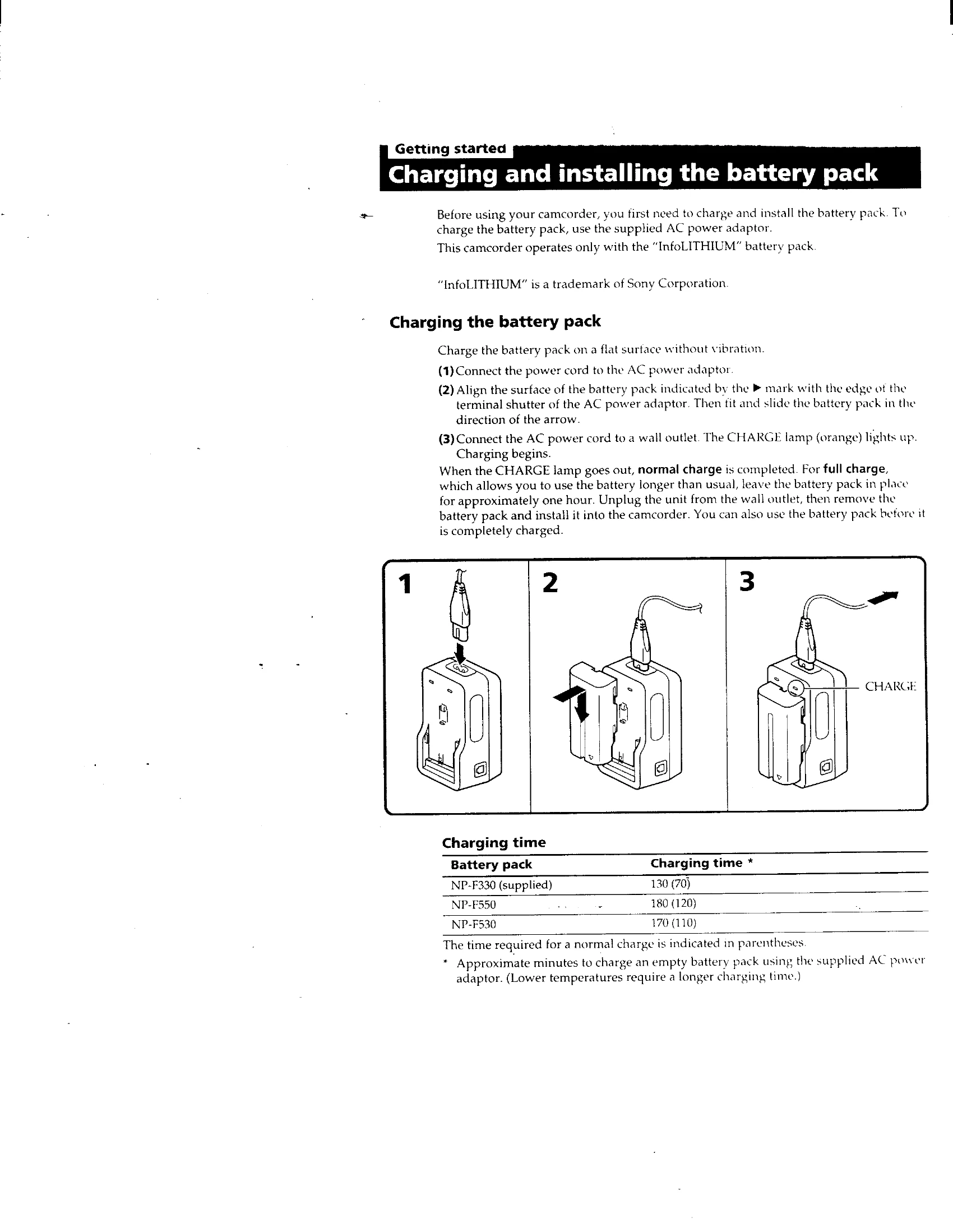
  • Charge the battery pack using the supplied AC power adapter before first use.
  • Insert a mini DV cassette with the logo facing out.
  • Set the POWER switch to CAMERA to enter Standby mode.
  • Press START/STOP to begin recording. Press again to stop.

Basic Operations:

  • Use the viewfinder or LCD screen for shooting.
  • Adjust zoom using the power zoom switch (T for telephoto, W for wide-angle).
  • Select START/STOP MODE for normal, anti-ground shooting, or 5-second recording.
  • Playback by setting the POWER switch to VTR and using the transport buttons.
Privacy Policy