Brand: SONY
Category: Camcorder
Document Type: Manual
Language: EN
Brand: SONY
Category: Camcorder
Document Type: Manual
Language: EN
Uploaded: Aug. 10, 2025, 12:25 a.m.
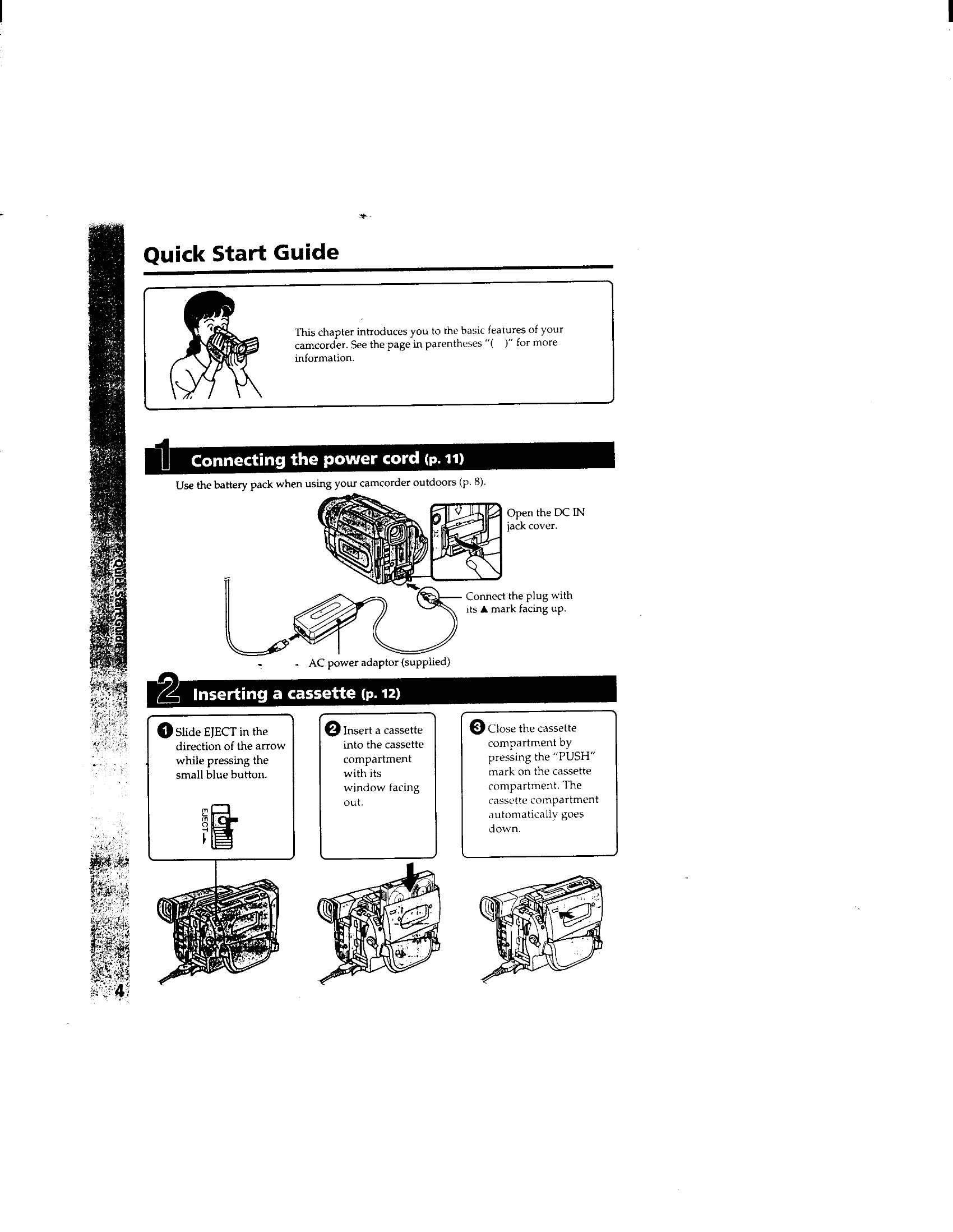
Quick Start Guide:
Recording Basics:
Playback Basics:
| Symptom | Cause/Remedy |
|---|---|
| PictureGear does not run | There might be a problem with the PictureGear program on the hard disk. Uninstall and then reinstall PictureGear (page 26) |
| Sample slide do not display | Click the sample slide folder in the folder list. If the slides still do not appear, there might be a problem with the sample slide data on the hard disk. Uninstall and then reinstall PictureGear (page 26) |
| Not able to communicate with external device | Check the settings for each device. Confirm that the baud rate and serial port settings match (page 17, 20, 23) Momentarily disconnect the external device's connection cable, then reconnect it. |
| Selecting Single-Image View menu does not display the slide any larger | Confirm that you have selected a slide in the List View to be viewed larger. |
| Movies do not play | The Movie Library version may be too old or not installed. Install the Microsoft DirectX Media Runtime provided on the PictureGear CD-ROM (page 10) |