Brand: SONY
Category: Camcorder
Document Type: Manual
Language: EN
Brand: SONY
Category: Camcorder
Document Type: Manual
Language: EN
Uploaded: Aug. 10, 2025, 12:25 a.m.
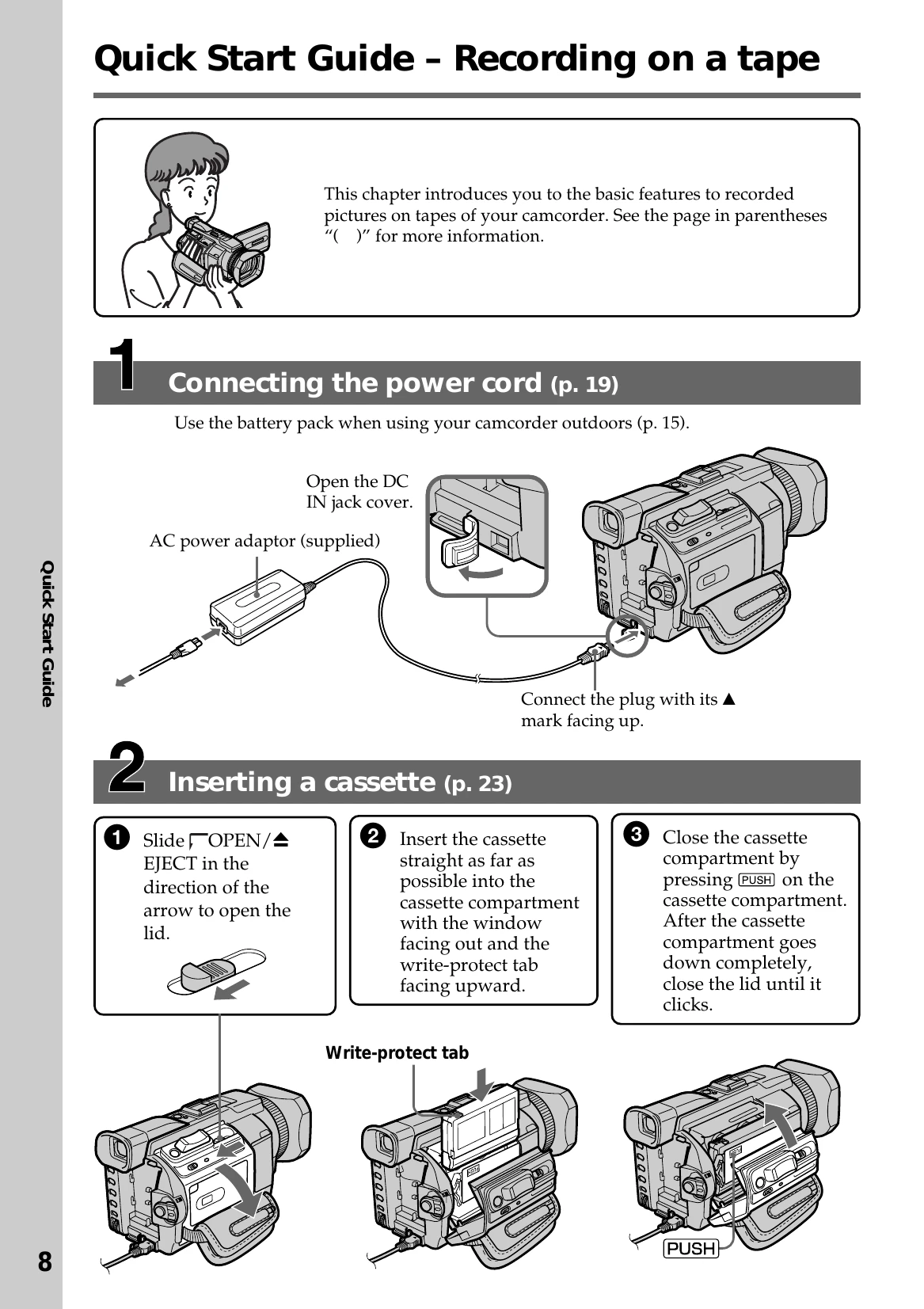
This section guides you through the initial setup and basic operations of your camcorder, including connecting the power cord, inserting a cassette or Memory Stick, recording pictures, and monitoring playback.
Learn how to prepare your camcorder by installing the battery pack, charging it, and connecting it to a power outlet. It also covers setting the date and time for accurate recording.
Discover how to record video and still images, including techniques for shooting backlit subjects and using the self-timer. Learn how to check your recordings.
Understand how to play back recorded tapes and view them on a TV, including navigating the screen indicators.
Explore advanced recording options like using Memory Sticks, wide mode, faders, and special effects. Learn about playback functions like Tape PB ZOOM and searching for scenes.
Covers dubbing tapes, digital program editing, and accessing the internet via Bluetooth (DCR-TRV950 only).
| Types of differences | DCR-TRV940 | TRV950 |
|---|---|---|
| Mark on the POWER switch | MEMORY | MEMORY/NETWORK |
| Network function | Provided | Not provided |