Brand: SONY
Category: Camcorder
Document Type: Manual
Language: EN
Brand: SONY
Category: Camcorder
Document Type: Manual
Language: EN
Uploaded: Aug. 10, 2025, 12:17 a.m.
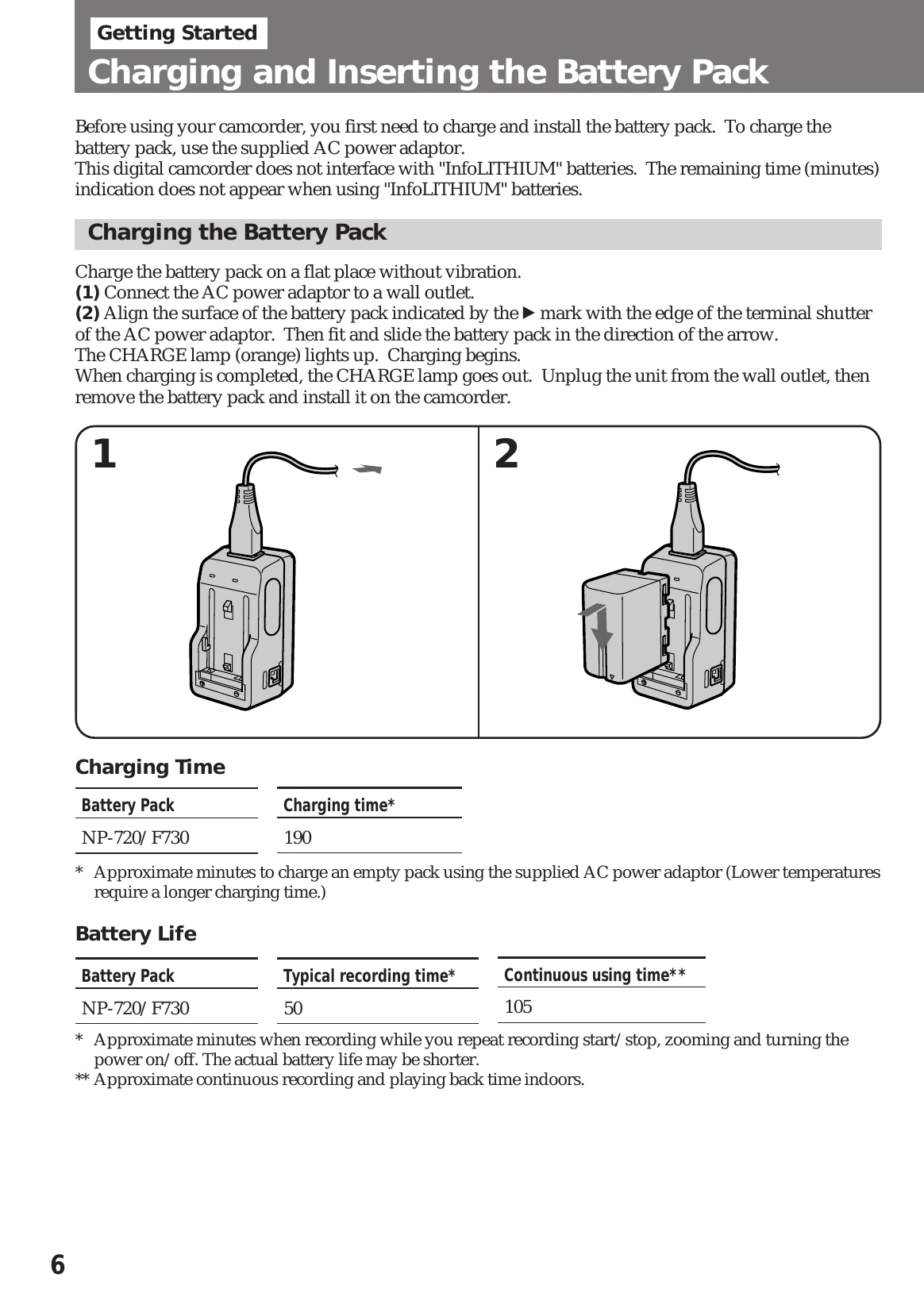
Charge the battery pack using the supplied AC power adapter. Align the battery pack with the adapter and slide it in. The CHARGE lamp will light up. Once charging is complete, the lamp will go out. Remove the battery pack and install it in the camcorder by sliding it into the battery compartment until it clicks.
Ensure a power source and cassette are inserted. Remove the hood cap. Set the POWER switch to CAMERA and turn STANDBY up. Press START/STOP to begin recording. The "REC" indicator and red lamps will light up. To stop momentarily, press START/STOP again. To finish recording, press START/STOP and turn the POWER switch to OFF. Eject the cassette and battery.
Zooming changes the size of the subject. Use the zoom button firmly for high-speed zoom and softly for slow zooming. Note that digital zoom (over 10x) can degrade picture quality. The power zoom indicator separates optical and digital zooming zones.