Manual for DCR-VX2100

Manual for DCR-VX2100

Brand: SONY

Category: Camcorder

Document Type: Manual

Language: EN
Uploaded: Aug. 10, 2025, 12:17 a.m.

Warranty Information

No explicit warranty information is provided in the scanned pages.

Getting Started

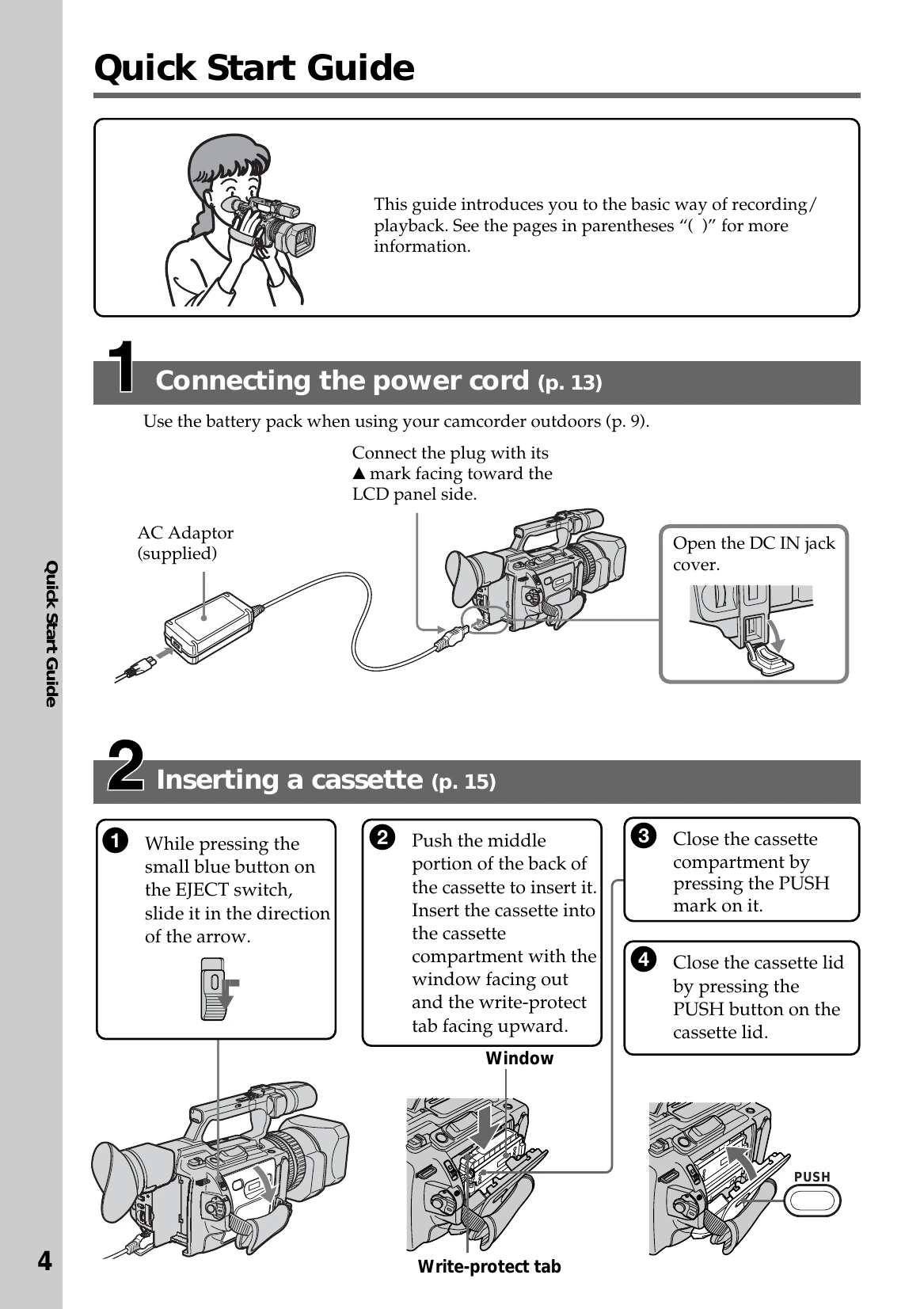
  1. Connecting the power cord: Install the battery pack or connect the AC adaptor to power the camcorder.
  2. Inserting a cassette: Open the cassette compartment and insert a mini DV cassette with the window facing out and write-protect tab facing upward. Close the compartment and lid.
  3. Recording a picture: Open the hood, install power and cassette, set the POWER switch to CAMERA, open the LCD panel, and press START/STOP to begin recording. Press START/STOP again to stop.
  4. Monitoring playback: Set the POWER switch to VCR, rewind the tape, and press PLAY.

Basic Operations

  • Recording Modes: SP (Standard Play) and LP (Long Play) are available. LP allows longer recording times.
  • LCD Screen Adjustment: Adjust brightness using LCD BRIGHT +/- buttons or menu settings.
  • Viewfinder Adjustment: Adjust the viewfinder lens for sharp focus.
  • Zooming: Use the zoom lever or zoom ring for telephoto or wide-angle shots.
Privacy Policy