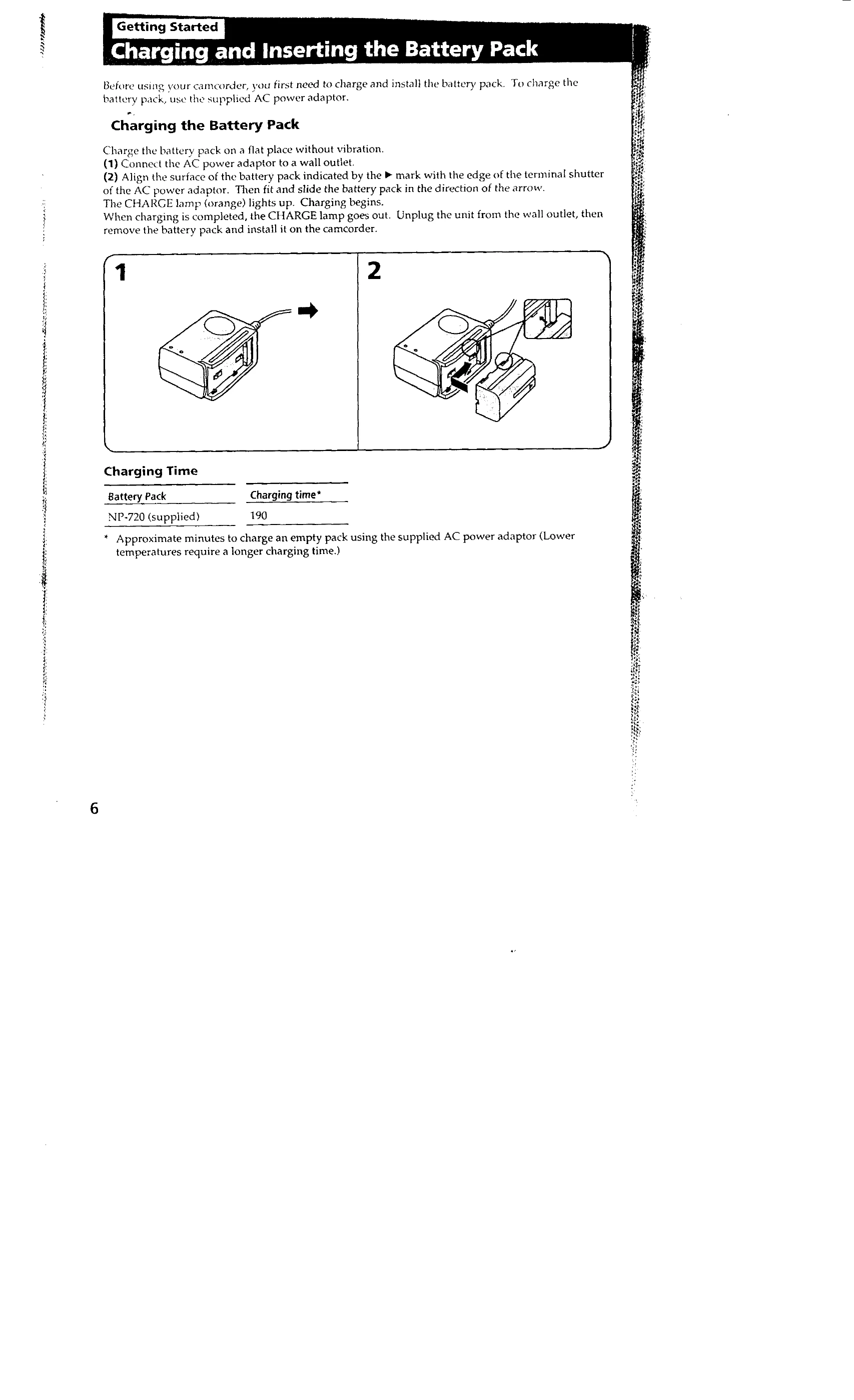
Charging the Battery Pack: Connect the AC power adaptor to a wall outlet and attach the battery pack to the adaptor. The CHARGE lamp indicates charging status.
Inserting a Cassette: Slide EJECT to open the cassette compartment, insert a miniDV cassette with the window facing out, and close the compartment.
Camera Recording: Set the POWER switch to CAMERA, turn STANDBY up, and press START/STOP to begin recording. Press START/STOP again to stop momentarily, or turn STANDBY to LOCK and the POWER switch to OFF to finish recording.
Playback: Turn the POWER switch to VTR, insert a recorded tape, press for rewind, and press to play.
Using the Zoom Feature: Set DIGITAL MODE to ZOOM and use the zoom button to zoom in or out.
Important Notes
Precautions: Avoid exposing the camcorder to rain, moisture, sand, or extreme temperatures.
Viewfinder Focus: Adjust the viewfinder lens to ensure a clear image.
Remote Commander: Use the supplied remote for control. Ensure batteries are inserted correctly.