Manual for FDR-AX30/AX33/AXP33/AXP35

Manual for FDR-AX30/AX33/AXP33/AXP35

Brand: SONY

Category: Camcorder

Document Type: Manual

Language: EN

Uploaded: Aug. 10, 2025, 12:15 a.m.

Getting Started:

  • Read the manual thoroughly.
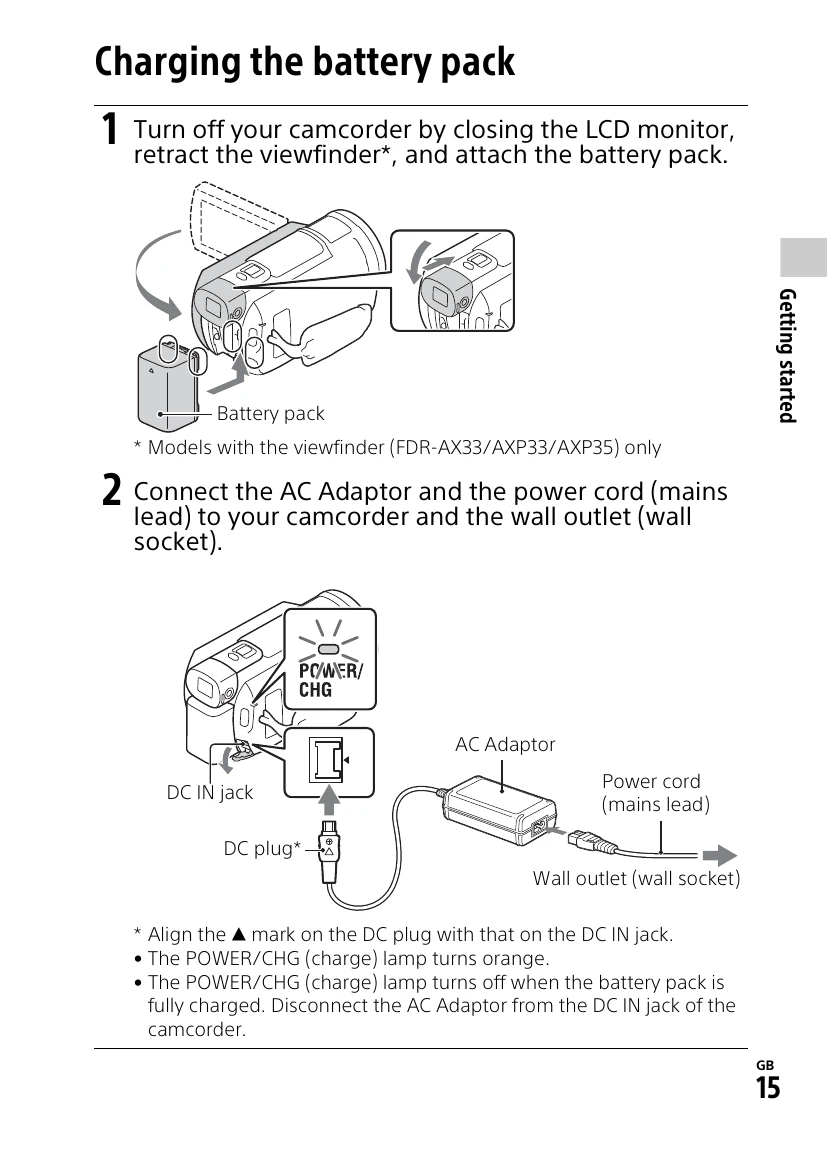
  • Charge the battery pack using the AC adapter or a computer.
  • Insert a memory card.
  • Turn on the camcorder and set the date and time.

Recording Movies:

  • Open the LCD monitor and press START/STOP to begin recording.
  • Press START/STOP again to stop.
  • You can record photos during movie recording by pressing the PHOTO button.

Saving Images:

  • Connect to a computer using PlayMemories Home software or an external media device.
  • Transfer MP4 images to a smartphone via Wi-Fi.
Privacy Policy