Brand: SONY
Category: Camcorder
Document Type: Manual
Language: EN
Brand: SONY
Category: Camcorder
Document Type: Manual
Language: EN
Uploaded: Aug. 10, 2025, 12:17 a.m.
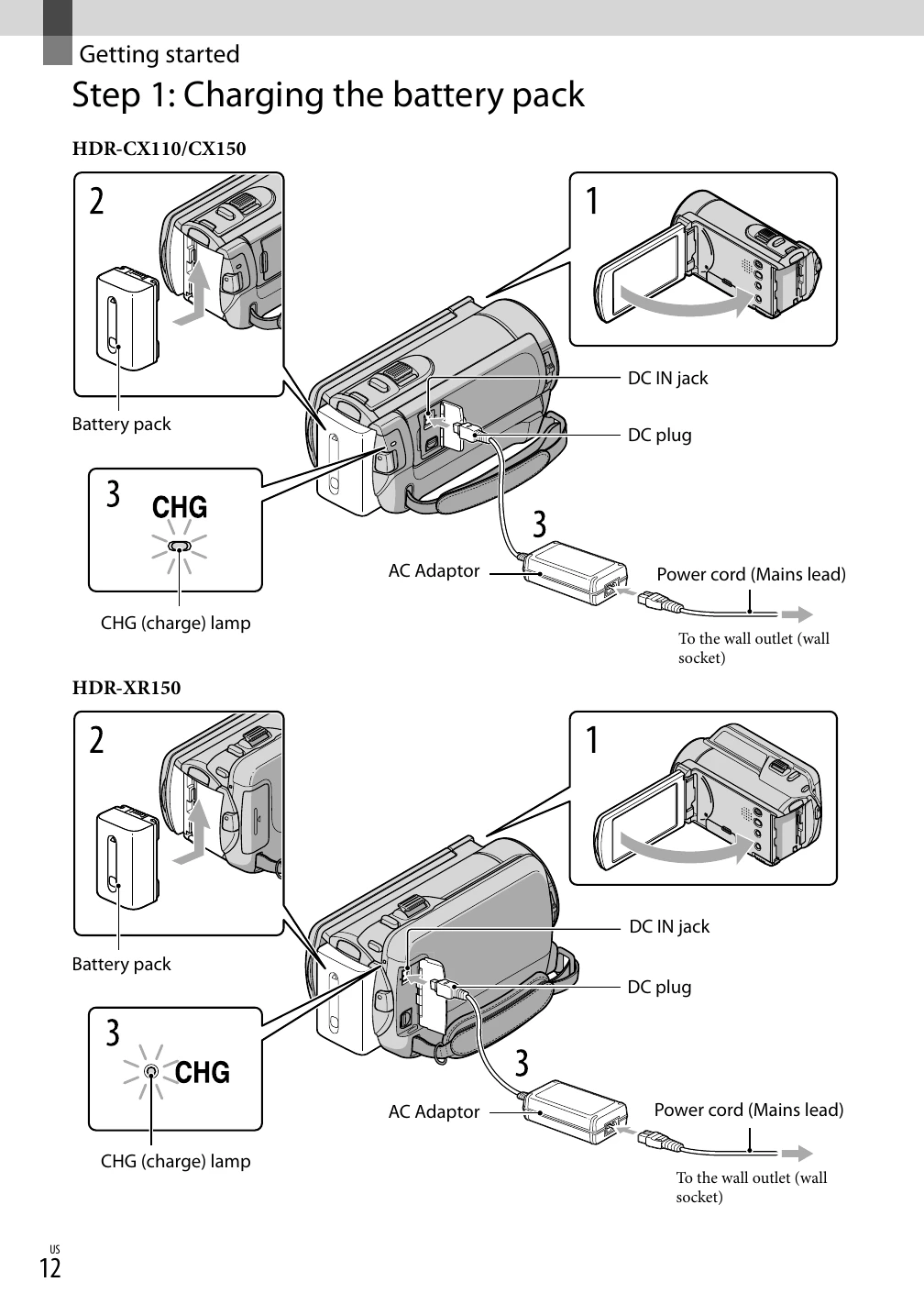
Charge the battery pack (p. 12). Turn on the camcorder, set the date and time (p. 15). Prepare the recording media, such as inserting a memory card (p. 17).
Record movies by pressing START/STOP (p. 22). Take photos by pressing the appropriate button (p. 24). Explore various recording functions like Intelligent Auto (p. 25) and prioritizing subjects (p. 27).
Playback movies and photos on the camcorder (p. 29) or connect to a TV (p. 37).
Save images to external media (p. 49) or discs (p. 51). Delete unwanted files to free up space (p. 40).
Adjust settings via menus (p. 58) to customize your camcorder experience.