Brand: SONY
Category: Camcorder
Document Type: Manual
Language: EN
Brand: SONY
Category: Camcorder
Document Type: Manual
Language: EN
Uploaded: Aug. 10, 2025, 12:23 a.m.
Manual Publish Date: 2010
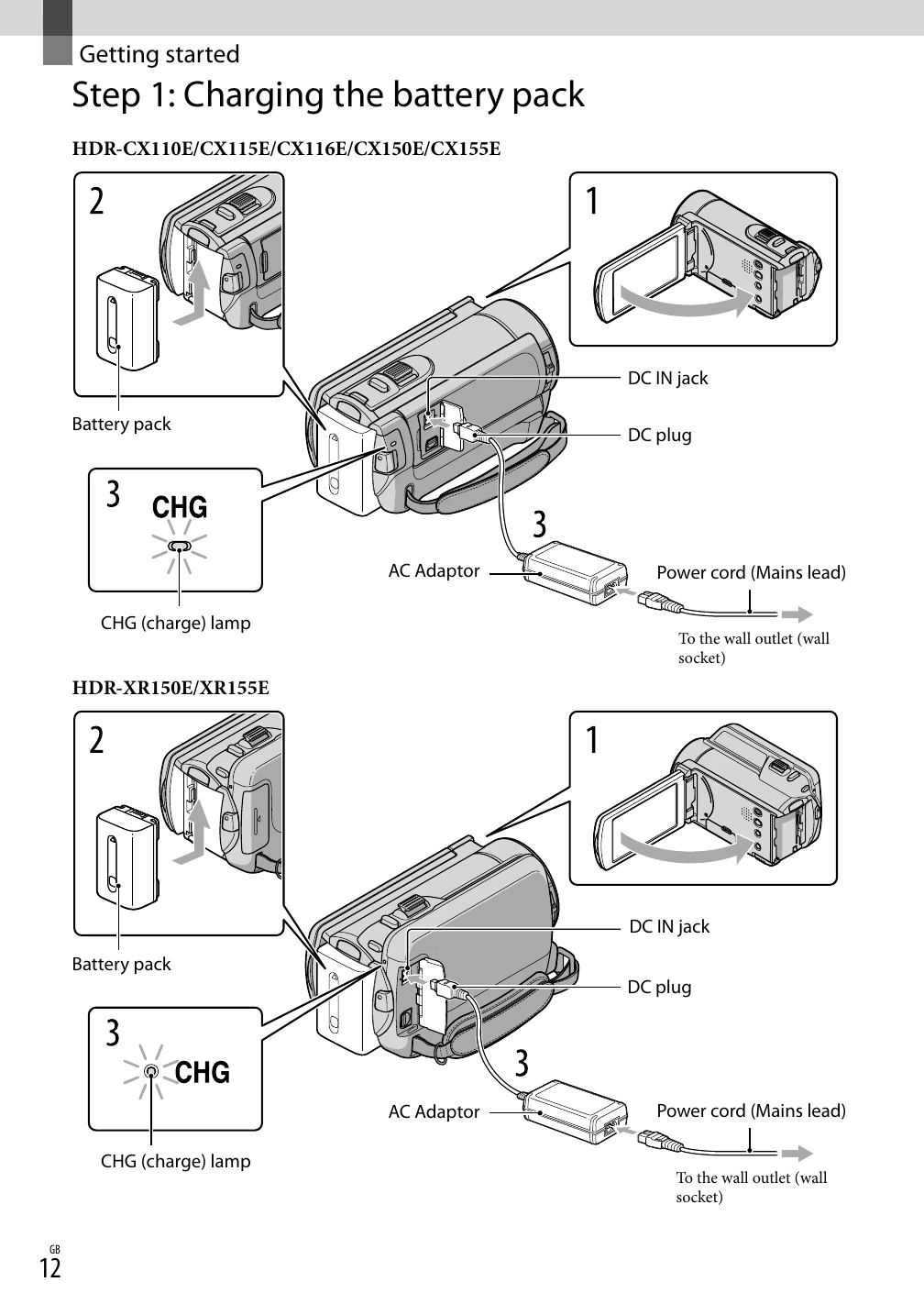
Getting Started: Charge the battery pack, turn on the camcorder, set the date/time, and prepare the recording media (memory card or internal memory/hard disk). Insert a memory card if needed.
Recording: Open the lens cover, fasten the grip belt, and turn on the camcorder. Select the recording mode (movie or photo) using the MODE button. Press START/STOP to begin recording. Press it again to stop.
Playback: Open the LCD screen. You can search for images by date (Date Index), scene (Film Roll Index, Face Index), or play back a digest (Highlight Playback) or slideshow.
Saving & Deleting: Save your recorded images to external media like a computer or disc. Delete unwanted movies and photos to free up space.