Manual for HDR-CX110E/CX115E/CX116E/CX150E/CX155E/XR150E/XR155E

Manual for HDR-CX110E/CX115E/CX116E/CX150E/CX155E/XR150E/XR155E

Brand: SONY

Category: Camcorder

Document Type: Manual

Language: EN

Uploaded: Aug. 10, 2025, 12:19 a.m.

Manual Publish Date: 2010-01-01

Warranty Information

None

Getting Started

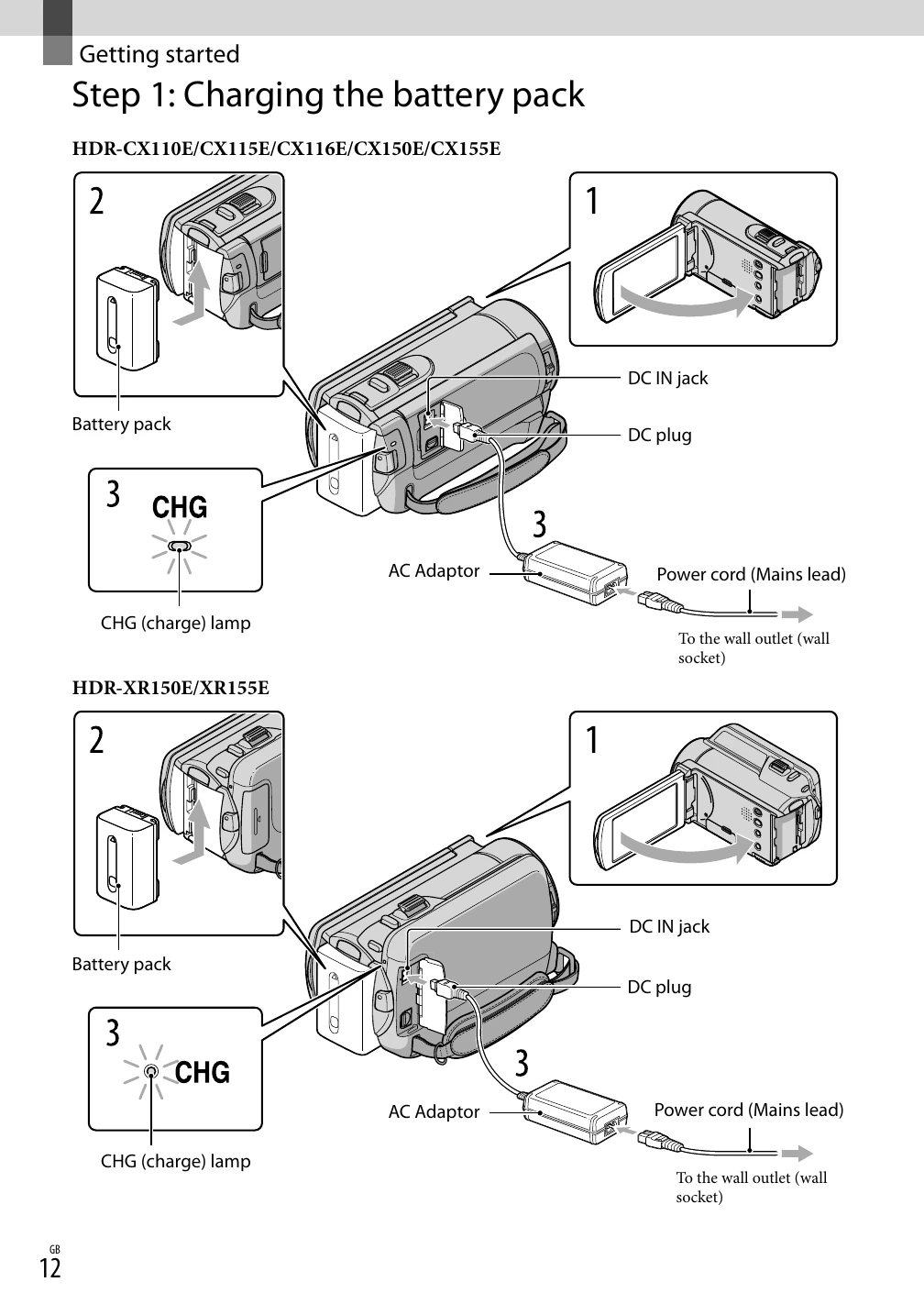
  1. Charge the battery pack using the AC adaptor and power cord.
  2. Turn on the camcorder by opening the LCD screen. Set the date, time, and language.
  3. Prepare the recording media by selecting internal memory or a memory card.

Recording Movies and Photos

  1. Open the lens cover.
  2. Fasten the grip belt.
  3. Turn on the camcorder and select the recording mode (Movie or Photo).
Privacy Policy