Brand: SONY
Category: Camcorder
Document Type: Manual
Language: EN
Brand: SONY
Category: Camcorder
Document Type: Manual
Language: EN
Uploaded: Aug. 10, 2025, 12:23 a.m.
Manual Publish Date: 2010-01-01
Getting Started:
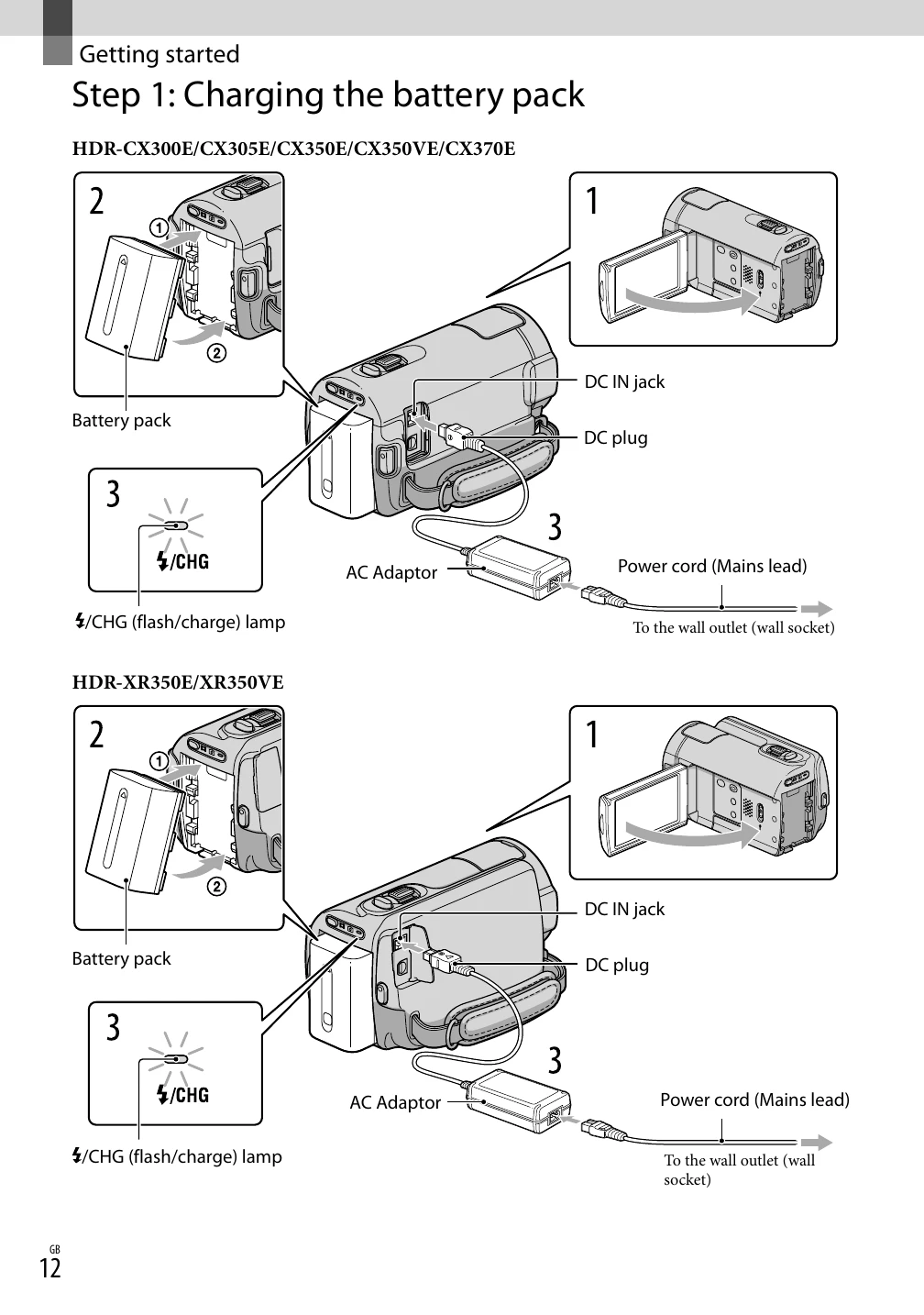
1. Charge the battery pack using the AC adapter and power cord.
2. Turn on the camcorder by opening the LCD screen and pressing POWER.
3. Set the geographical area, date, and time.
4. Select the recording media for movies and photos.
5. Insert a memory card if necessary.
Recording Movies and Photos:
1. Fasten the grip belt.
2. Open the LCD screen.
3. Press the MODE button to select movie or photo recording.
4. Press START/STOP to begin or end recording.
Playing Movies and Photos:
1. Use the playback functions on the camcorder or connect to a TV.