Manual for HDR-CX300E/CX305E/CX350E/CX350VE/CX370E/XR350E/XR350VE

Manual for HDR-CX300E/CX305E/CX350E/CX350VE/CX370E/XR350E/XR350VE

Brand: SONY

Category: Camcorder

Document Type: Manual

Language: EN

Uploaded: Aug. 10, 2025, 12:20 a.m.

Manual Publish Date: 2010-01-01
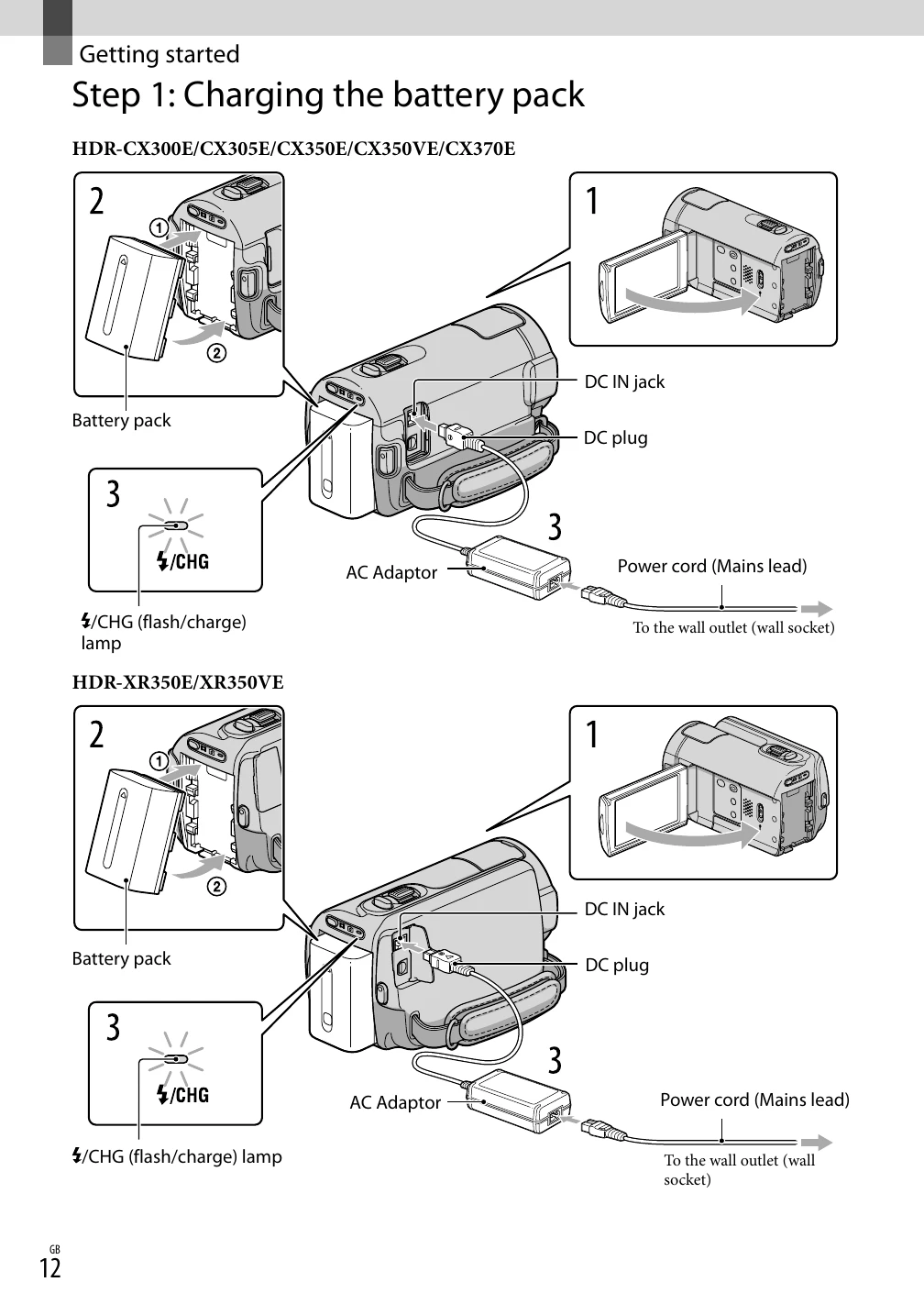
Charging the Battery Pack:
  1. Turn off the camcorder by closing the LCD screen.
  2. Attach the battery pack by aligning terminals and pushing until it clicks.
  3. Connect the AC Adaptor and power cord to the camcorder and wall outlet.
  4. The ⚡/CHG lamp indicates charging status. It turns off when fully charged.
  5. Disconnect the AC Adaptor when charging is complete.
Turning on the Camcorder:
  • Open the LCD screen.
  • Press the POWER button.
Setting Date and Time:
  • Access the MENU and navigate to the CLOCK/LANG setting.
  • Set the geographical area, date, and time.
  • SUMMERTIME can be enabled to advance the clock by 1 hour.
Preparing Recording Media:
  • Select recording media for movies and photos via the MENU.
  • Ensure the correct memory card is inserted if using one.
Privacy Policy