Brand: SONY
Category: Camcorder
Document Type: Manual
Language: EN
Brand: SONY
Category: Camcorder
Document Type: Manual
Language: EN
Uploaded: Aug. 10, 2025, 12:23 a.m.
None
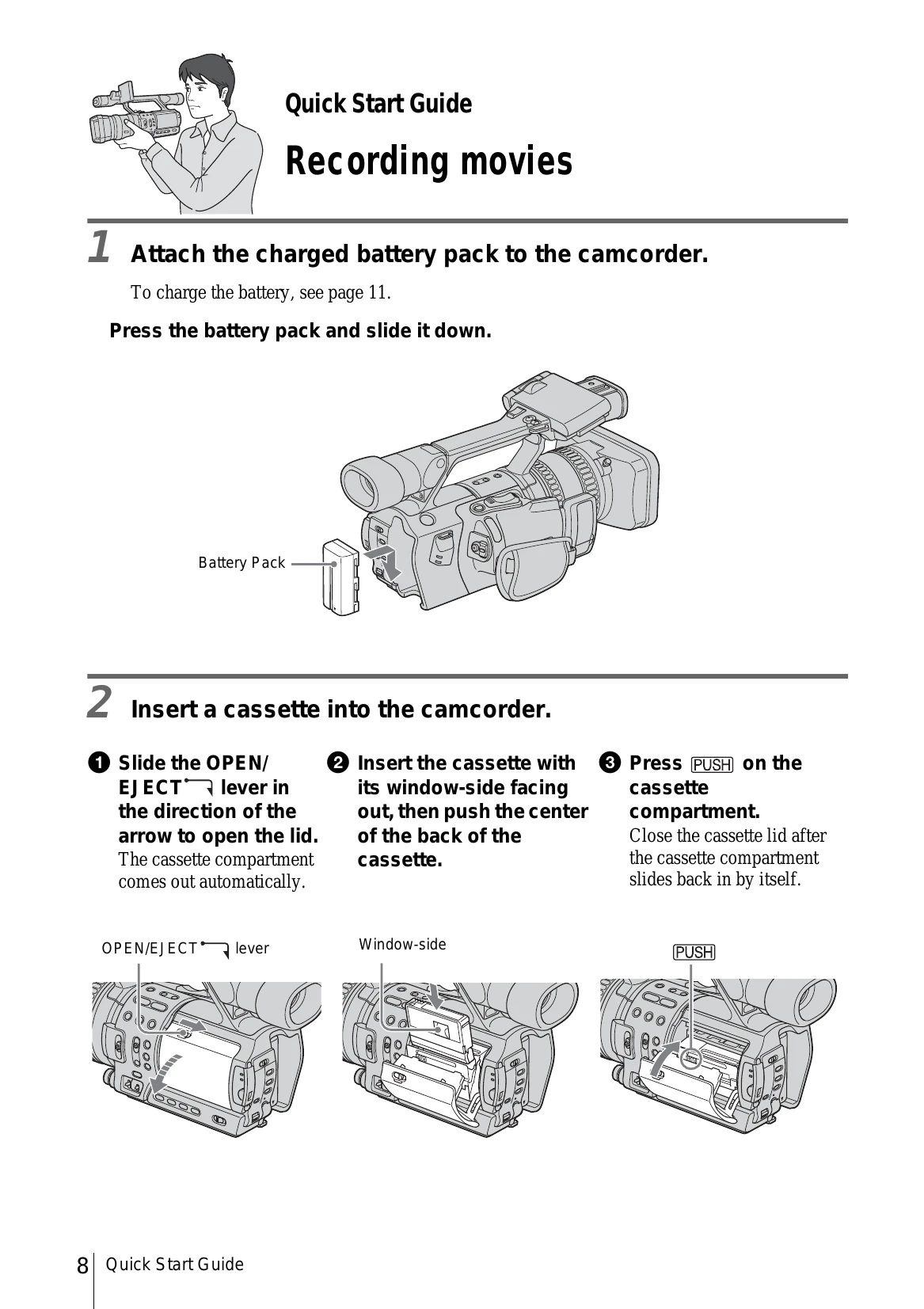
Quick Start Guide: Recording movies
Getting started includes: Checking supplied items, charging the battery, turning the power on, adjusting the LCD panel and viewfinder, setting the date and time, inserting a cassette, and setting the screen language.
Recording covers: Recording movies in HDV or DV format, adjusting exposure, manual adjustments, focus, picture quality, sound, developing scenes, and recording in 16:9 wide mode.