Manual for HDR-MV1

Manual for HDR-MV1

Brand: SONY

Category: Camcorder

Document Type: Manual

Language: EN

Uploaded: Aug. 10, 2025, 12:21 a.m.

Warranty Information

None

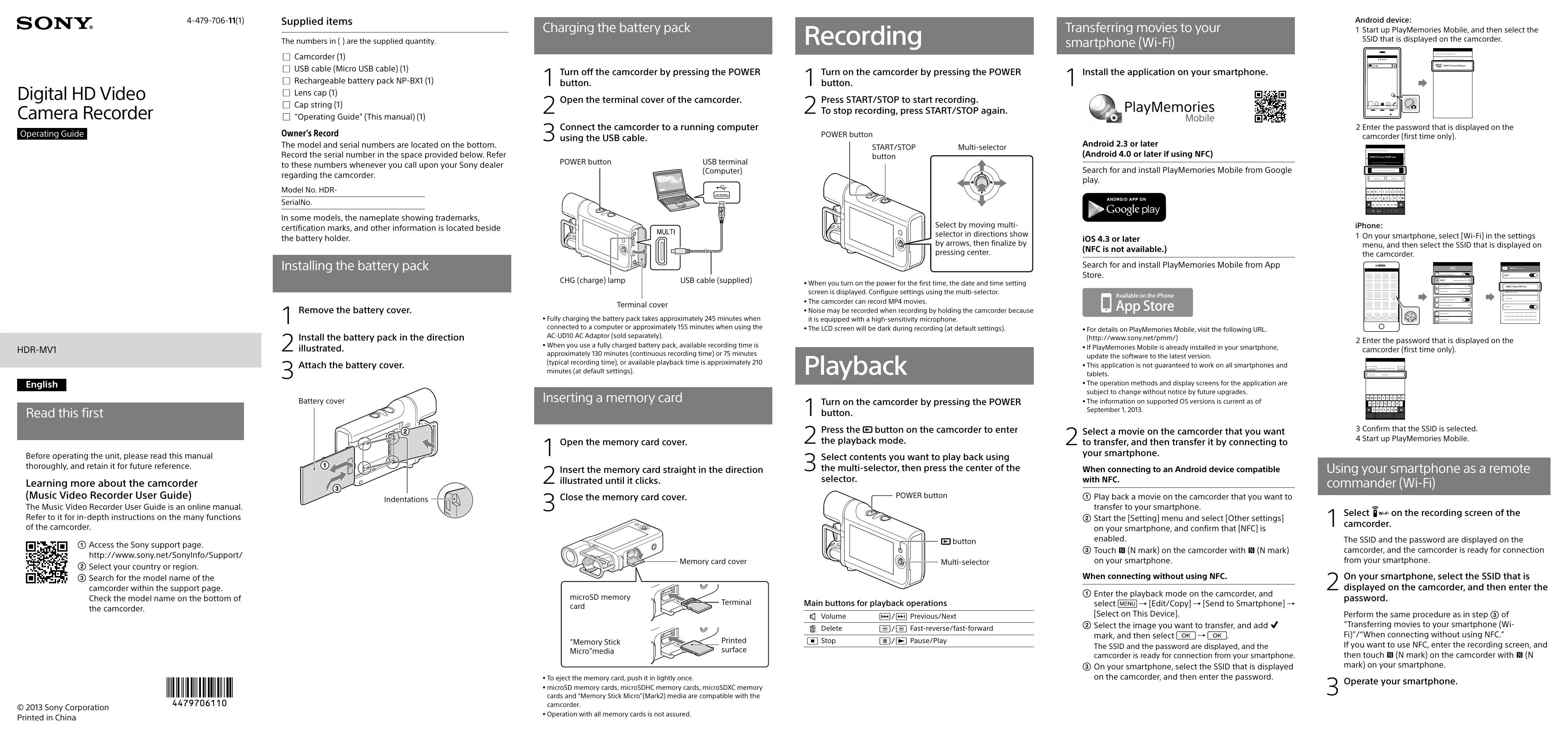
Charging the battery pack
  1. Turn off the camcorder.
  2. Open the terminal cover.
  3. Connect to a running computer using the USB cable.
Recording
  1. Turn on the camcorder.
  2. Press START/STOP to start recording.
  3. Press START/STOP again to stop recording.
Transferring movies to your smartphone (Wi-Fi)
  1. Install PlayMemories Mobile on your smartphone (Android 2.3+, iOS 4.3+).
  2. For Android, start the app and select the camcorder's SSID. Enter the password.
  3. For iOS, go to Wi-Fi settings, select the camcorder's SSID, enter the password, and start the app.
  4. For NFC connection (Android), touch camcorder and phone together.
Using your smartphone as a remote commander (Wi-Fi)
  1. Select WIFI on the camcorder's recording screen. The SSID and password are displayed.
  2. On your smartphone, connect to the displayed SSID and enter the password.
  3. Start PlayMemories Mobile or use the remote commander function.
Playback
  1. Turn on the camcorder.
  2. Press the button to enter playback mode.
  3. Use the multi-selector to choose content and press the center to play.
Privacy Policy