Manual for HDR-SR11/SR12

Manual for HDR-SR11/SR12

Brand: SONY

Category: Camcorder

Document Type: Manual

Language: EN

Uploaded: Aug. 10, 2025, 12:16 a.m.
Getting Started

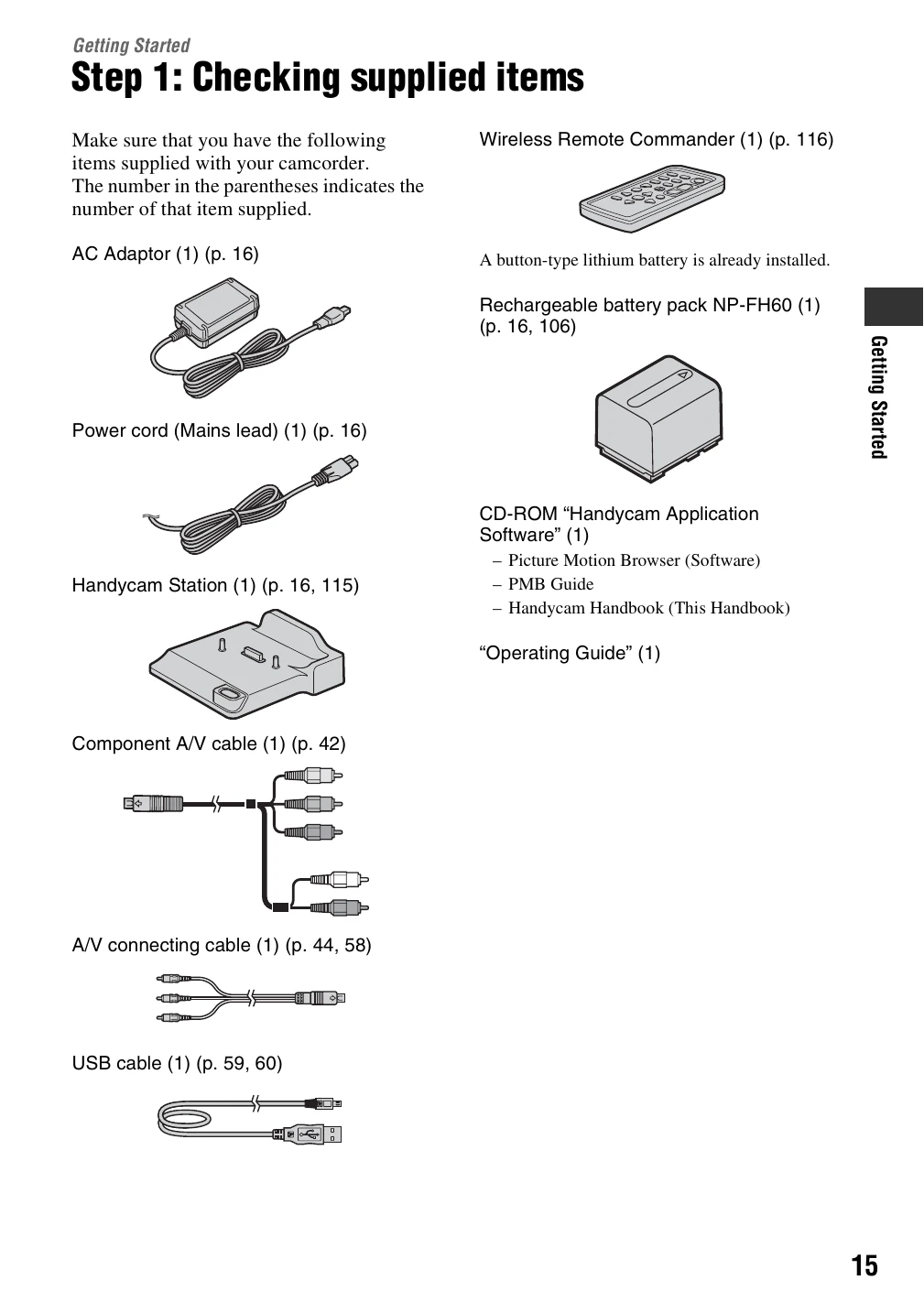
  • Step 1: Checking supplied items: Unpack and verify all accessories are present.
  • Step 2: Charging the battery pack: Connect the AC adapter and power cord to charge the battery.
  • Step 3: Turning the power on and setting the date and time: Power on the camcorder and set the clock and region.
  • Step 4: Making setting adjustments before recording: Adjust the LCD panel and language settings.
  • Step 5: Selecting the media: Choose between the hard disk or Memory Stick for recording.

Enjoying your camcorder

  • Operation flow: Follow the steps for getting ready, recording HD video, and playback.
  • Menus: Utilize the "HOME" and "OPTION" menus for various functions.
  • Recording time: Understand the approximate recording times for different modes on the internal hard disk and Memory Stick.
Privacy Policy