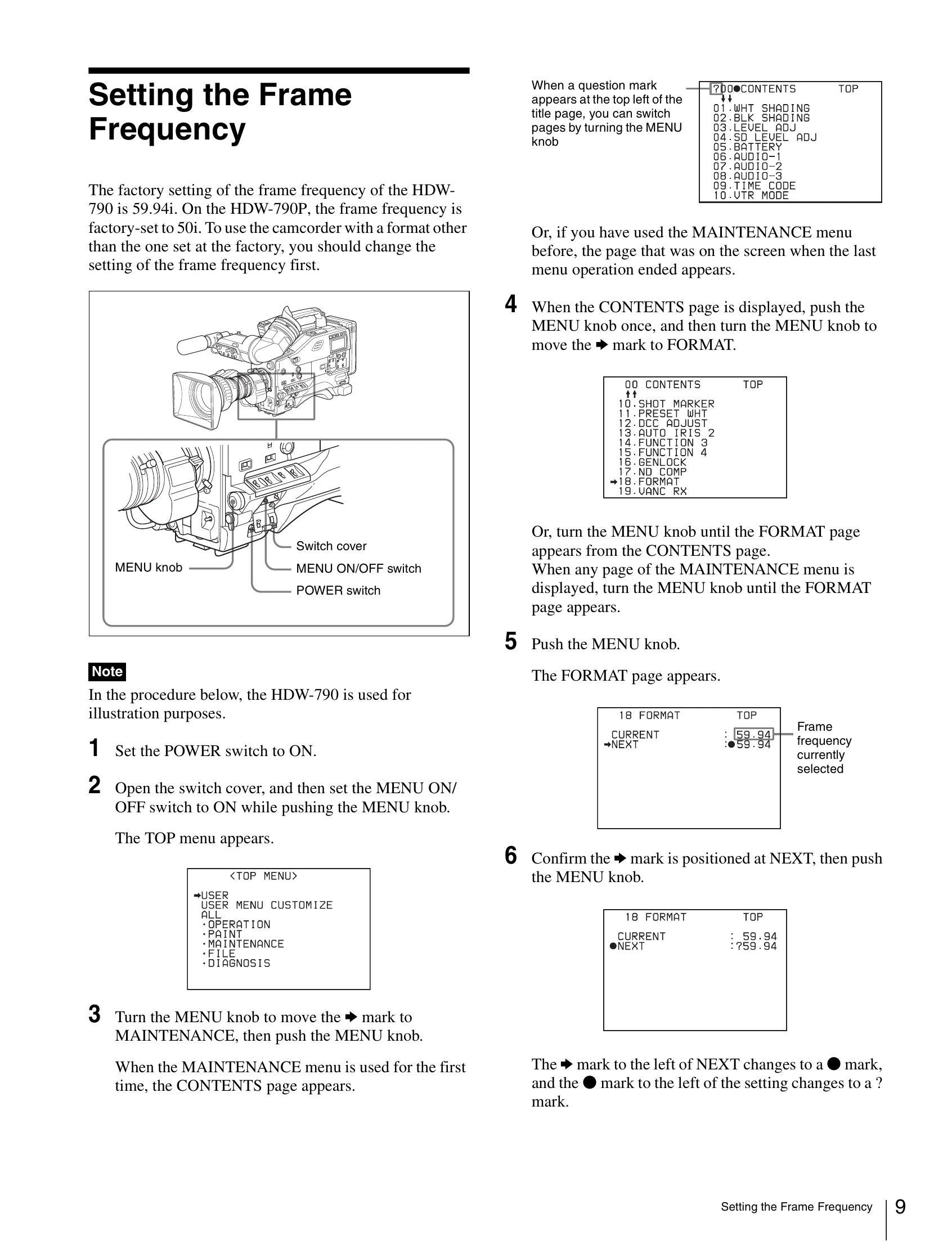
Open the switch cover and set the MENU ON/OFF switch to ON while pushing the MENU knob. The TOP menu appears.
Turn the MENU knob to select MAINTENANCE, then push the MENU knob. The CONTENTS page appears.
Push the MENU knob once, then turn the MENU knob to move the mark to FORMAT.
Push the MENU knob. The FORMAT page appears.
Confirm the mark is positioned at NEXT, then push the MENU knob.
Turn the MENU knob clockwise or counterclockwise until the desired frame frequency appears. The message “PLEASE POWER OFF → ON TO CHANGE FORMAT” appears.
Set the POWER switch to OFF once, and then to ON. The camcorder will operate at the desired frame frequency.