Manual for HVR-A1U

Manual for HVR-A1U

Brand: SONY

Category: Camcorder

Document Type: Manual

Language: EN

Uploaded: Aug. 10, 2025, 12:22 a.m.

Getting Started:

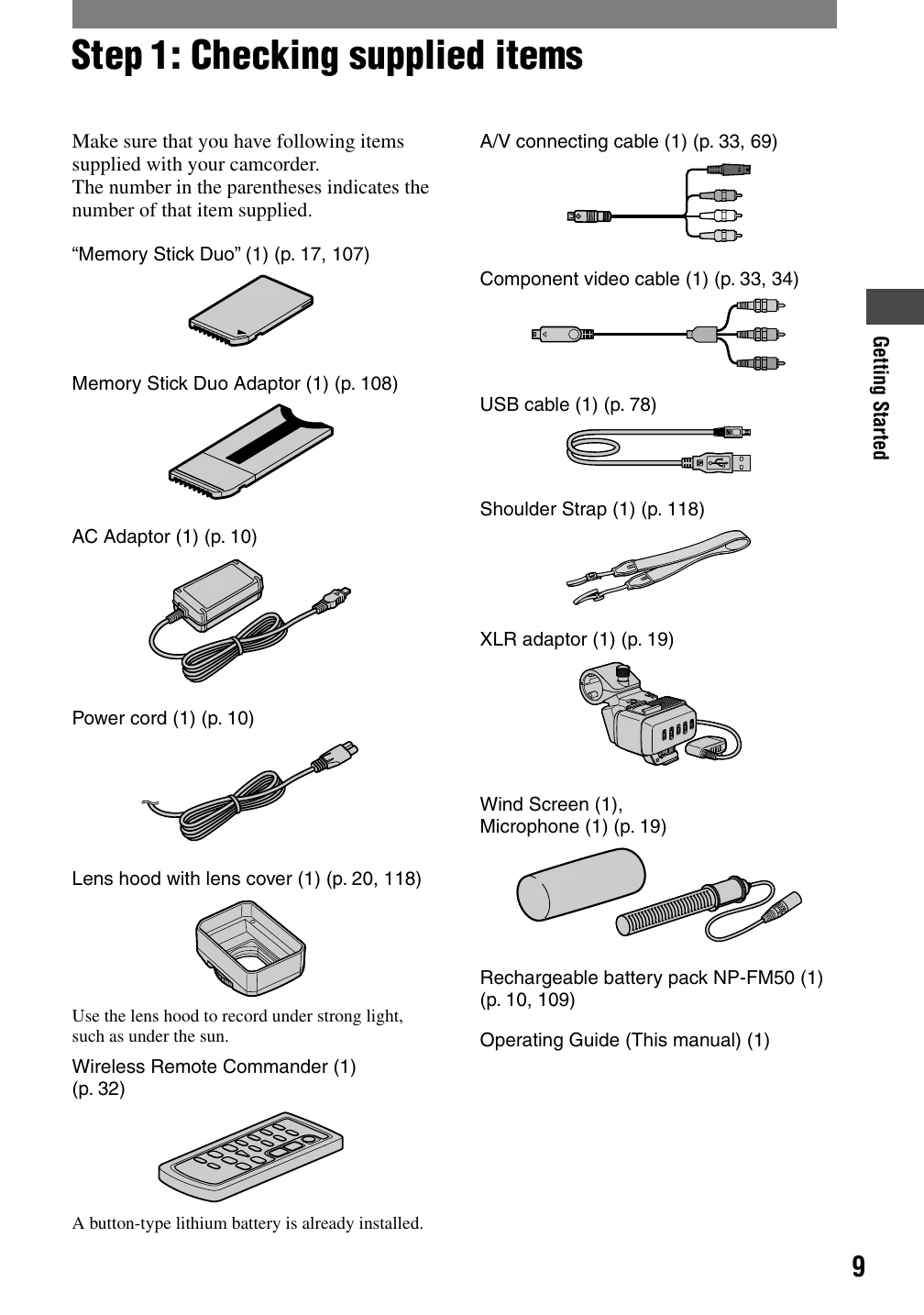
  1. Checking Supplied Items: Ensure all accessories listed are present.
  2. Charging the Battery Pack: Connect the AC adapter to charge the battery.
  3. Turning Power On & Holding: Slide the power switch to ON and hold the camcorder firmly.
  4. LCD Panel & Viewfinder Adjustment: Adjust for optimal viewing.
  5. Touch Panel Use: Operate the camcorder via the LCD screen.
  6. Date and Time Setting: Configure clock settings for accurate recording.
  7. Inserting Media: Load a cassette tape or Memory Stick Duo.
  8. Microphone & Lens Hood Installation: Attach accessories for better audio and lens protection.

Recording:

  1. Select recording medium (tape or Memory Stick Duo).
  2. Press REC START/STOP to begin recording movies.
  3. Press PHOTO to capture still images.
Privacy Policy