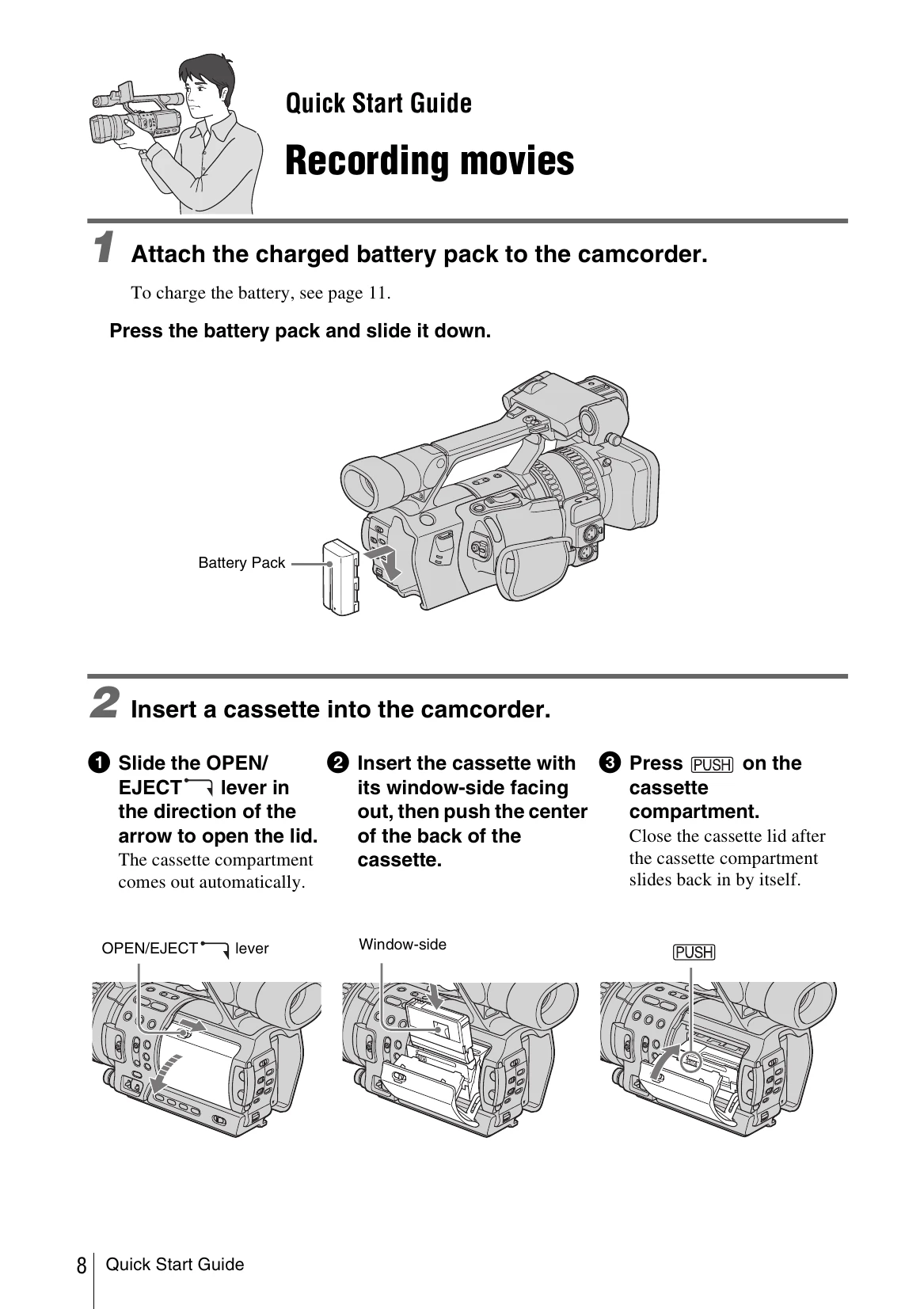
Attach the charged battery pack to the camcorder. Press the battery pack and slide it down.
Insert a cassette into the camcorder. Slide the OPEN/EJECT lever, insert the cassette with its window-side facing out, then push the center of the back of the cassette. Press PUSH on the cassette compartment to close it.
Start recording while checking the subject on the LCD screen. Open the hood shutter, open the LCD panel and adjust the angle. Press the green button and set the POWER switch to CAMERA. Press REC START/STOP to begin recording.
View the recorded picture on the LCD screen. Set the POWER switch to VCR while pressing the green button. Press Rewind, then Play to start playback. Press Stop to stop. Set the POWER switch to OFF to turn off the power.