Manual for HVR-Z7U/Z7N

Manual for HVR-Z7U/Z7N

Brand: SONY

Category: Camcorder

Document Type: Manual

Language: EN

Uploaded: Aug. 10, 2025, 12:16 a.m.
Getting Started

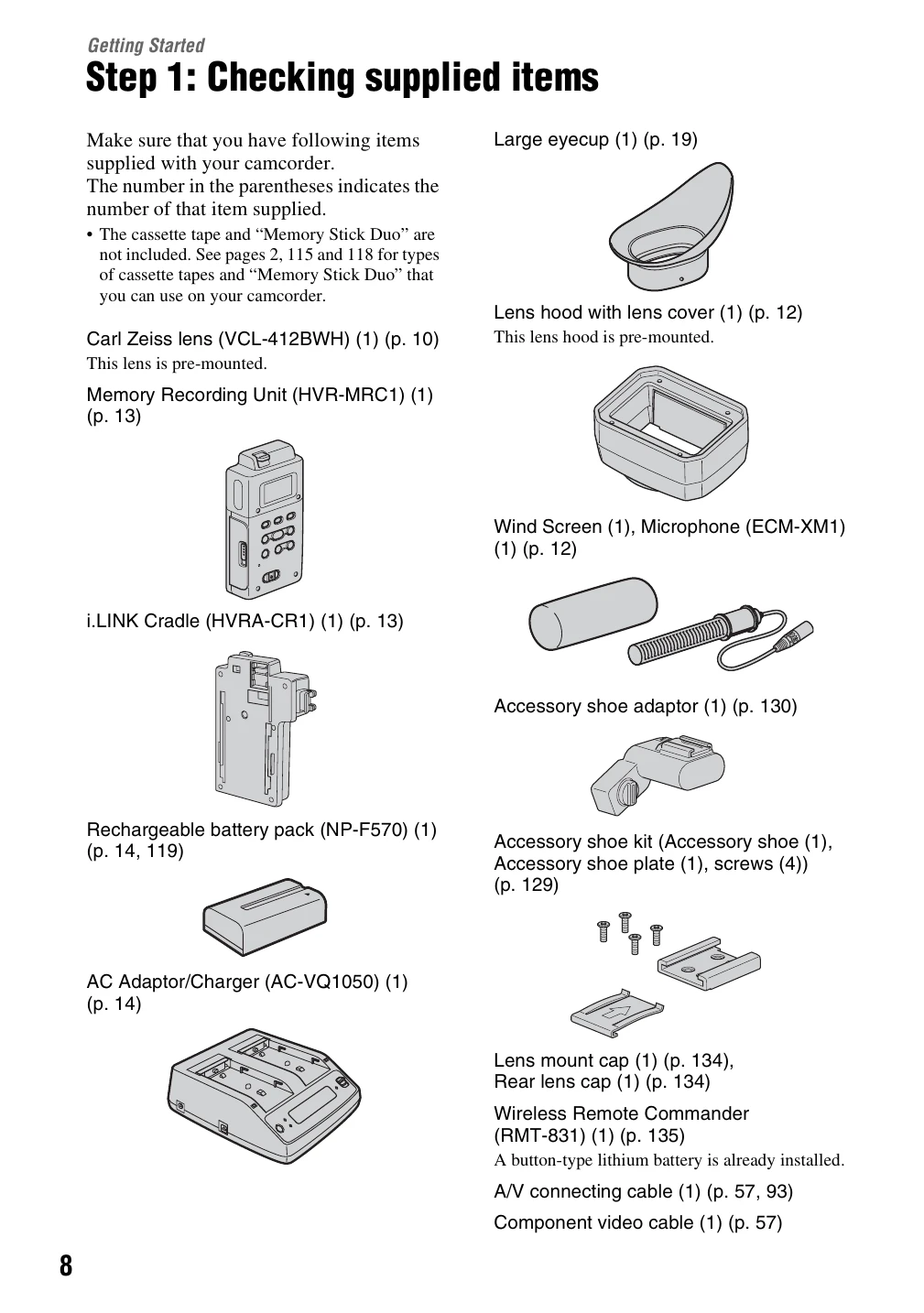
  • Step 1: Checking Supplied Items: Ensure all listed items are present.
  • Step 2: Attaching the Supplied Items: Mount the lens, attach the microphone, and install the lens hood.
  • Step 3: Charging the Battery Pack: Charge the InfoLITHIUM battery pack using the AC adapter.
  • Step 4: Turning Power On and Holding Camcorder Properly: Learn how to power on/off and hold the camcorder correctly.
  • Step 5: Adjusting LCD Panel and Viewfinder: Adjust for optimal viewing and battery life.
  • Step 6: Setting the Date and Time: Configure the clock for accurate recording metadata.
  • Step 7: Inserting Tape or Memory Stick Duo: Load media for recording.

Recording/Playback

  • Recording: Learn to adjust zoom, focus, exposure, white balance, black balance, and volume.
  • Assigning Functions: Customize ASSIGN buttons for quick access.
  • Playback: Review recorded scenes, search by date or index.

Using the Menu: Access and adjust various camera settings categorized by function (Camera, Audio, Display, etc.).

Dubbing/Editing: Transfer footage to other devices or computers.

Troubleshooting: Find solutions for common issues and interpret warning messages.

Privacy Policy